MOOR INSTRUMENTS moorLDI2 RESEARCH USER MANUAL
63
Select using the
Scanner Setup
icon
or
SetUp
Scanner Setup
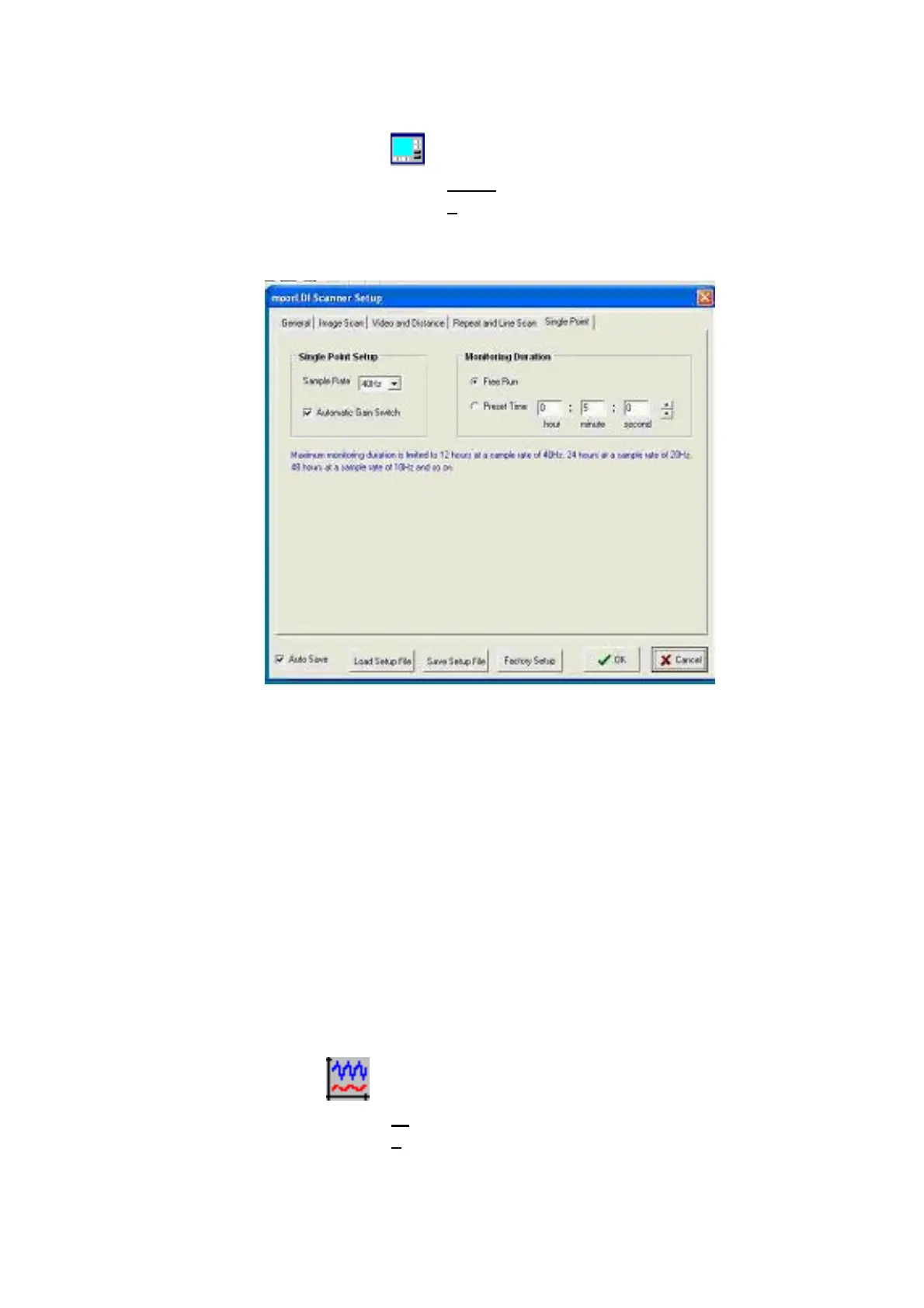
Click the right-most tab to configure the
single point
measurement.
Parameters that can be altered include;
Monitor Duration: free run/preset time (Preset time in Hours: Minutes: Seconds.
Sample Rate – selectable
Autmatic Gain Switch – on/ off
9.8 AUTOGAIN
Enables a wide range of flux values to be obtained without saturation occurring in the detection
process. If this option is not selected the gain settings set for imaging are implemented.
If selected, autogain is set up only at the start of a single point measurement. Changing position on
the tissue for example, following a pause, can lead to errors in the autogain setting.
9.9 SINGLE POINT MEASUREMENT - START
After clicking the SPM icon or selecting
Measurement
Single Point
,
Position the beam at the tissue site eg on a finger.



 To Next Page