MOOR INSTRUMENTS moorLDI2 RESEARCH USER MANUAL
104
17.4.3 SPM STATISTICS
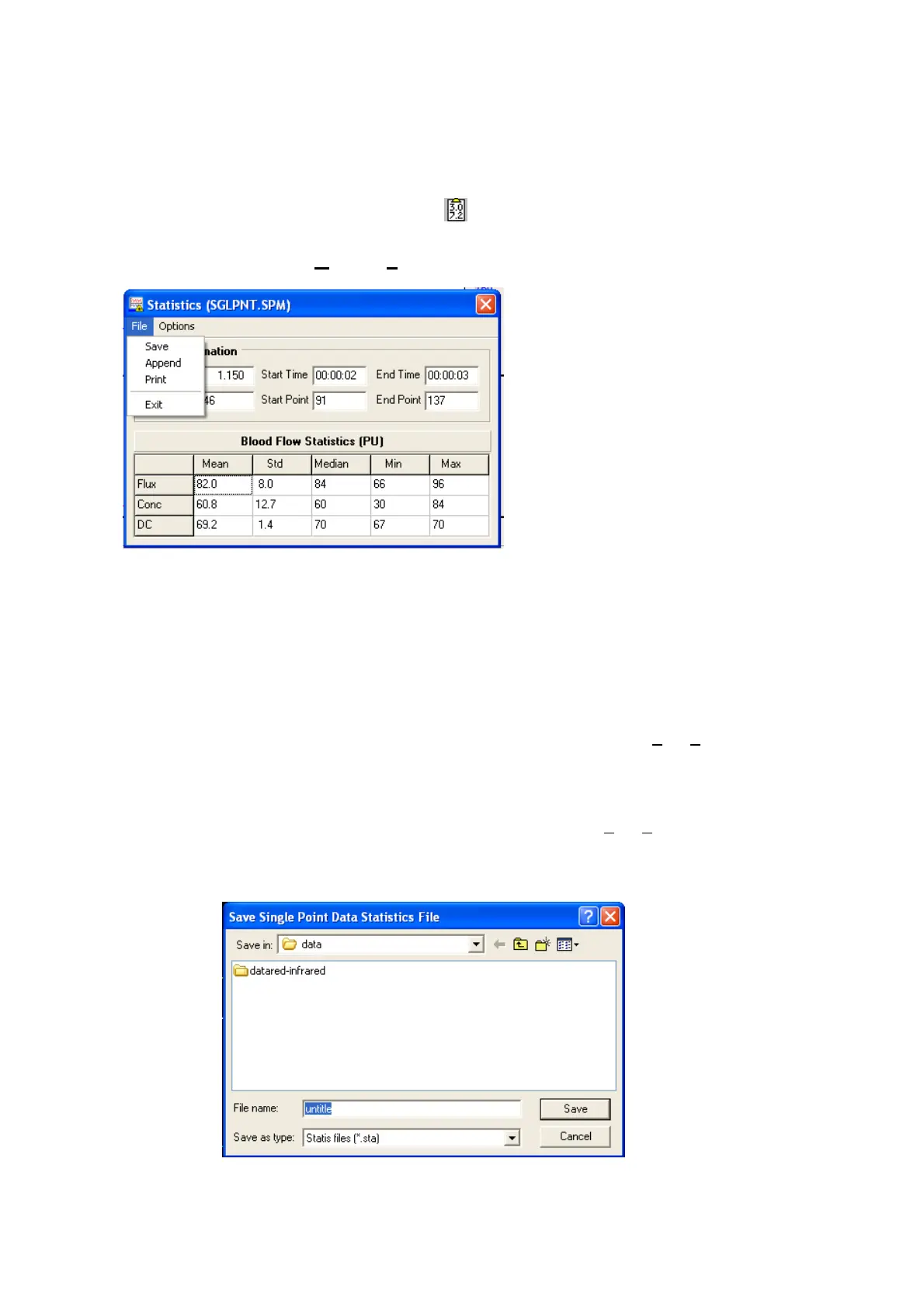
After block marking the data statistics can be generated by:
clicking on the statistics icon
or selecting
Options
,
Statistics
17.5 SPM TRACE PRINTOUT
The traces can be printed, as displayed on screen, by clicking on the printer icon (see 17.2 above).
17.6 SPM STATISTICS PRINTOUT
To print out the table of statistics values in the statistics window, select: File, Print.
17.7 SPM STATISTICS - SAVING RESULTS
The statistics information can be stored in a *.sta file by selecting File, Save from the statistics
window. A suitable name should be chosen in the Save As window.
The *.sta file can be reviewed using, for example, Windows
Notepad or imported into a
spreadsheet program.



 To Next Page