MOOR INSTRUMENTS moorLDI2 RESEARCH USER MANUAL
60
8.5 REPEAT LINE SCAN START
Once the repeat line has been defined, click on to open a window for repeat line measurement.
Click the green arrow to start. Save the finished measurement in the same way as you would a single
scan.
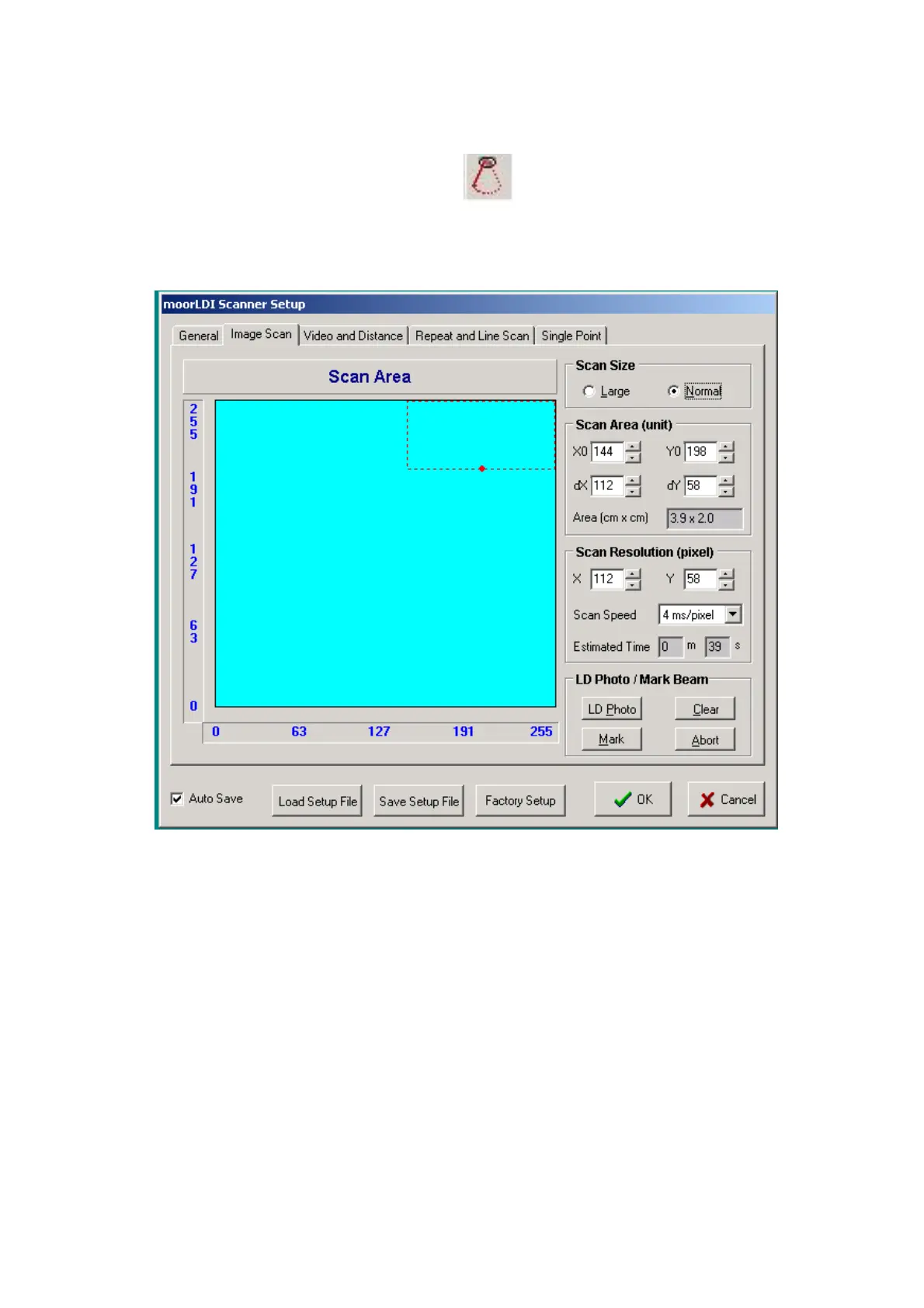
In the example above the line scanned has an origin (X0,Y0) 144,198 length dX 112 pixels. The
origin and length of a line scan correspond to the bottom edge of the marked rectangle shown in the
Image Scan window.
8.6 IONTOPHORESIS
This function (IONTO) is used to control the MIC1-e or MIC2 iontophoresis controller directly from
the moorLDI imager (provided the moorLDI control box has been modified for this use).
Details for use of the MIC1e or MIC2 in conjunction with the moorLDI are given in the
moorLDI IONTOPHORESIS USER MANUAL (see
Appendix 2
).



 To Next Page