MOOR INSTRUMENTS moorLDI2 RESEARCH USER MANUAL
70
The moorLDI2 imager is calibrated using a motility standard consisting of polystyrene microspheres
in water. Calibration is done is done during the final testing before it leaves the factory. Calibration
can be checked, and the imager recalibrated if necessary, by the user.
The use of these standardised Perfusion Units rather than the ‘Relative Units’ (which will vary with
the gain settings and with scanner/tissue site distance), is recommended as it allows comparisons
between measurements taken at different times with different instrument settings. It also allows
comparisons between measurements taken with different moorLDI imagers to be more easily and
reliablely achieved.
It is strongly recommended that when publishing results that Perfusion Units (PU) are quoted.
10.4.3 PALETTE
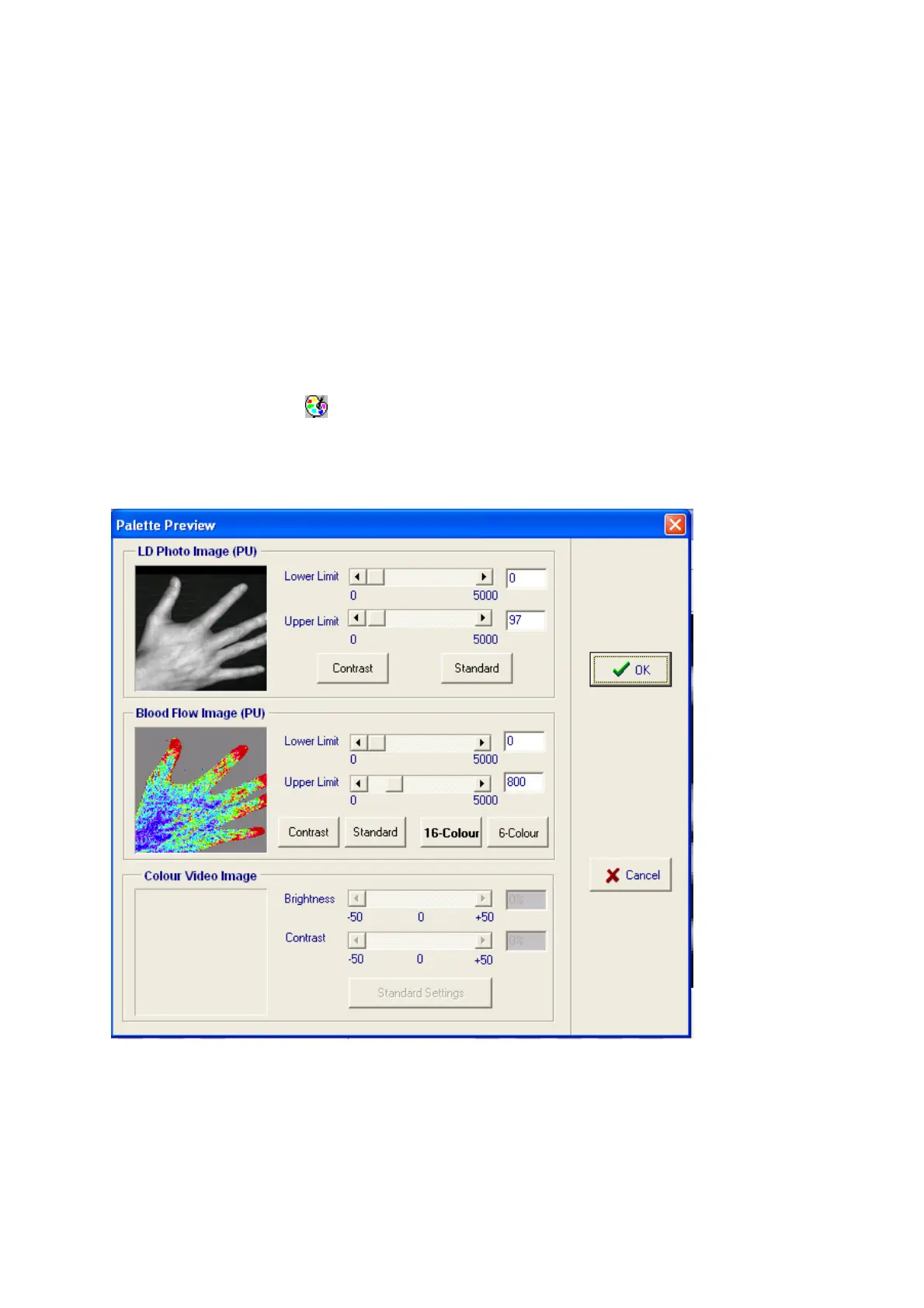
The type of palette and colour (or black and white) range of flux and photo images can be changed by
selecting the
Palette
icon . This can be used to bring the displayed image(s) into the full colour
range (increase the limits) or to highlight differences within a particular region of interest (e.g. reduce
the limits to see flux differences within low flow areas of a free flap following plastic surgery).
Adjustments can be made to LD Flux, LD Photo and colour video images. Small preview windows
are used to show the efect proposed palette changes will have on the images.



 To Next Page