MOOR INSTRUMENTS moorLDI2 RESEARCH USER MANUAL
79
12 FILE
12.1 SAVED IMAGE FILE FORMATS
After original files have been processed you might wish to save the file in its processed form (i.e.
smoothed, interpolated, palette change etc).
Save As
This operation willsave the active image in a moorLDI format. These images can only be displayed
using the moorLDI software.
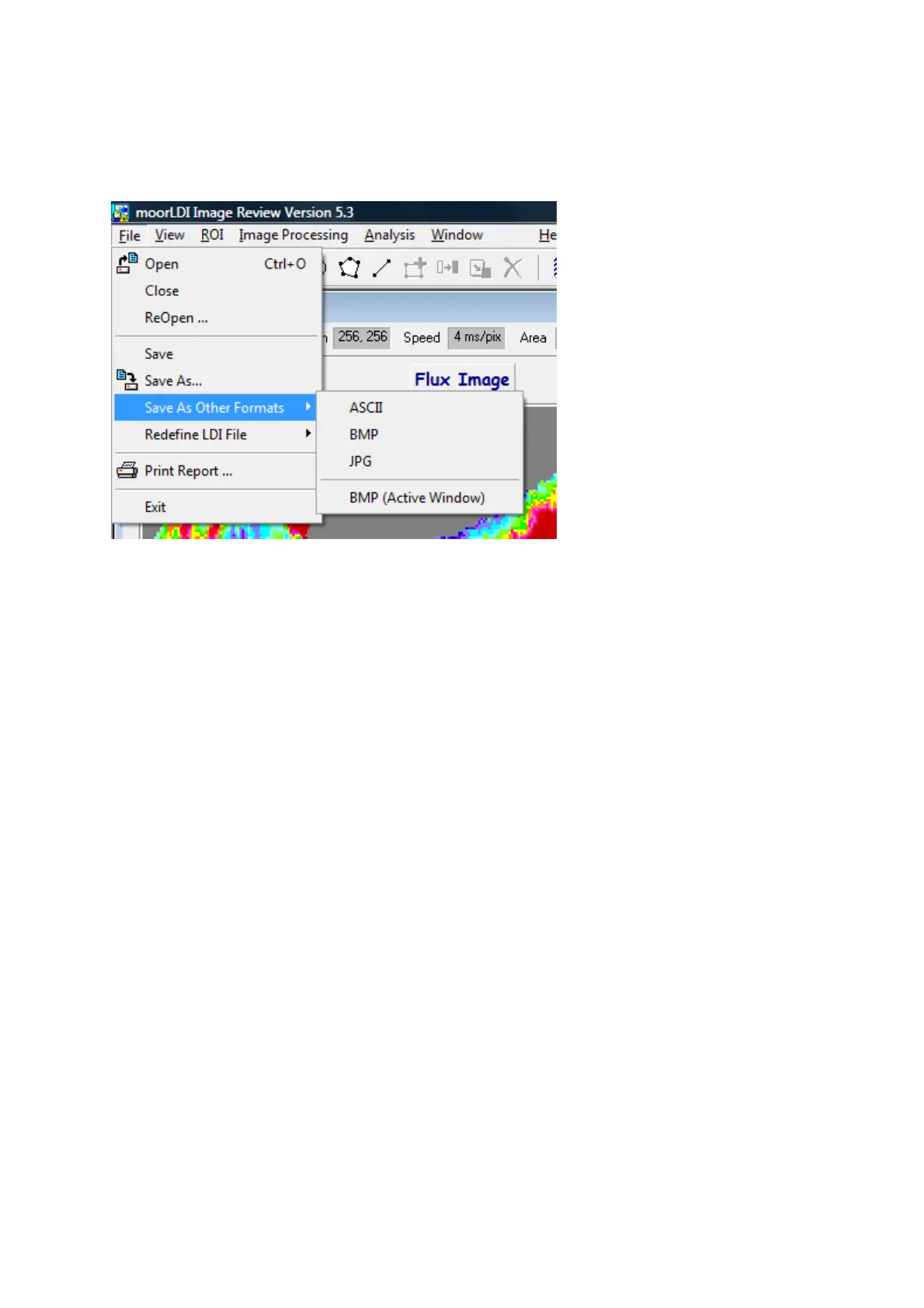
Save As Other Format
There are 3 storage formats that can be chosen, singly or simultaneously, following a
Save As
Other
Formats
instruction:
ASCII - numerical output, readable by spreadsheet packages
BMP - individual images in Windows
bit-mapped format for
some word processor and graphics software packages
JPEG - format used by some external image processing packages
For compiling reports, the JPEG file format is likely to be most useful. However, use of PrtSc (print
screen key) and Edit, Paste within a graphics package (e.g. Windows Paint™) will provide a
complete view of the moorLDI screen display, suitable for further editing.
BMP (Active Window) saves the flux and photo/video display window.



 To Next Page