MOOR INSTRUMENTS moorLDI2 RESEARCH USER MANUAL
83
13.3 SEPARATE IMAGE DISPLAY
In addition to all the display and image processing options for single images (described in Section
10) the repeat images can also be displayed individually: by clicking on the 9-square icon
(or by
double clicking on the image to be displayed)
.
Return to multi-image display by toggling this icon
again.
Each repeat image can be viewed by clicking on the right arrow icon to move forward or the left
arrow icon to move back through the repeat image set.
Click the 9-square icon
to toggle between multi-image and single image display.
Click the right arrow icon
to move forwards through single images.
Click the left arrow icon to move backwards through single images.
N.B. with faster computers clicking through the individual images in rapid succession can give a
good 'slow motion' visual impression of responses evolving.
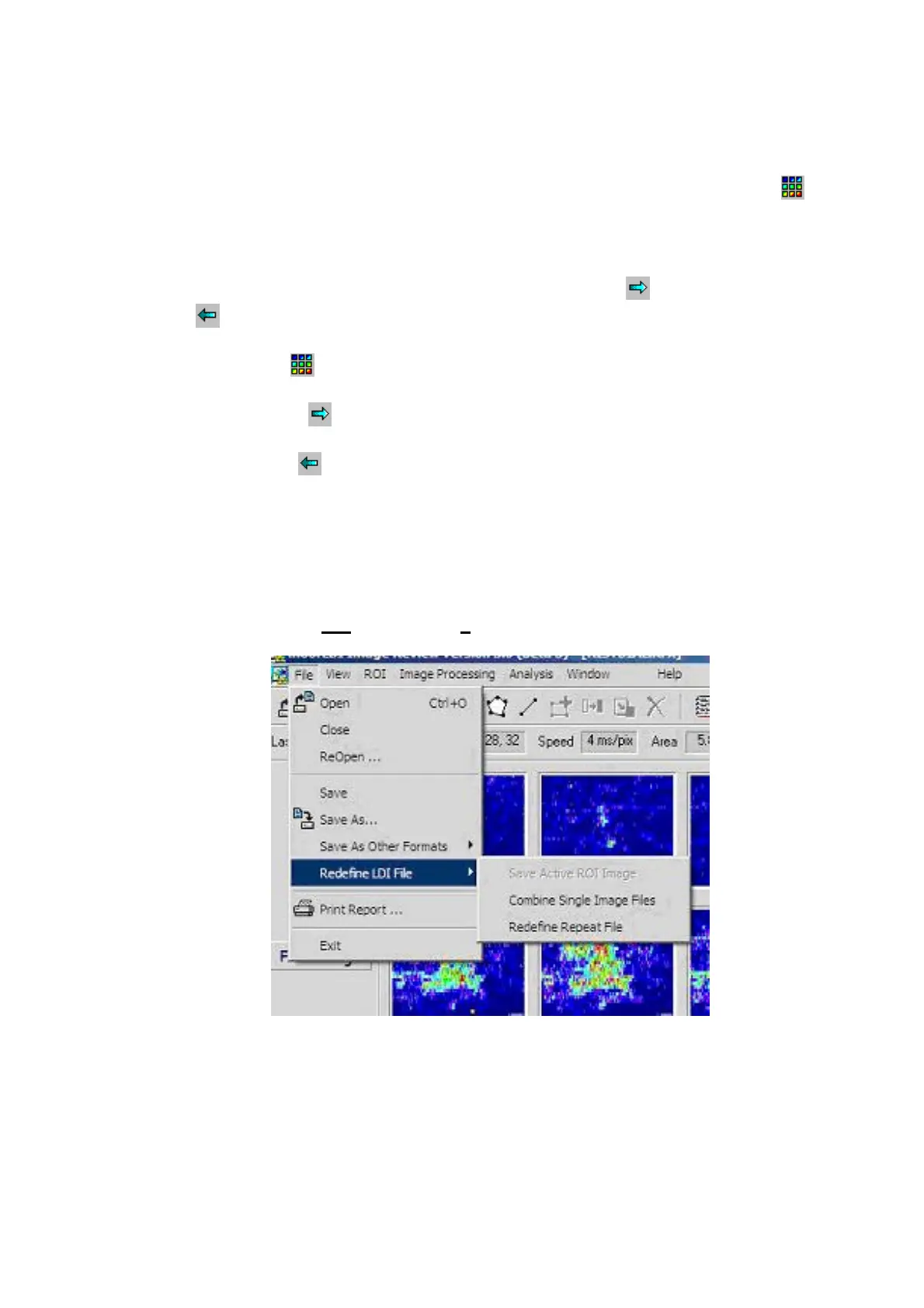
13.4 RE-DEFINE REPEAT FILE
To use this function choose
File
menu then
Redefine LDI File.
Two options are available – either combining a string of single images of the same resolution into
one single repeat file or the redefinition of the repeat file to only include a selection of the repeat
images.



 To Next Page