MOOR INSTRUMENTS moorLDI2 RESEARCH USER MANUAL
41
6. MOORLDI2 SET UP
This section describes how to set up the
moorLDI2
system for a specific measurement.
6.1 INTRODUCTION
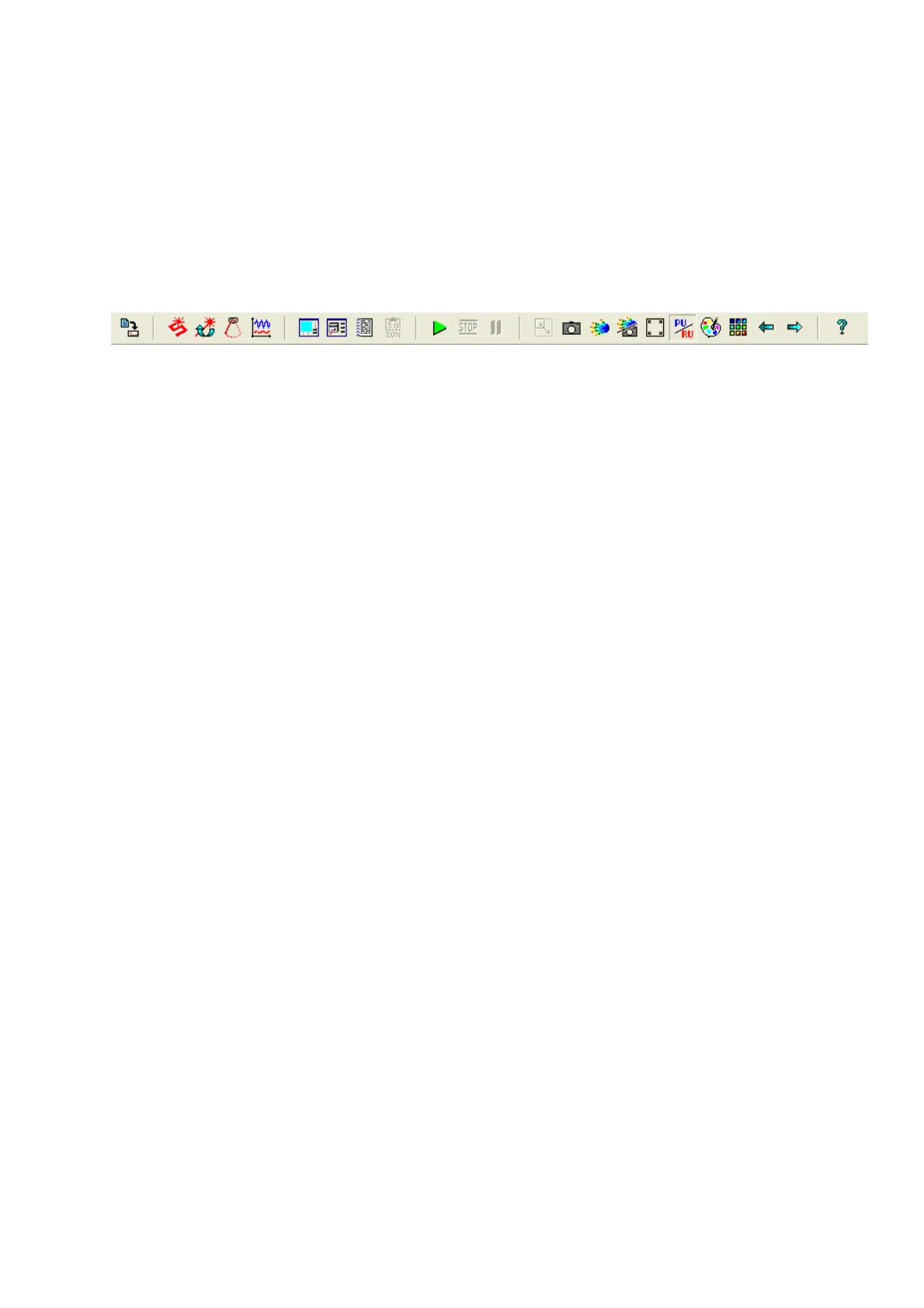
The measurement module presents the following display header when a scan window has been
opened, until then only icons 2 to 8 are shown and are active.
1 2 3 4 5 6 7 8 9 10 11 12 13 14 15 16 17 18 19 20 21 22 23
The operation of individual elements of the menu line and icon tool bar are described in the sections
listed in brackets and the numbers refer to:
1. Save files with new names
2. Create an image scan window
3. Create a repeat image scan window
4. Create a line scan window
5. Create a single point measurement window
6. Open scanner set-up window
7. Open preference set-up window
8. Open subject details window
9. Open ionto protocol window
10. Start a measurement
11. Stop a measurement
12. Pause a measurement
13. Display an image in real aspect
14. Display LD photo or video image only
15. Display flux image only
16. Display both photo and flux images
17. Toggle between full size and actual size image display modes
18. Toggle between PU and RU display units
19. Open palette setup window
20. Toggle between all imges and sequential modes
21. Display previous image in repeat scan
22.
Display next image in repeat scan
Note icons 21 and 22 are only displayed if the repeat scan function is selected.
The operations of each icon appear on the status bar at the bottom of the screen when an icon is
touched by the cursor.



 To Next Page