MOOR INSTRUMENTS moorLDI2 RESEARCH USER MANUAL
88
15.2 STATISTICS - SINGLE IMAGE SCAN
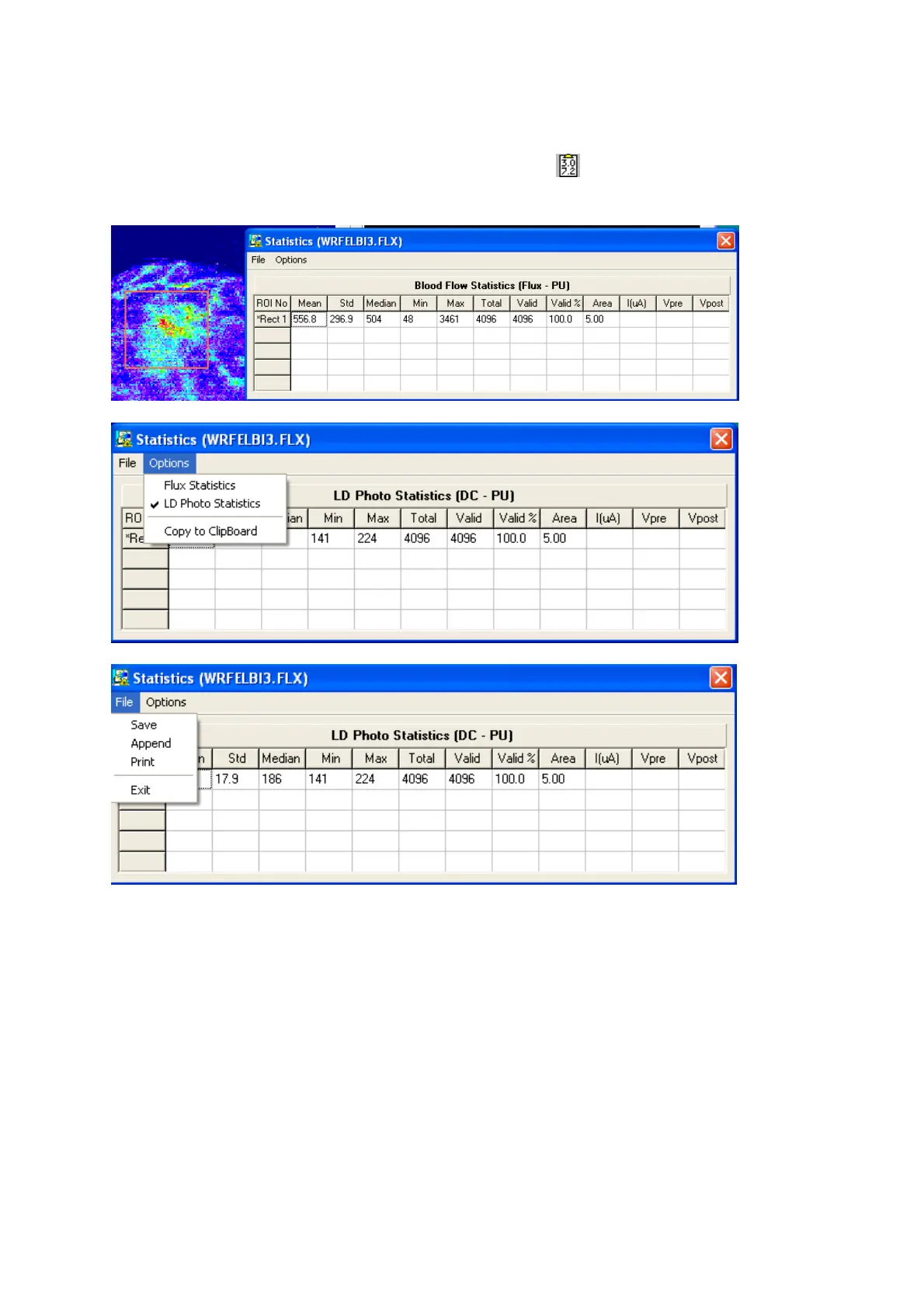
After defining a region of interest click on the statistic icon .
An information window will be displayed similar to that shown below.
15.2.1 FILE - SAVE
The statistical information can be saved to an ASCII file (*.sta) by selecting
F
ile,
S
ave. A file
directory should be selected and filename given in the
Save As
window which appears.
15.2.2 FILE - APPEND
Statistical information from another ROI can be appended to a previously used statistics file by
selecting
F
ile,
A
ppend and confirming the file in the Save As window.



 To Next Page