MOOR INSTRUMENTS moorLDI2 RESEARCH USER MANUAL
84
14. REGION OF INTEREST
14.1 INTRODUCTION
The simplest form of image analysis is to obtain the flux and dc values at an image position. These
are shown at the bottom of the screen when the cursor is placed at any position on either the flux or
the photo image.
Other forms of analysis require a region of interest or a profile line to be defined first. The following
analyses can then be performed: histogram
profile
statistics
14.2 REGION OF INTEREST (ROI): ROI TOOLBAR
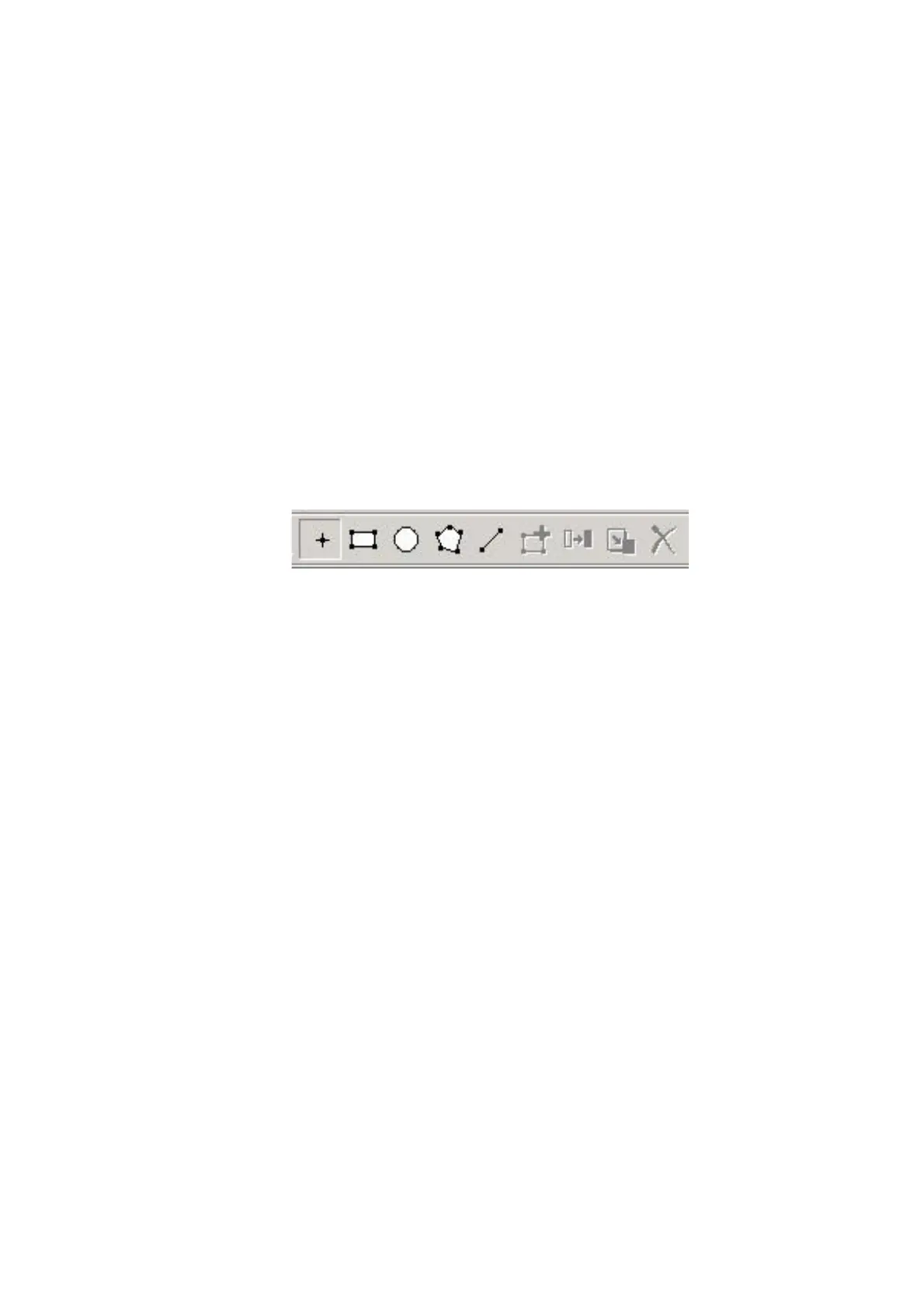
A region of interest (ROI) is defined by either a rectangle, circle or user defined polygon on the flux
and photo images.
1 2 3 4 5 6 7 8 9
1. Cursor Analysis: Use to obtain spot values – displayed in the boxes below image
2. Rectangular ROI: Use to specify a Rectangular ROI
3. Circular ROI: Use to specify a Circular or elliptical ROI
4. Polygon ROI: Use to define a polygon around the ROI (tip: right click mouse to close ROI)
5. Profile tool: Use to define a line for profiling
6 Add ROI: Use to add either rectangular, circular, polygon or line ROI’;s. Up to 5 ROI’s
of any one type can be defined per image
7 Copy ROI: Copies the active ROI
8. Paste ROI: Pastes a copy of the active ROI
9: Delete ROI: Deletes the active ROI
Note that to activate a ROI, it is necessary to press the
Insert
key after clicking on the chosen ROI
Icon.
ROI size can be changed by dragging a corner of a rectangle ROI (or cicle ROI limit line) or by
dragging the points or lines of a polygon ROI.
Move an ROI by dragging its centre.
When the
Insert
key is pressed for subsequent rectangular or circular ROIs, the next ROI is created
over the current ROI with the same size and position; drag to the required position and re-size.



 To Next Page