MOOR INSTRUMENTS moorLDI2 RESEARCH USER MANUAL
68
10.3 OPENING FILES and IMAGE DISPLAY
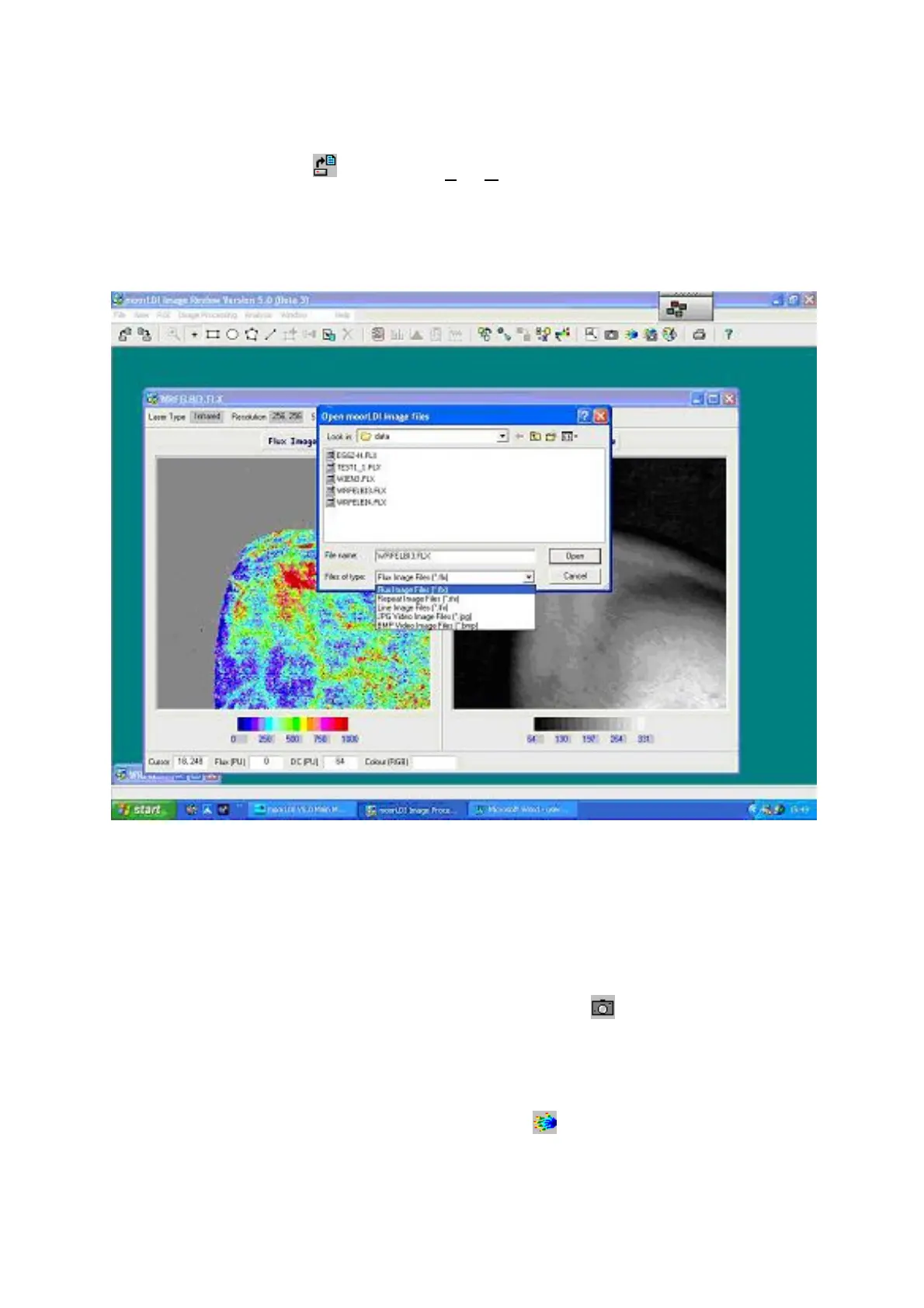
Open a file by clicking the icon or select
File
,
Open
.
By default only *.flx file names for single images are displayed in the directory window. Other types
(repeat scan/ repeat line/ JPG video and BMP video files) can be displayed by selection from the
window below this.
After a file has been opened both flux and dc images are displayed if it is a single image and just the
flux images of a repeat image set. These are the default display types. Other display options available
are described below.
10.3.1 PHOTO IMAGE DISPLAY
To display the dc 'photo' image(s) only click on the camera icon . The aspect ratio of the image
will be stretched. This original aspect can be retrieved via the options menu. See Aspect below.
10.3.2 FLUX IMAGE DISPLAY
To display the flux image(s) only click on the hand icon . To restore the image shape see
Aspect
,
below.



 To Next Page