MOOR INSTRUMENTS moorLDI2 RESEARCH USER MANUAL
67
Reload - reload original unprocessed image - as 8 above
Interpolate - as 10 above
Normalise - alter image normalisation – note default is division by DC
Rotate - Rotate Left/Rotate Right
Flip - FlipHorizontal/Flip Vertical
Flux:Adjust Settings - change background level.
- ‘change’ distance of object from moorLDI2.
Smooth - flux or LD Photo (DC) image.
Average - Averaging of selected repeat images (not applicable to single images)
Subtract - subtract one flux image from another (must have same dY and dX)
Constant (Flux):-
Add Constant - add a constant to the flux image
Subtract Constant - subtract constant from flux image
Multiply Const - multiply the flux image with a constant.
Divided Const - divide the flux image by a constant
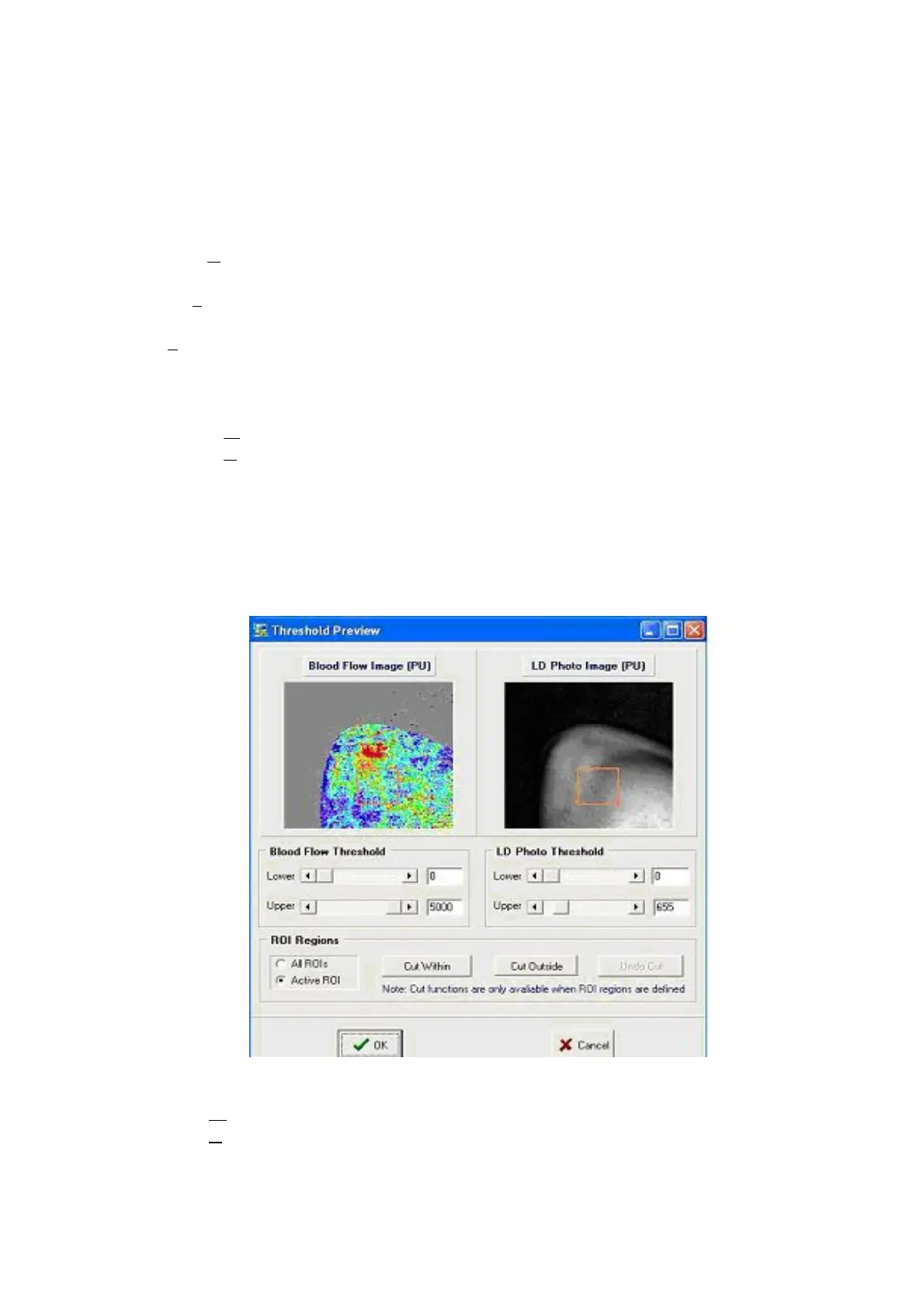
Threshold: (Note can be opened from the key board with Ctrl+T)
- Blood Flow Threshold
- LD Photo Threshold
Upper -Cut Above - remove flux /Dc values above set level.
Lower - Cut Below - remove flux / DC values below set level.
ROI Regions - applies to all ROI’s or active ROI only
Cut Within - remove flux values in ROI.
Cut Outside - remove flux values outside ROI.
Undo Cut - restore previously cut pixels.



 To Next Page