MOOR INSTRUMENTS moorLDI2 RESEARCH USER MANUAL
45
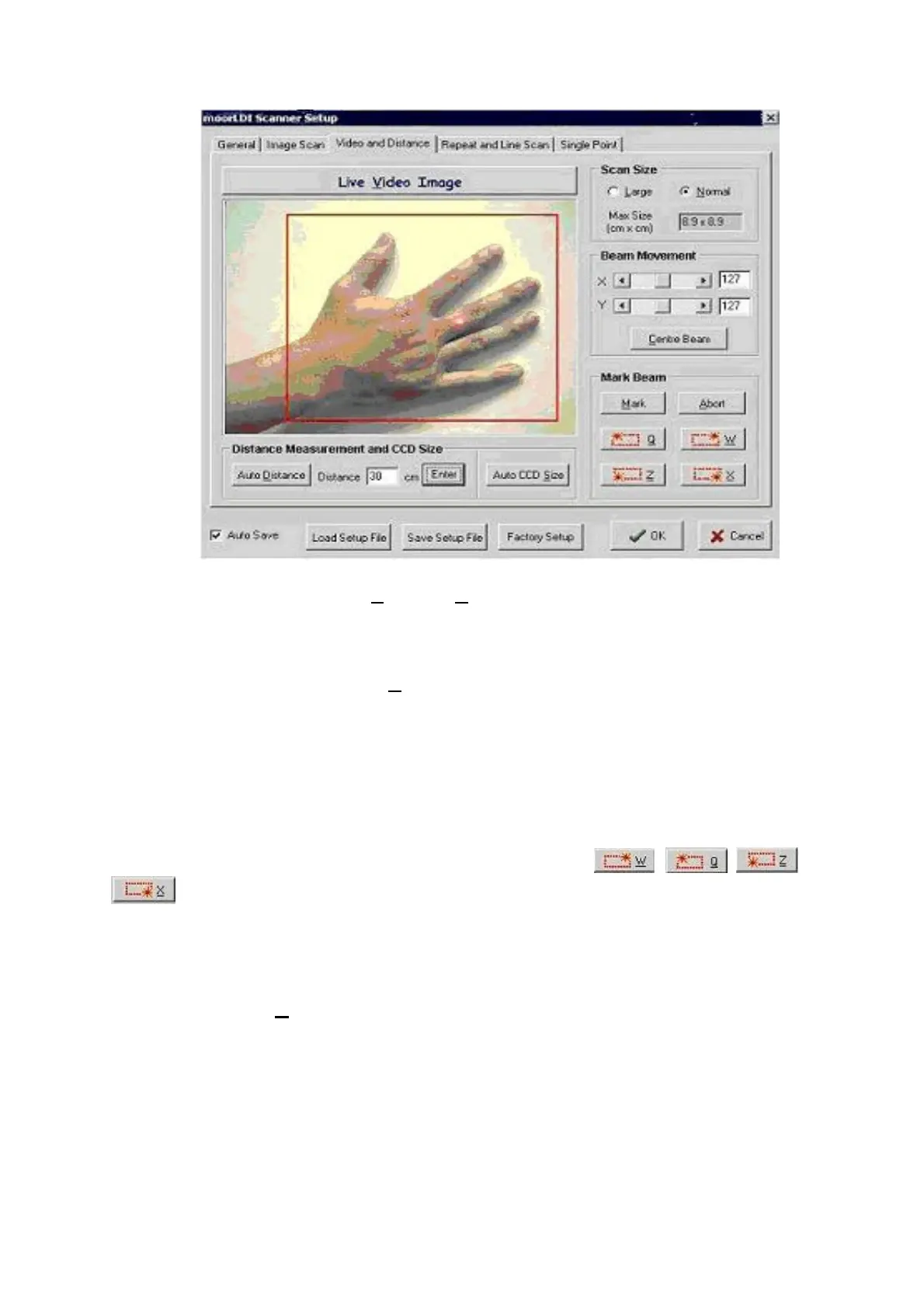
When changing scan size between
Large
and
Normal
, a zoom change will be observed.
6.3.2.1 Mark Beam
The laser beam is visible in the
Live Video Image
screen. The beam position can be changed, in
Beam Movement
, by changing the values in the
X
and
Y
boxes, or clicking the left/right arrows.
In this window as with the
Image Scan
window, the mark function can be started by clicking the
Mark
function or by pressing the `m` key. The abort
function can be started either by clicking the
Abort
button or by pressing the `a` key.
When the four corners of the scan area are on a two dimensional plane it is possible to mark the four
corners of the scan area using the laser beam. By clicking on the , , and
buttons in the mark beam box, or pressing the respective keys eg clicking on Q will move
the beam to the left hand corner of the scan area.
6.3.2.2 Distance Measurement and CCD Size
Clicking on the
Auto Distance
button will start the distance measurement using the integrated CCD
camera. In order to make a good measurement it is important to avoid movement and objects which
are highly reflective (such as shiny rings and watches). On completion of distance measurement, the
measured distance will be displayed in the
Distance
box, and the CCD image size and camera zoom
will be changed based on the measured distance.
Note: distance can also be entered manually by typing it in the
Distance
box. The
Enter
button to the
right of the distance box must be clicked after typing the distance.
Blood flow measurements as recorded by the moorLDI2 are distance dependent so it is essential to
use the correct scanner to tissue distance for the correct relative units-to-perfusion units conversion.



 To Next Page