MOOR INSTRUMENTS moorLDI2 RESEARCH USER MANUAL
103
17.3 TRACE SCROLLING
Use the scroll bar at the bottom of the window to move back or forward through the trace record as
follows:
- to scroll, use the arrows at each end of the scroll bar;
- to move by time interval steps, click on the scroll bar slide; to the right of the bar slider to advance,
to the left to return
- to move continuously and quickly, drag the bar slider.
17.4 SPM ANALYSIS
The single point traces can be analysed in compressed or expanded form. To display values of
individual points the time expanded view is necessary. The statistical calculations include all recorde
values in the block of selected data wheteher displayed in compressed or expanded form.
17.4.1 SPM TRACE VALUES
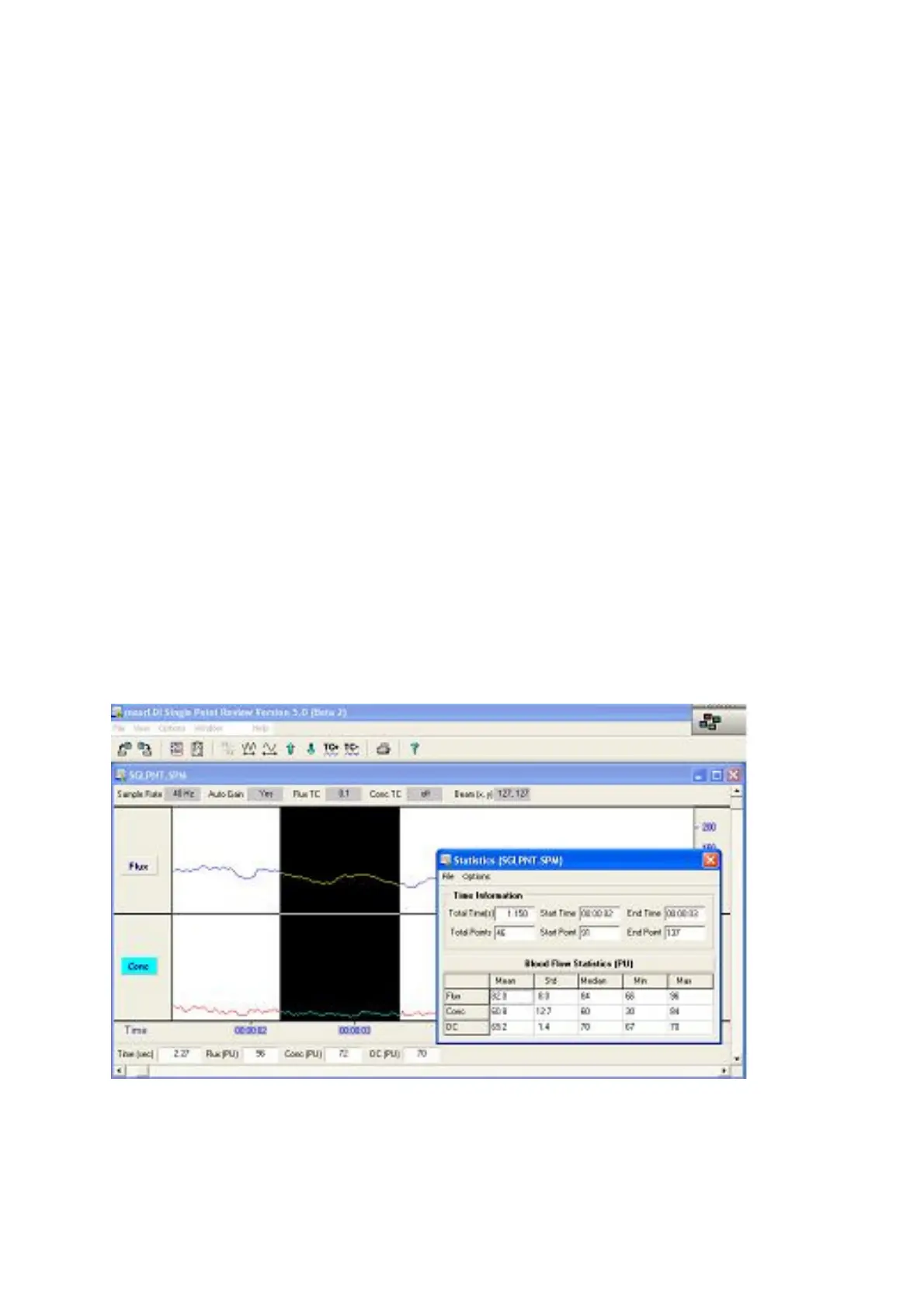
To display flux and conc values (also dc and time), click with the cursor at the required point on the
trace. A cursor line will be drawn at the point of interest.
17.4.2 SPM DATA - BLOCK MARKING
Before a segment of the trace can be analysed it is necessary to block mark the data:-
Click at the start of the segment.
Drag the cursor to the end of the segment. The segment is shown by change of colour.



 To Next Page