MOOR INSTRUMENTS moorLDI2 RESEARCH USER MANUAL
102
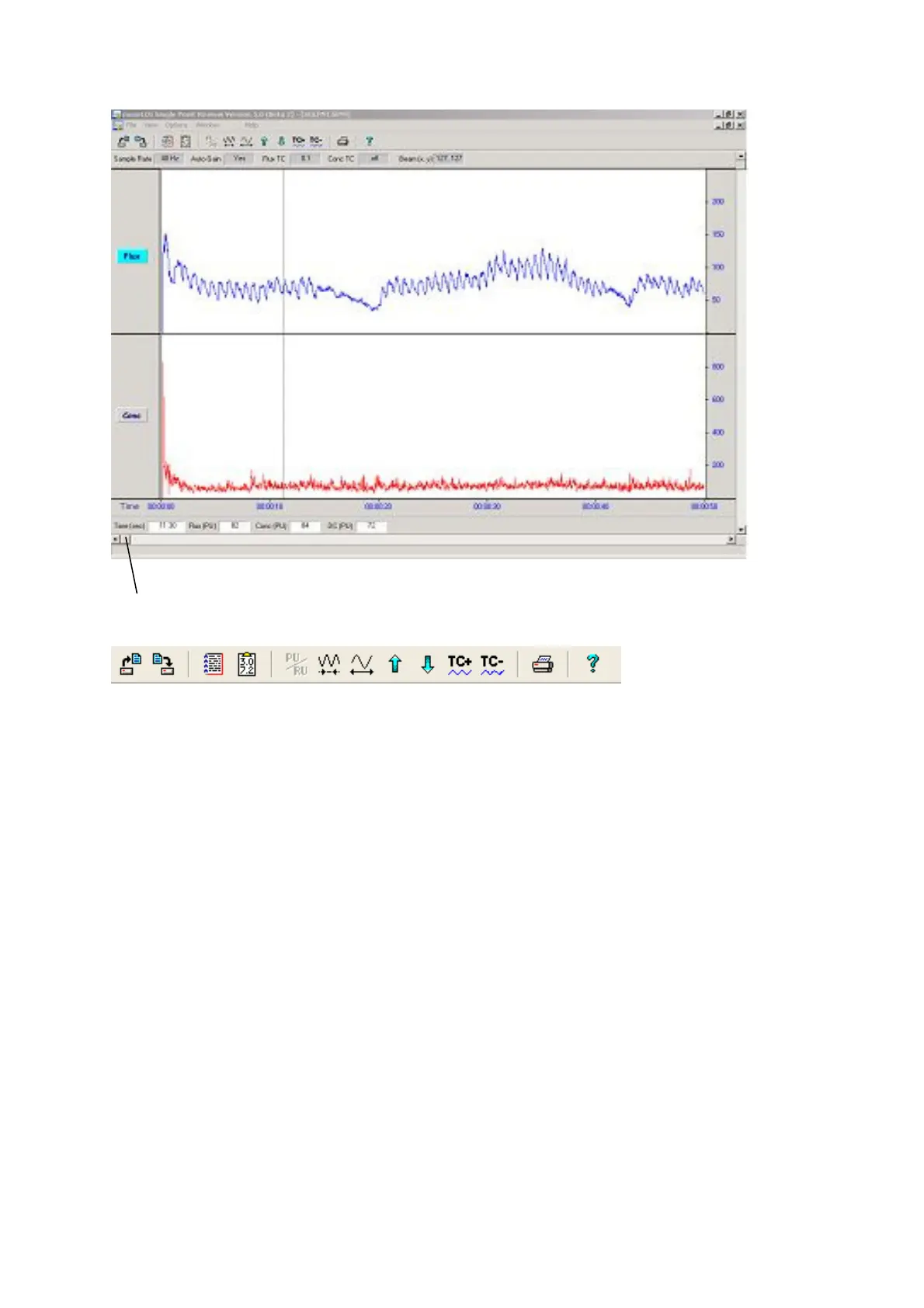
Trace Slide
1 2 3 4 13 5 6 7 8 9 10 11 12
These icons have the following functions:-
1. Open file.
2. Save file - to be used on an edited file: it overwrites previous.
3. Show SPM information.
4. Statistics of selected data block (see data block section).
5. Expand time scale.
6. Compress time scale.
7 Increase ‘gain’ for Y scale (Flux or Conc depending on which labelto left of graph is
highlighted )
8. Decrease ‘gain’ for Y scale.
9. Increase flux or conc time constant, i.e. smooth trace.
10. Decrease flux or conc time constant.
11. Print report with Flux/Conc graphs. (see Appendix 3 for sample print out)
12.
Help - contains brief information on program functions.
13.
PU/RU If active this enables switching between Perfusion Units and Relative Units (ie gain
dependent units). If single point measurements are done with the auto gain setting on then
only PU units will be displayed. The PU/RU icon will be greyed out ie inactive.


 To Next Page