安装 / 拆下刀具
MOUNTING/REMOVING TOOLS
92
5. 不显示‘ ATC MANUAL OPERATION ’屏幕。 5. The ‘ ATC MANUAL OPERATION ’ screen is not displayed.
6. 前门打开。 6. The front door is open.
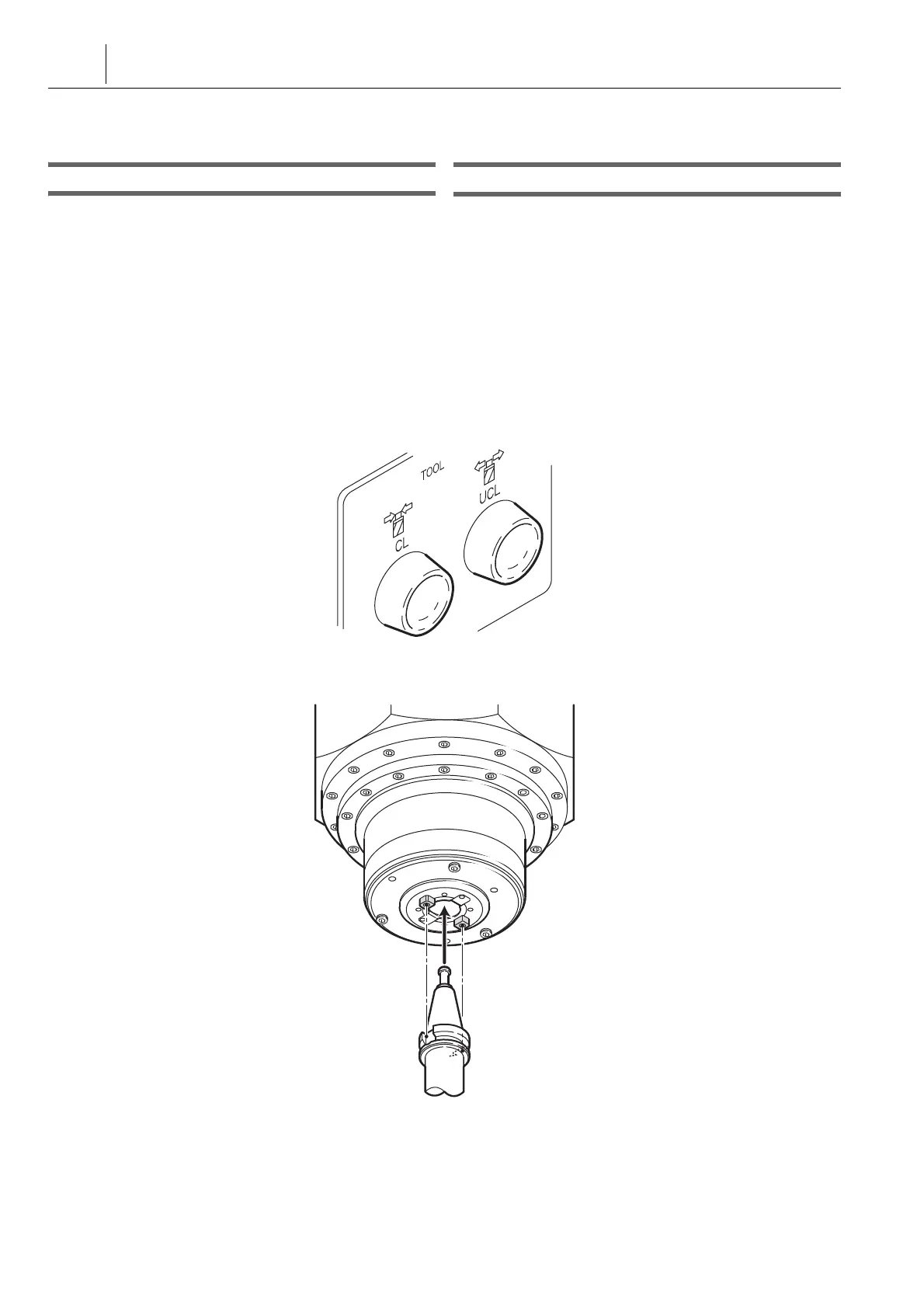
在主轴上安装刀具 Mounting a Tool in the Spindle
1) 将门联锁钥匙开关置于 [ 平常 ] 位置。 1) Set the door interlock key-switch in the [NORMAL]
position.
2) 将操作选择钥匙开关旋至
i
[ 可操作 ] 或
o
[ 可操作 / 编
辑 ]。
2) Turn the operation selection key-switch to
i
[ON] or
o
[PANEL/EDIT].
3) 选择手动模式。 3) Select the manual mode.
4) 将主轴降至合适位置以方便插入刀具。 4) Lower the spindle to the proper position to facilitate
insertion of the tool.
5) 打开前门。 5) Open the front door.
6) 按下加工室中的 [ 刀具松开 ] 按钮,松开刀具。 6) Press the [Tool Unclamp] button in the machining
chamber to unclamp the tool.
[ 按钮灯点亮。] [The button lamp is illuminated.]
7) 将刀柄上的键槽对正主轴上的驱动键,并插入刀具直至其停
止。
7) Align the key slot in the tool shank with the drive key in the
spindle and insert the tool until it stops.
8) 在加工室内按下 [ 刀具夹紧 ] 按钮。 8) Press the [Tool Clamp] button in the machining chamber.
[ 机床操作面板上的状态指示灯刀具夹紧点亮。] [The status indicator TCL (tool clamp) on the machine
operation panel is illuminated.]
9) 确认刀具夹紧后,松开刀具。 9) After making sure that the tool is clamped, release the tool.




 To Next Page