机床操作面板
MACHINE OPERATION PANEL
138
2 机床操作面板
MACHINE OPERATION PANEL
2 注意 2 NOTE
当附加到按钮上的功能有效时,带内置指示灯的按钮点亮,当功能无效
时熄灭。
Buttons with a built-in indicator light up when the function attached to
the button is valid, and go off when the function is invalid.
8 警告 8 WARNING
使用开关、按钮或钥匙之前,进行目视确认,然后果断地按下
或设置,以避免选择错误。
[ 机械错误 ]
Before using a switch, button, or key, perform visual
confirmation and then press or set decisively to avoid
selection errors.
[Mechanical error]
1 按钮和开关的布局参见基本总览 “ 机床操作面板 ” ( 55 页)。 1 Refer to BASIC OVERVIEW “Machine Operation Panel”
(page 55) for the arrangement of buttons and switches.
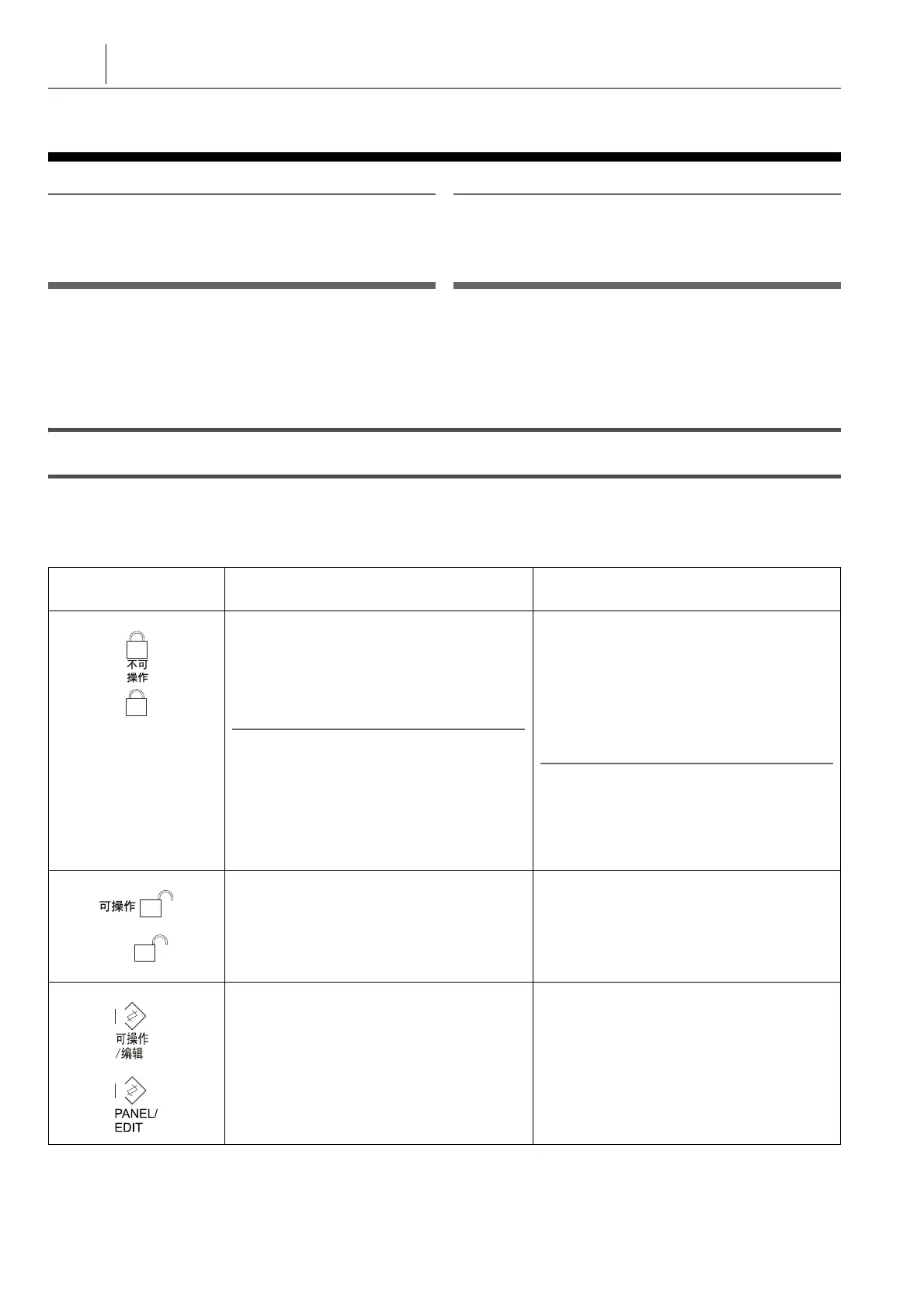
2-1 操作选择钥匙开关
Operation Selection Key-Switch
将操作选择钥匙开关设置到合适的位置,可以避免存储的程序
不小心被改变,以及避免在自动运行中由于错误的开关操作导
致运行错误。
Setting the operation selection key-switch to the appropriate
position protects the stored programs from being changed
carelessly and also prevents operation error caused by
erroneous switch operation during automatic operation.
开关
Switch
功能
Function
u
[ 不可操作 ]
使得不可能操作机床操作面板上的开关和编辑
程序。
在自动运行期间,将此钥匙开关置于该位置。
钥匙可以从该位置拔下。
2 注意
选择此位置后,以下开关仍然有效: [EMERGENCY
STOP] ( 紧急停止 ) 按钮、自动运行按钮、[ 进给倍率 ]
开关、[ 机内照明 ] 按钮、排屑器按钮和切削油按钮。
u
[OFF]
Operation of the switches on the machine
operation panel and editing of programs
become impossible.
Place this key-switch in this position during
automatic operation.
The key can be removed in this position.
2 NOTE
When this position is selected, the following switches
remain valid: [EMERGENCY STOP] (Emergency
Stop) button, automatic operation buttons,
[OVERRIDE] (Feedrate Override) switch, [Machine
Light] button, chip conveyor button and coolant
buttons.
i
[ 可操作 ]
使得可以操作机床操作面板上的按钮和开关。
但是,不能编辑存储器中存储的程序。
钥匙可以从该位置拔下。
i
[ON]
Operation of the buttons and switches on the
machine operation panel becomes possible.
However, programs stored in memory cannot
be edited.
The key can be removed in this position.
o
[ 可操作 / 编辑 ]
使得可以操作机床操作面板上的按钮和开关。
另外,可以编辑存储器中存储的程序。
钥匙不可以从该位置拔下。
o
[PANEL/EDIT]
Operation of the buttons and switches on the
machine operation panel is possible. In
addition, programs stored in memory can be
edited.
The key cannot be removed in this position.




 To Next Page