147
机床操作面板
MACHINE OPERATION PANEL
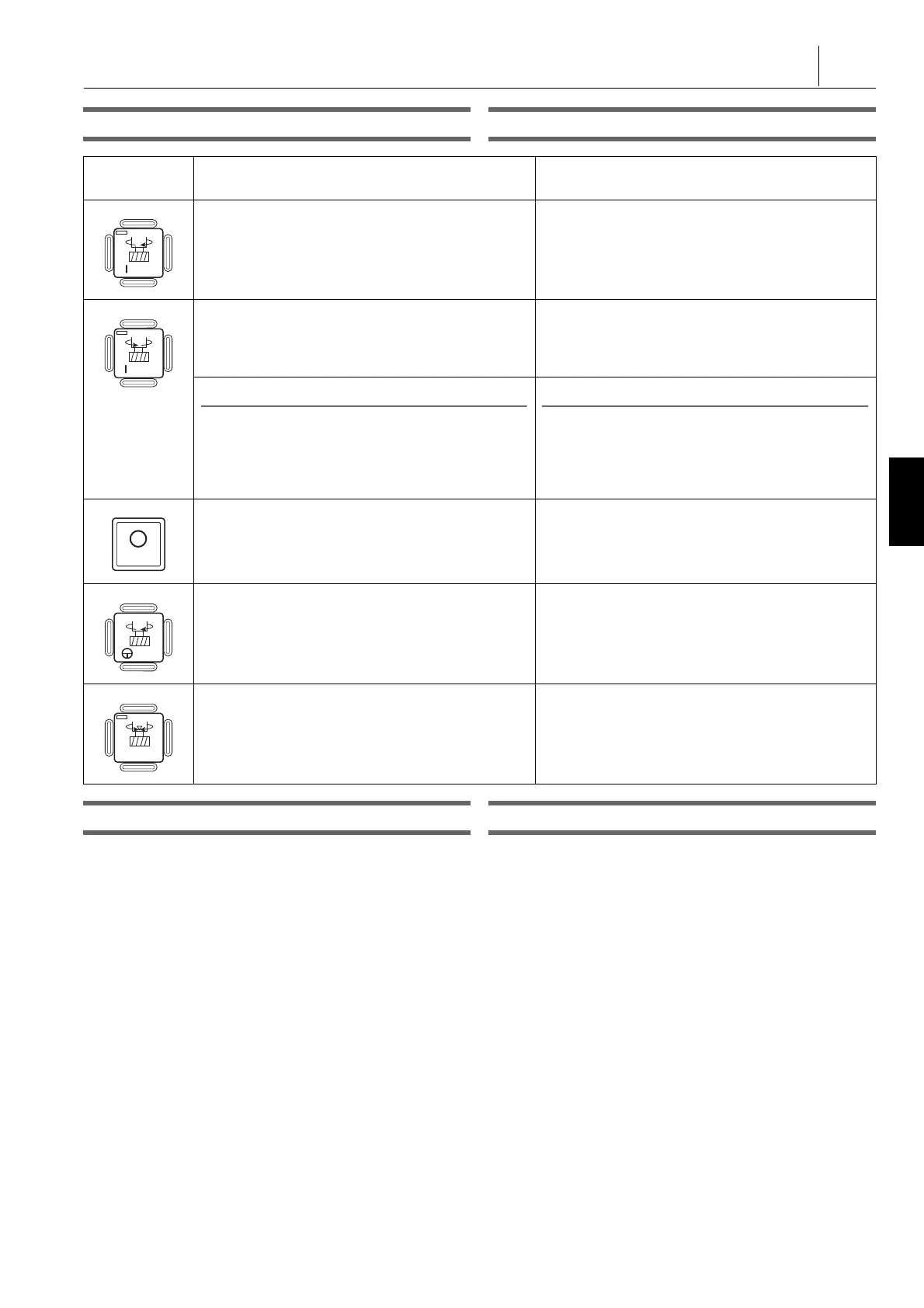
主轴旋转按钮 Spindle Rotation Buttons
主轴转速设定按钮 Spindle Speed Setting Buttons
这些按钮用于将主轴转速设置成基于以下主轴转速的 50% 到
150% 的范围内。
These buttons are used to set a spindle speed in the range of
50% to 150% in reference to the following spindle speed.
• 手动模式:
将在‘ 程序检查 ’( MDI 程序)屏幕设置的主轴转速作为参考。
• Manual mode:
The spindle speed set on the ‘ PROGRAM CHECK ’(MDI
program) screen is taken as the reference.
• 自动模式:
将编程主轴转速 (100%) 作为参考。
• Automatic mode:
The programmed spindle speed (100%) is taken as the
reference.
设定值显示在主轴倍率表中。 The set value is indicated in the spindle override meter.
按钮
Buttons
功能
Function
此按钮用于使主轴正转。
正转:从主轴看工件为顺时针方向
This button is used to rotate the spindle in the
forward direction.
Forward direction: Clockwise direction viewing a
workpiece from the spindle
此按钮用于使主轴反转。
反转:从主轴看工件为逆时针方向
This button is used to rotate the spindle in the
reverse direction.
Reverse direction: Counterclockwise direction
viewing a workpiece from the spindle
2 注意
1. 松开主轴旋转按钮时,输出主轴启动信号。因此,开关
按住时,主轴不启动。
2. 主轴转速在 MDI 模式下设置。在确保安全的前提下,逐
渐增加主轴转速。
2 NOTE
1. The spindle start signal is output when the spindle
rotation button is released. Therefore, the spindle will
not start if this switch is held down.
2. The spindle speed is set in the MDI mode. Increase the
spindle speed gradually after ensuring safety.
此按钮用于停止主轴。
This button is used to stop the spindle.
开关按住,主轴微速正转。
The spindle rotates at jog speed in the forward
direction while this switch is held down.
当按下此按钮时,在预设角度位置设置主轴。
When this button is pressed, the spindle is set at the
predetermined angular position.




 To Next Page