卡 DNC 操作(使用用户存储区操作)
CARD DNC OPERATION (OPERATION USING USER MEMORY AREA)
238
8 卡 DNC 操作(使用用户存储区操作)
CARD DNC OPERATION (OPERATION USING USER MEMORY AREA)
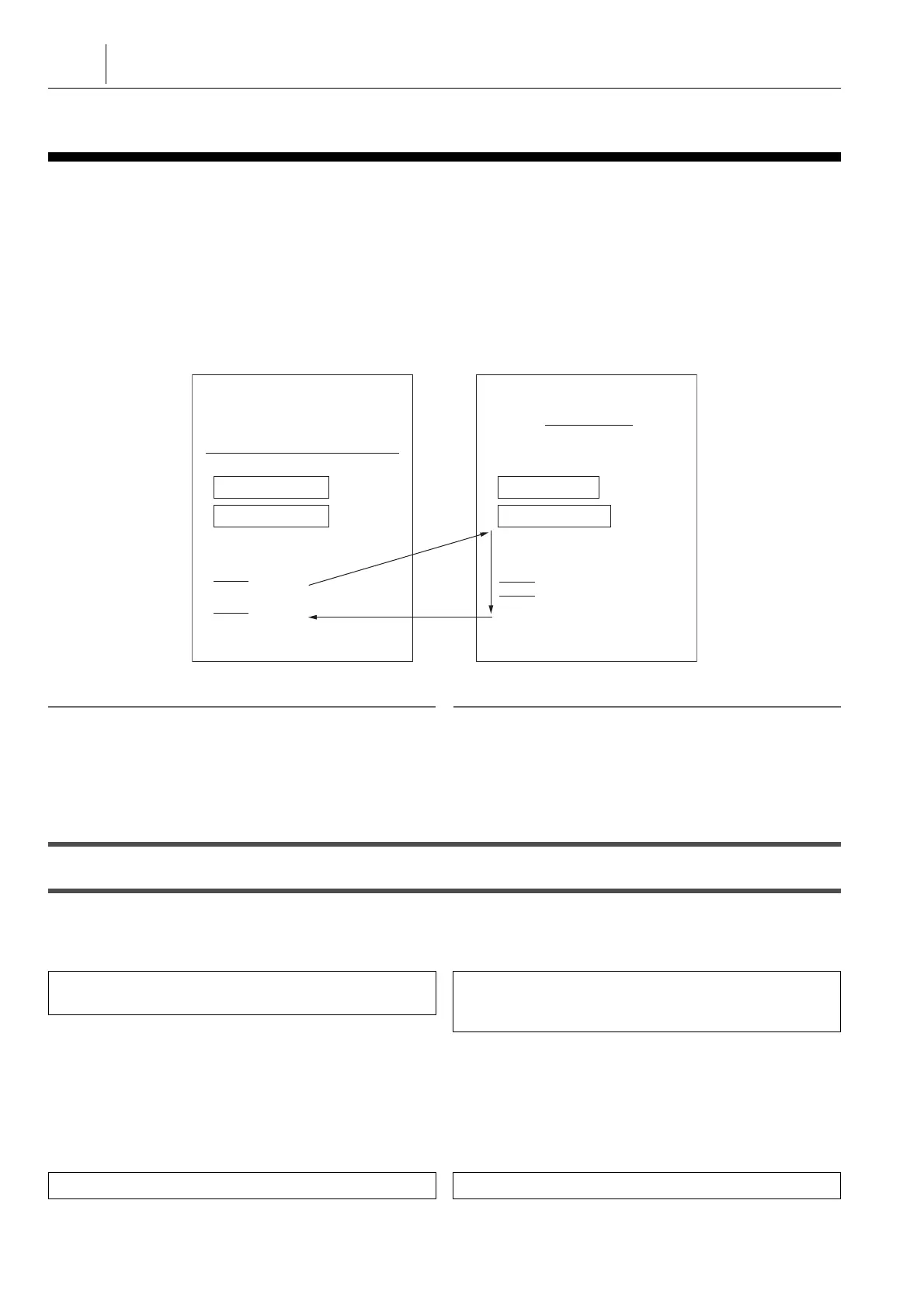
卡 DNC 运行功能是将存储在用户存储区的程序传送至数控中,
并运行该程序。通过存储在用户存储区的主程序中指定 M98/
G65 ,可以调用存储在数控存储器中的子程序和 G 代码宏程
序。存储卡可用于 DNC 运行(选项)。
The card DNC operation function serves to transfer a program
stored in the user memory area to the NC, and run it at the
same time. By specifying M98/G65 in the main program stored
in the user memory area, sub-programs and G code macros
stored in the NC memory can be called. A memory card is
available for DNC operation (Option).
1 关于子程序调用的详情,参见单独手册,“ 编程手册 ”。 1 For details of Sub-Program Call, refer to the separate volume,
“ PROGRAMMING MANUAL ”.
5当使用存储卡执行 DNC 运行时,存储卡称为前卡。 5When running DNC operation using a memory card, the memory
card is called the FRONT SIDE CARD.
2 注意 2 NOTE
1. 当主程序和子程序都存储在用户存储区时,忽略 M98/G65。 1. When both the main program and the sub-program are stored in
the user memory area, M98/G65 are ignored.
2. 不可以执行重复指令或分支指令,如‘IF’、‘GOTO’和‘WHILE’。 2. It is not possible to execute repeat commands or branching
commands such as ‘ IF ’, ‘ GOTO ’ and ‘ WHILE ’.
3. 无法指定带序号标记 (M99P****) 的返回指令。 3. Return commands with sequence number designation (M99P****)
cannot be specified.
8-1 存储在用户存储区中程序的 DNC 运行
DNC Operation for the Programs Stored in the User Memory Area
< 启动 DNC 运行前的准备 > <Preparation before Starting DNC Operation>
1) 在‘ MAPPS-DNC ’屏幕上选择‘ 运行模式 ’。 1) Select ‘ MAPPS-DNC ’ on the ‘ OPERATION MODE ’
screen.
2) 将一个要运行的文件输入(读取)至用户存储区中。 2) Input (read) a file to be run to the user memory area.
a) 在‘ 通讯参数 ’屏幕上,设置可读取的通信装置。 a) Make the setting for the communicating device to be
read on the ‘ COMMUNICATION PARAMETERS ’
screen.
1 “‘ 通讯参数 ’屏幕 ” ( 214 页) 1 “‘ COMMUNICATION PARAMETERS ’ Screen”
(page 214)
b) 显示‘ 卡 DNC 操作列表 ’屏幕。 b) Display the ‘ CARD DNC OPERATION LIST ’ screen.
c) 按下 [ 穿孔 / 读取 ] D [ 读取 ]。 c) Press [PUNCH/READ] D [READ].
O0001;
;
M98 P0001;
;
O0001;
;
;
M99;
(MEMORY CARD: OPTION)
USER MEMORY AREA
MAIN PROGRAM SUB-PROGRAM
NC MEMORY
(存储卡:选项)
用户存储区
主程序 子程序
数控存储器
模式选择按钮
g
[DNC] D 功能选择键
s
(设定 ) D [操作面
板 ] D [ 运行模式 ]
Mode selection button
g
[DNC] (DNC) D Function
selection key
s
(SETTING) D [OPE. PANEL] D [OPE.
MODE]
功能选择键
p
( 程序 ) D [ 程序列表 ]
Function selection key
p
(PROG) D [PROG. LIST]




 To Next Page