113
创建程序
CREATING PROGRAM
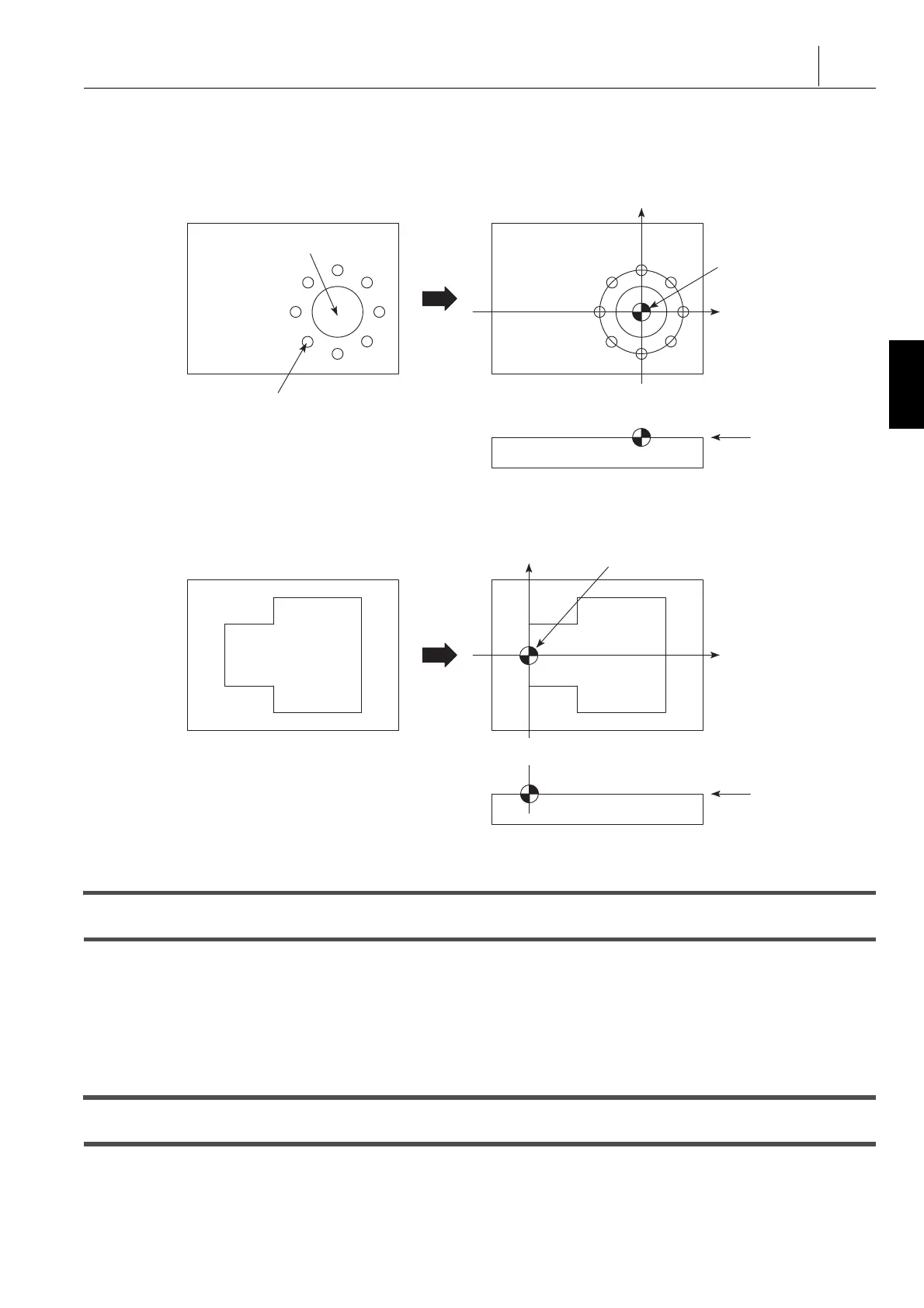
< 工件零点设定示例 > <Examples of the workpiece zero point setting>
1. 在中心设定工件零点以便于计算攻丝孔和圆槽中心的坐标值
,如下所示。
1. Setting the workpiece zero point at the center allows easy
calculation of the coordinate values of the tapped hole and
circular pocket centers as follows.
2. 因为几何关系相对于 X 轴对称,在指定位置设定工件零点便
于计算坐标值。
2. Because the geometry is symmetrical in reference to the
X-axis, setting the workpiece zero point at the specified
position facilitates calculation of the coordinate values.
1 关于实际工件零点的设定, “ 工件零点设定 ” ( 100 页) 1 For the actual workpiece zero point setting, “WORKPIECE
ZERO POINT SETTING” (page 100)
15-3 程序中单词之间的空格
Space between the Words in the Program
示例: Example:
在行 a ,“G50”和“ S2000 ”之间有一空格。 In line a, a space is placed between “ G50 ” and “ S2000 ”.
当在数控中输入程序时,由于单词和单词之间自动插入,它
们之间的空格可能不需要插入。
When entering a program to the NC, the word-to-word space
may not be inserted because it is automatically inserted
between word and word.
15-4 标记和符号
Signs and Symbols
除了字母及数字符号(包括小数点),还使用“,” “*” “[ ]” “(
)” “#”符号和块删除符号“/” (“/2” - “/9”)。
In addition to alpha-numeric symbols (including the decimal
point), “ , ” “ * ” “ [ ] ” “ ( ) ” “ # ” symbols and the block delete
symbol “ / ” (“ /2 ” - “ /9 ”) are used.
注意,不能使用“@”。 Note that symbol “ @ ” cannot be used.
X
Y
(X0, Y0)
Z0
Circular Pocket
Tapped Hole
圆槽
攻丝孔
G50[S2000; ........................................................a




 To Next Page