247
工件计数器设定(选项)
WORK COUNTER SETTINGS (OPTION)
1-2 总计数器(选项)
Total Counter (Option)
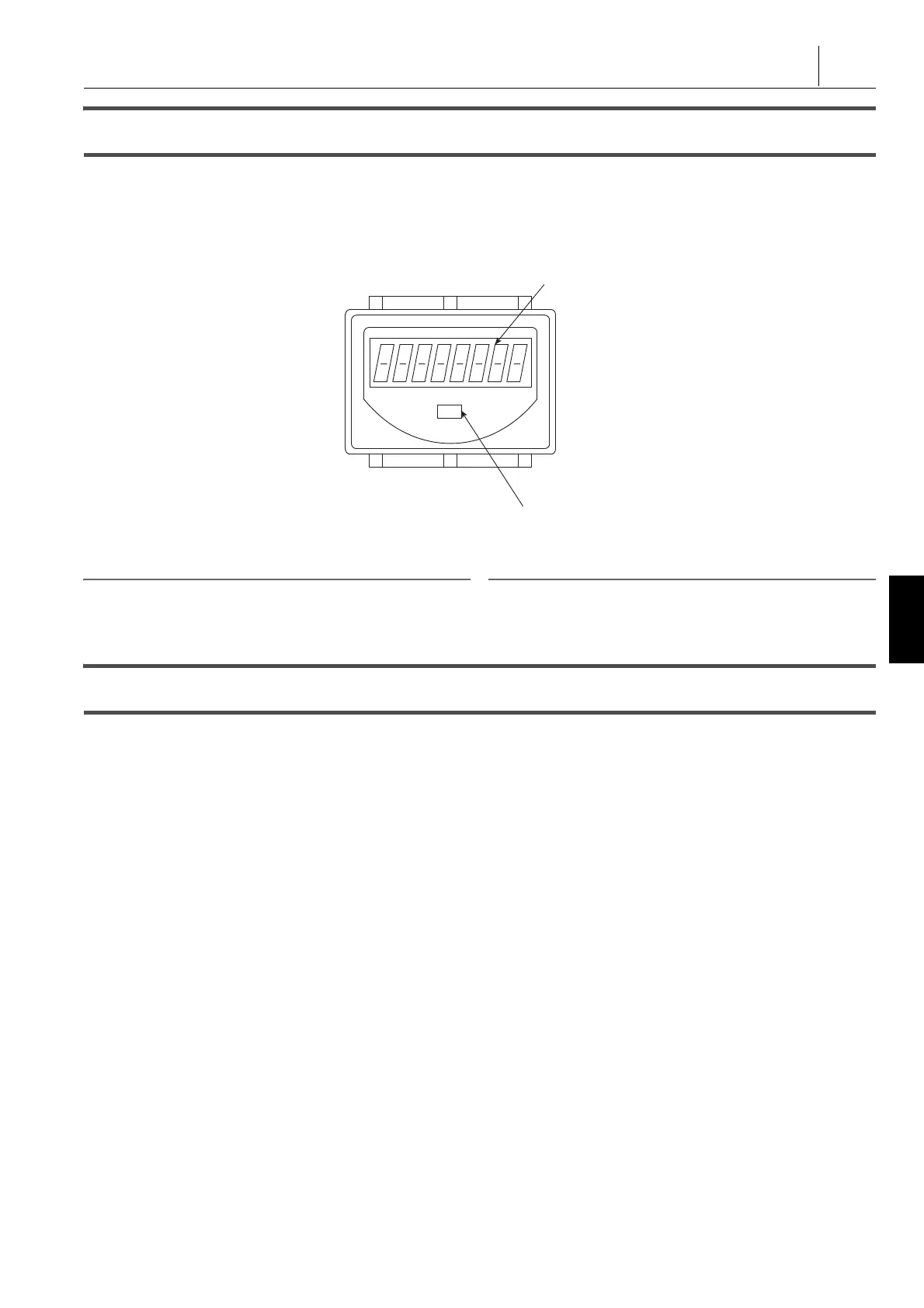
总计数器使用内置电池存储数据,如已加工工件数。每次读到
程序中写入的 M70 指令时,总计数器递增计数。
The total counter stores data such as the number of machined
workpieces using a built-in battery. Each time an M70
command written in a program is read, the total counter
increments the count.
2 注意 2 NOTE
1. 电池的使用寿命为七年。 1. The service life of the battery is seven years.
2. 因电池不可调换,电池寿命结束时应更换计数器。 2. Since the battery is irreplaceable, it is necessary to replace the
counter when the battery life ends.
1-3 多计数器显示(选项)
Multi Counter Display (Option)
多计数器用于控制加工工件的数量。每次读到程序中写入的
M2000 至 M2020 指令时,计数器递增计数。
Multi counter display is used to control the number of machined
workpieces. Each time the M2000 to M2020 commands written
in a program are read, the counter increments the count.
1 关于 M2000 - M2020 指令方法的详情,参见单独手册,“ 编程手
册 ”。
1 For details of the M2000 - M2020 command method, refer to the
separate volume, “ PROGRAMMING MANUAL ”.
多计数器有 1 至 20 个计数器,可以为各计数器设置“ 预
测 ”和“ 设置 ”值。在屏幕上显示“ 当前 ”值、“ 预测 ”值和“ 设
置 ”值,当“ 当前 ”值达到“ 预测 ”值或“ 设置 ”值,屏幕自动切换
至多计数器屏幕。
There are counters 1 to 20 for multi counter, and “ PREDICT ”
and “ SETTING ” values can be set for each counter. On the
screen, the “ CURRENT ” value, “ PREDICT ” value and
“ SETTING ” value are displayed, and when the “ CURRENT ”
value reaches either the “ PREDICT ” or “ SETTING ” value the
screen automatically switches to the MULTI COUNTER
screen.
• 当前:
当前计数值
• CURRENT:
The current count value
• 预测:
指示“ 设置 ”值将很快达到的值
• PREDICT:
A value to indicate that the “ SETTING ” value will be
reached soon
• 设置:
当“ 当前 ”值达到此值时,机床将执行以下操作之一:启动联
锁或块删除。
• SETTING:
When the “ CURRENT ” value reaches this value, the
machine will perform one of the following operations: start
interlock or block delete.
在操作面板屏幕上可以选择机床操作(“ 启动联锁 ”或“ 块删
除 ”)。
It is possible to select the operation of the machine (“ Start
interlock ” or “ Block delete ”) on the OPERATION PANEL
screen.
1 关于选择启动联锁 / 块删除的详细信息,参见 “ 工件计数器(选项
) ” ( 245 页)
1 For details on selecting start interlock/block delete, refer to
“Work Counter (Option)” (page 245)
在屏幕左侧,显示计数器 1 至 20 和总计数器的当前状态。 On the left side of the screen, the current status of counters 1
to 20 and a total counter are displayed.
Display Unit
Reset Button
显示装置
重设按钮




 To Next Page