工件计数器设定(选项)
WORK COUNTER SETTINGS (OPTION)
246
< 工件计数器 > <Work Counter>
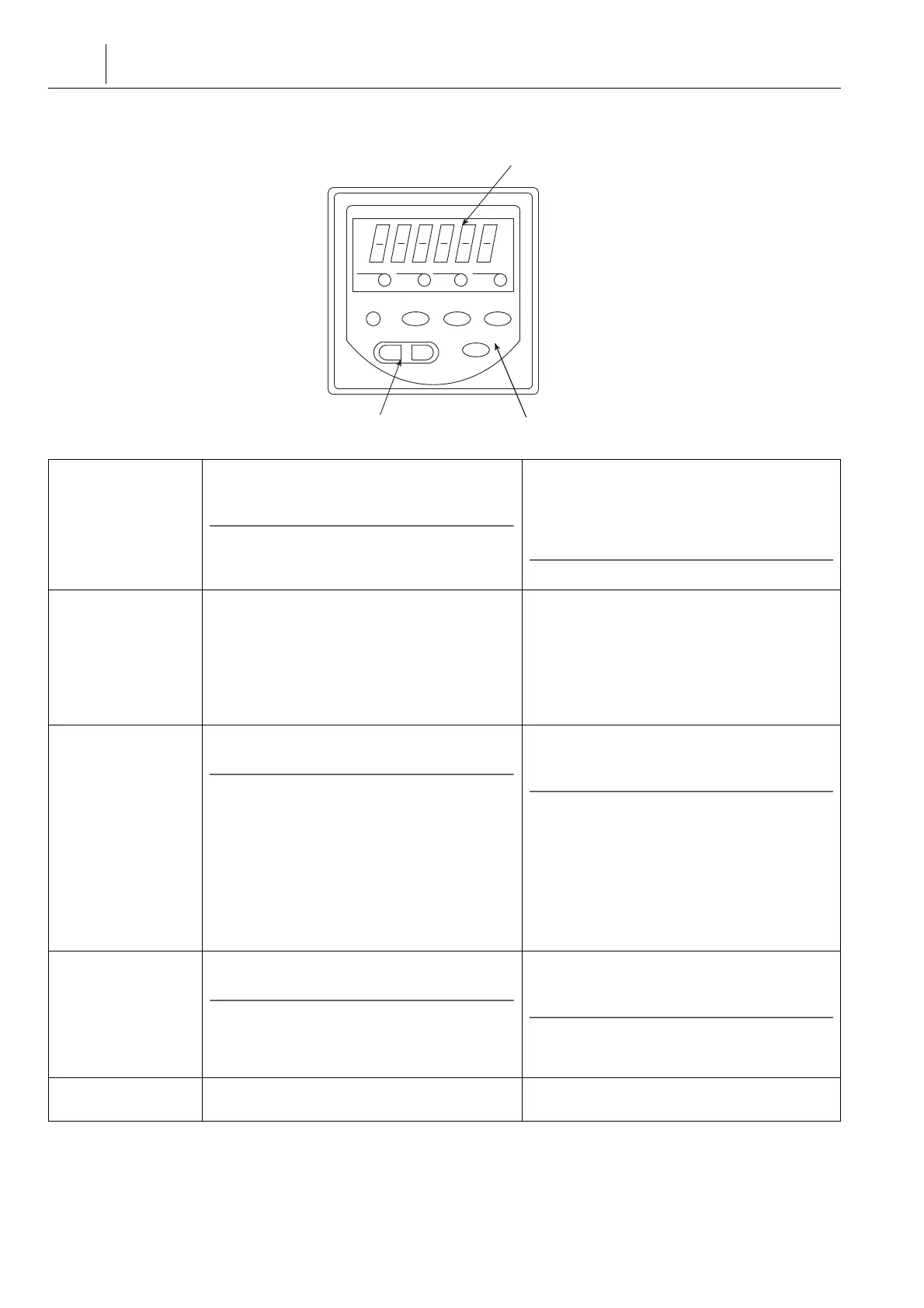
显示装置
Display Unit
在显示装置中,预设值(待加工的工件数)或计
数值(已加工工件数)可显示多达 6 位数字。
2 注意
通常,总是显示计数值。
In the display unit, the preset value (number of
workpieces to be machined) or the count value
(number of machined workpieces) is displayed as
up to 6 digits.
2 NOTE
Usually, the count value is always displayed.
切换预设值 / 计数值显
示
Switching the Preset
Value/Count Value
Display
将计数值切换成预设值:同时按下“E”和“1”键。
将预设值切换成计数值:按下“E”键。
5预设值显示停止不变持续 15 秒或更长时间时,将切
换成显示计数值。
Switching the count value to the preset value:
Press the “ E ” and “ 1 ” keys simultaneously.
Switching the preset value to the count value:
Press the “ E ” key.
5When the display is left idle for 15 seconds or more
with the preset value displayed, the display
switches to the count value display.
更改预设值
Changing the Preset
Value
使用数字键输入预设值,并按下“E”键。
2 注意
1. 数字键 1 到 6 每个对应一个显示的数字。按下数字
键将相应的显示数字增加 1。
2. 如果显示“9”时按下数字键,数字将变回“0”。
3. 更改预设值时,输入新值后,按下“E”键。如未按
下“E”键而切换至显示计数值,则预设值不变。
Input the preset value using the numeric keys
and press the “ E ” key.
2 NOTE
1. Each of the numeric keys 1 to 6 corresponds to one
digit of the display. Pressing a numeric key
increments the corresponding display digit by one.
2. If the numeric key is pressed while “ 9 ” is
displayed, the number returns to “ 0 ”.
3. When changing the preset value, press the “ E ”
key after inputting the new value. If the display is
switched to the count value without pressing the
“ E ” key, the preset value is not changed.
达到预设数量时
When the Preset
Number is Reached
达到预设数量时,指示灯 F1 点亮。
2 注意
即使关闭电源,计数信号也不被清除。按如下所述,手
动执行重设操作以清除计数状态。
When the preset number is reached, the indicator
F1 is illuminated.
2 NOTE
The count up signal is not cleared even if the power is
turned off. To clear the count up status, perform a
manual reset operation as described below.
重设操作
Reset Operation
同时按下“6”和“4”键,设置显示值为“0”。
Press the “ 6 ” and “ 4 ” keys simultaneously to
reset the displayed value to “ 0 ”.
F2F1 PRGPSC
E5 31
64
2
Display Unit
Numeric KeysReset Operation
显示装置
数字键重设操作




 To Next Page