185
功能选择键和显示屏幕
FUNCTION SELECTION KEYS AND DISPLAY SCREENS
按下此软钥匙开关在程序检查屏幕、程序编辑屏幕( 1 栏)和
程序编辑屏幕( 2 栏)之间切换。
Pressing this soft-key switches the display among the program
check screen, program edit screen (1 column) and program
edit screen (2 column).
[ 重绕 ] [REWIND]
光标移到程序的开始位置。 The cursor moves to the head of the program.
[ 末端 ] [BOTTOM]
光标移到程序的结束位置。 The cursor moves to the end of the program.
1•“ 将程序储存至数控存储器 ” ( 227 页) 1•“Storing a Program to NC Memory” (page 227)
• “ 前台和后台 ” ( 227 页) • “Foreground and Background” (page 227)
‘ 后台编辑 ’屏幕 ‘ BACKGROUND EDIT ’ Screen
2 注意 2 NOTE
1. 对于数据服务器规格,按下 [ 卡 ] (用户存储区或前卡), [NC 存
储 ] 或 [ 数据服务器 ] 选择被调用程序的存储位置。然而,不能从
数据服务器中直接调用二进制格式的文件并进行编辑。要编辑二进
制格式的文件,需要在编辑前将文件传送至 NC 存储器。
1. With the data server specifications, press [CARD] (user memory
area or the front card), [NC MEM.] or [DATA SERVER] to select
the location where the program to be called is stored. However, it
is not possible to directly call a file in binary format from the data
server and edit it. To edit a file in binary format, transfer the file to
the NC memory before editing.
2. 选择被调用程序的存储位置后,按下 [ 程序列表 ] ,显示存储在所
选位置的程序列表。
2. Pressing [PROG. LIST] after selecting the location where the
program to be called is stored displays the list of programs stored
at the selected location.
3. 可选前卡。 3. A front card is optional.
1 “ 卡 DNC 操作(使用用户存储区操作) ” ( 238 页) 1 “CARD DNC OPERATION (OPERATION USING USER MEM-
ORY AREA)” (page 238)
通常,在记忆模式自动运行期间,可用后台程序编辑屏幕输入
另一程序或编辑程序。
Usually, the background program edit screen is used to input
another program or edit a program during automatic operation
in the memory mode.
2 注意 2 NOTE
设定 MAPPS 参数 No. 613 为“1”,则前台操作所使用的程序可在后台
程序编辑屏幕上查找和显示,但是程序不能编辑。
By setting MAPPS parameter No. 613 to “ 1 ”, the program being used
in foreground operation can be searched for and displayed on the
background program edit screen, but the program cannot be edited.
< 显示两个程序的步骤 > <Procedure to Display Two Programs>
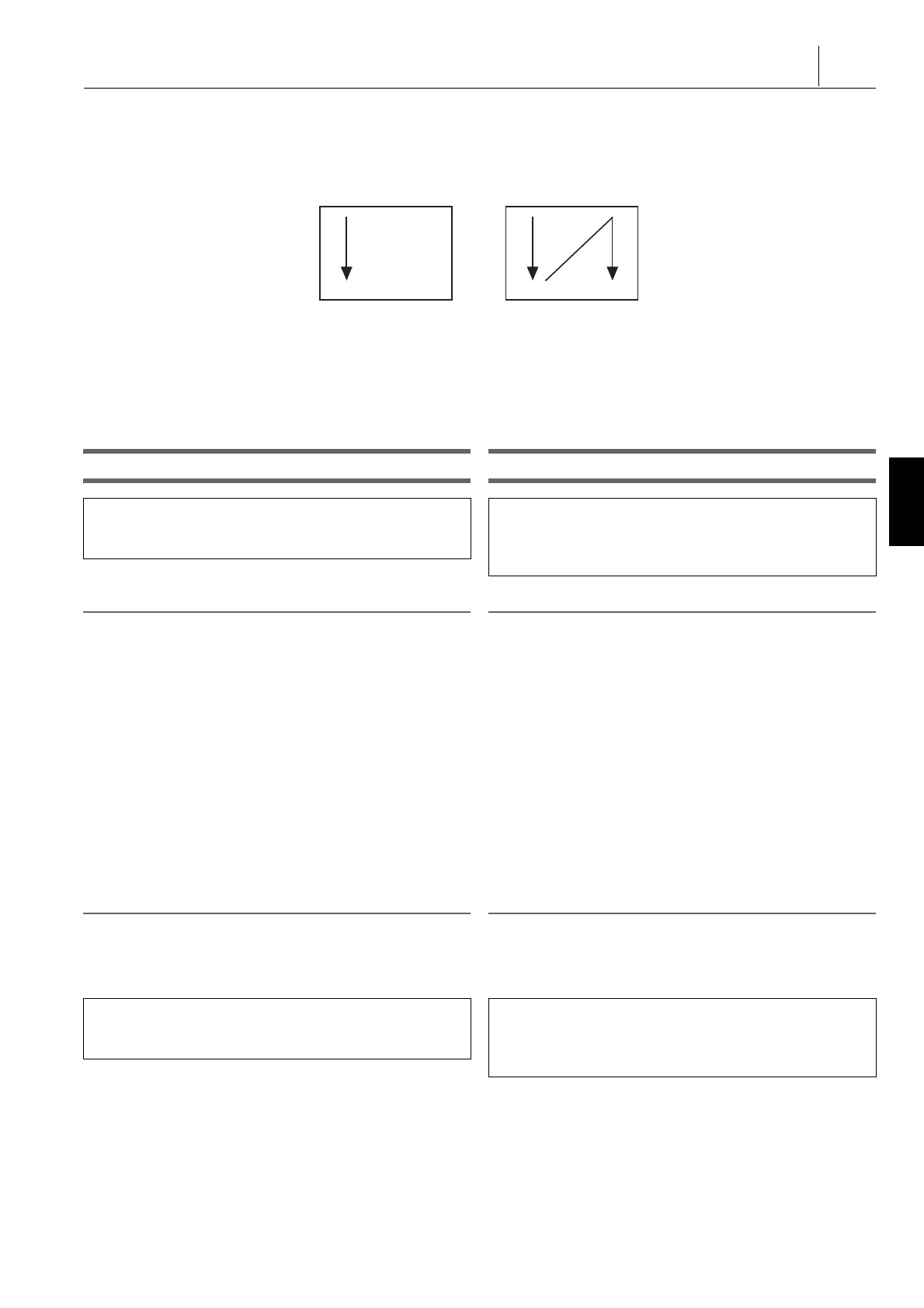
上述步骤之一执行两次后,两个程序在左右栏分别显示。 When one of the above procedures is performed twice, two
programs are displayed individually in left and right columns.
< 软键功能 > <Soft-Key Functions>
[1 栏 2 栏 ] [1-COLUMN 2-COLUMN]
按下此软键,在一栏和二栏之间切换显示。 Press it to switch the display between one-column and
two-column.
[ 选择改变 ] [SELECT CHANGE]
One-Column Display Two-Column Display
一栏显示 两栏显示
按下功能选择键
p
( 程序 ) D [ 后台编辑 ] D [<] D 按下
[NC 存储 / 卡 ] 选择数控存储器或用户区域(或前卡)作为
程序调用源。
Press function selection key
p
(PROG) D [BG EDIT] D
[<] D Press [NC MEM./ CARD] to select the NC memory or
user area (or a front card) as the source of the program to be
called.
输入程序编号。D [O- 号 . 搜索 ]
或
[ 程序列表 ] D 从程序列表中选择程序 D [O- 号 . 搜索 ]
Input the program number. D [O-No. SEARCH]
or
[PROG. LIST] D Select a program from the program list D
[O-No. SEARCH]




 To Next Page