103
工件零点设定
WORKPIECE ZERO POINT SETTING
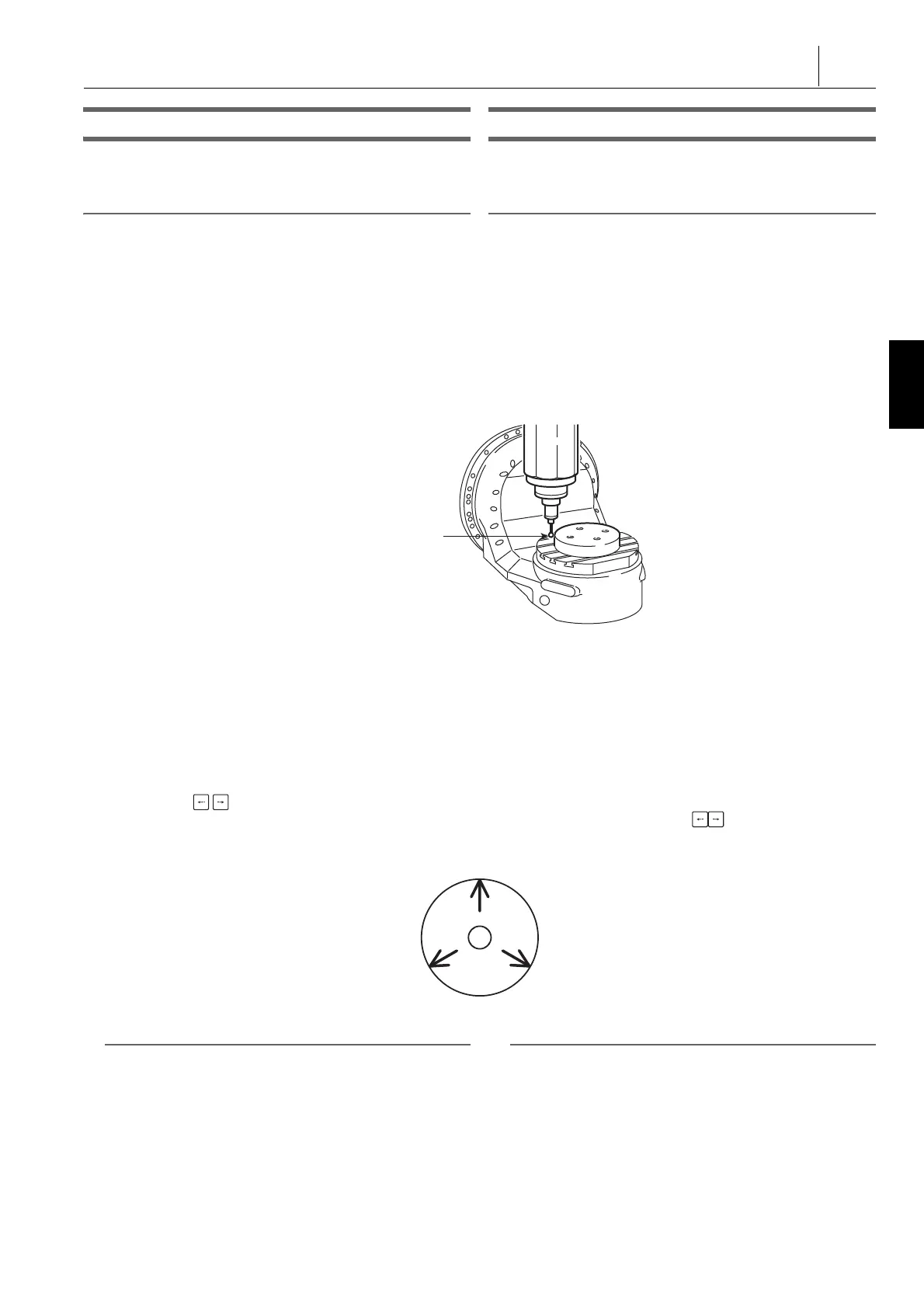
圆心测量 Circle Center Measurement
该测量方式适用于工件零点位于圆心的情况。 This measurement is used when the workpiece zero point lies
at the center of a circle.
2 注意 2 NOTE
该功能适用于理想的圆形工件。 This function is used for a perfect circular workpiece.
1) 按下 [ 中心点 ] 软键。 1) Press the [CENTER POINT] soft-key.
[ 显示‘ 圆心测量 ’屏幕。] [The ‘ CIRCLE CENTER MEASUREMENT ’ screen is
displayed.]
2) 按下轴进给量选择按钮
Z
[×1] 或
X
[×10]。 2) Press the axis feed amount selection button
Z
[×1] or
X
[×10].
1 “ 轴进给量选择按钮 / 开关 ” ( 154 页) 1 “Axis Feed Amount Selection Buttons/Switch” (page 154)
3) 用手动脉冲发生器移动测量工具,使其轻触测量点 1。 3) Move the measuring tool and bring it into light contact with
the measuring point 1 using the manual pulse generator.
4) 按下 [ 测量 ] 软键。 4) Press the [MEASURE] soft-key.
[ 显示‘ 测量点 1’的数据。] [Data is displayed for ‘ MEAS. PNT1 ’.]
5) 参见下图,用与 3) 和 4) 相同的步骤对测量点 2 和 3 进行
测量。
[ 显示‘ 测量点 2’和‘ 测量点 3’的数据。]
[ 显示‘ 中心位置 ’的计算数据。]
5) Referring to the diagram below, measure the measuring
points 2 and 3 with the same procedure as in steps 3) and
4).
[Data is displayed for ‘ MEAS. PNT 2 ’ and ‘ MEAS. PNT
3’.]
[The calculated data is displayed for ‘ CNTRNG POS. ’.]
6) 用光标移动键 选择数据所写入的坐标系,然后按下
[ 写 ] 软键。
[ 计算出的数据写入坐标系。]
6) Select the coordinate system which the data is written into
using the cursor control keys and press the [WRITE]
soft-key.
[The calculated data is written into the coordinate system.]
2 注意 2 NOTE
如要再次进行测量,按下 [ 测量重试 ] 软键。 To carry out measurement again, press the [MEAS. RETRY]
soft-key.




 To Next Page