105
刀具偏移数据设定
TOOL OFFSET DATA SETTING
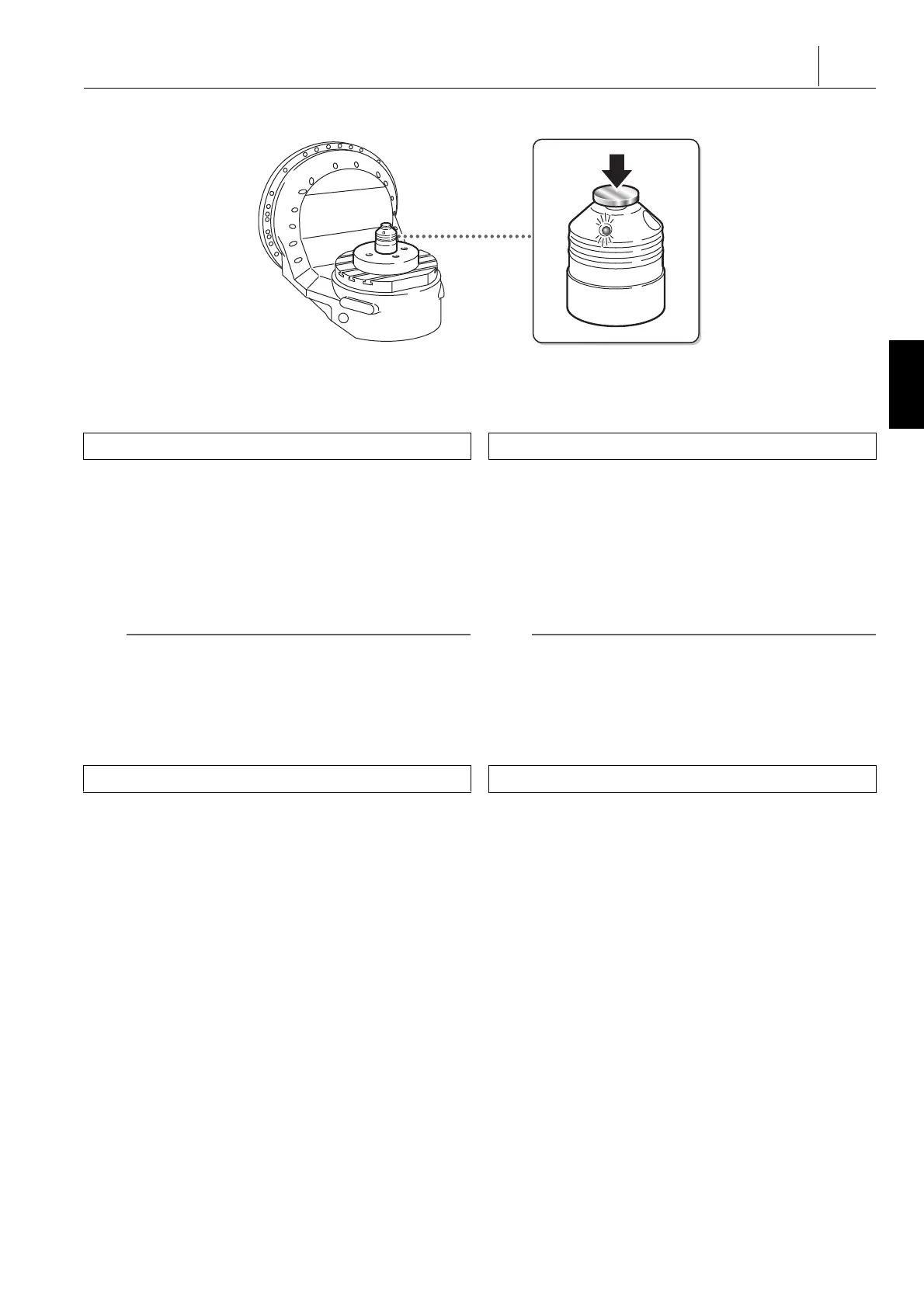
3) 在工件上安装基准块。 3) Mount a reference block on the workpiece.
4) 将 Z 轴返回零点。 4) Return the Z-axis to the zero point.
5) 按下模式选择按钮
s
[MDI]。 5) Press the mode selection button
s
[MDI] (MDI).
6) 显示‘ 刀具补偿 ’屏幕。 6) Display the ‘ TOOL OFFSET ’ screen.
7) 关闭前门和刀库门。 7) Close the front door and the magazine door.
8) 使用以下步骤将待测量偏移数据的刀具调入主轴: 8) Call up the tool the offset data of which is to be measured
into the spindle using the following procedure:
a) [MDI 操作 ] D [ 输入摘录 ] D 输入刀具编号 D [ 刀具更
换 ]
a) [MDI OPERAT.] D [INPUT EXCERPT] D Input the tool
number D [TOOL CHANGE]
[ 自动调用刀具更换程序。] [The tool change program is automatically called.]
[ 显示‘MDI’屏幕。] [The ‘ MDI ’ screen is displayed.]
2 注意 2 NOTE
刀具更换程序必须提前注册。 The tool change program has to be registered in advance.
1 “ 注册刀具更换程序 ” ( 235 页) 1 “Registering the tool change program” (page 235)
b) 按下自动运行按钮
q
[ 开始 ]。
[ 在主轴上装夹指定刀具。]
b) Press the automatic operation button
q
[START]
(Start).
[The specified tool is set in the spindle.]
9) 显示‘ 刀具补偿 ’屏幕。 9) Display the ‘ TOOL OFFSET ’ screen.
10) 使用以下步骤测量刀具长度。 10) Measure the tool length using the following procedure.
a) 将光标移动到待测量刀具的偏移编号。 a) Move the cursor to the offset number of the tool to be
measured.
< 方法 1> <Method 1>
输入偏移编号 D [ 参数查询 ] Input the offset number D [No. SEARCH]
< 方法 2> <Method 2>
按住光标移动键。 Keep the cursor control key pressed down.
b) 按下轴进给量选择按钮
Z
[×1] 或
X
[×10]。 b) Press the axis feed amount selection button
Z
[×1] or
X
[×10].
1 “ 轴进给量选择按钮 / 开关 ” ( 154 页) 1 “Axis Feed Amount Selection Buttons/Switch”
(page 154)
c) 使刀尖轻触基准块。
[ 基准块点亮。]
c) Bring the tool tip into light contact with the reference
block.
[The reference block is illuminated.]
11) 按下 [ 测量 ] D [ 测量 (H)] D [ 执行 ] 软键。 11) Press the [MEASURE] D [MEASURE (H)] D [EXECUTE]
soft-keys.
[ 设定刀具长度偏移数据。] [The tool length offset data is set.]
功能选择键
o
( 补偿 ) D [ 刀具补偿 ]
Function selection key
o
(OFFSET) D [TOOL OFFSET]
功能选择键
o
( 补偿 ) D [ 刀具补偿 ]
Function selection key
o
(OFFSET) D [TOOL OFFSET]




 To Next Page