VBA23001-R.3762.A
- A29 ・ D90 -
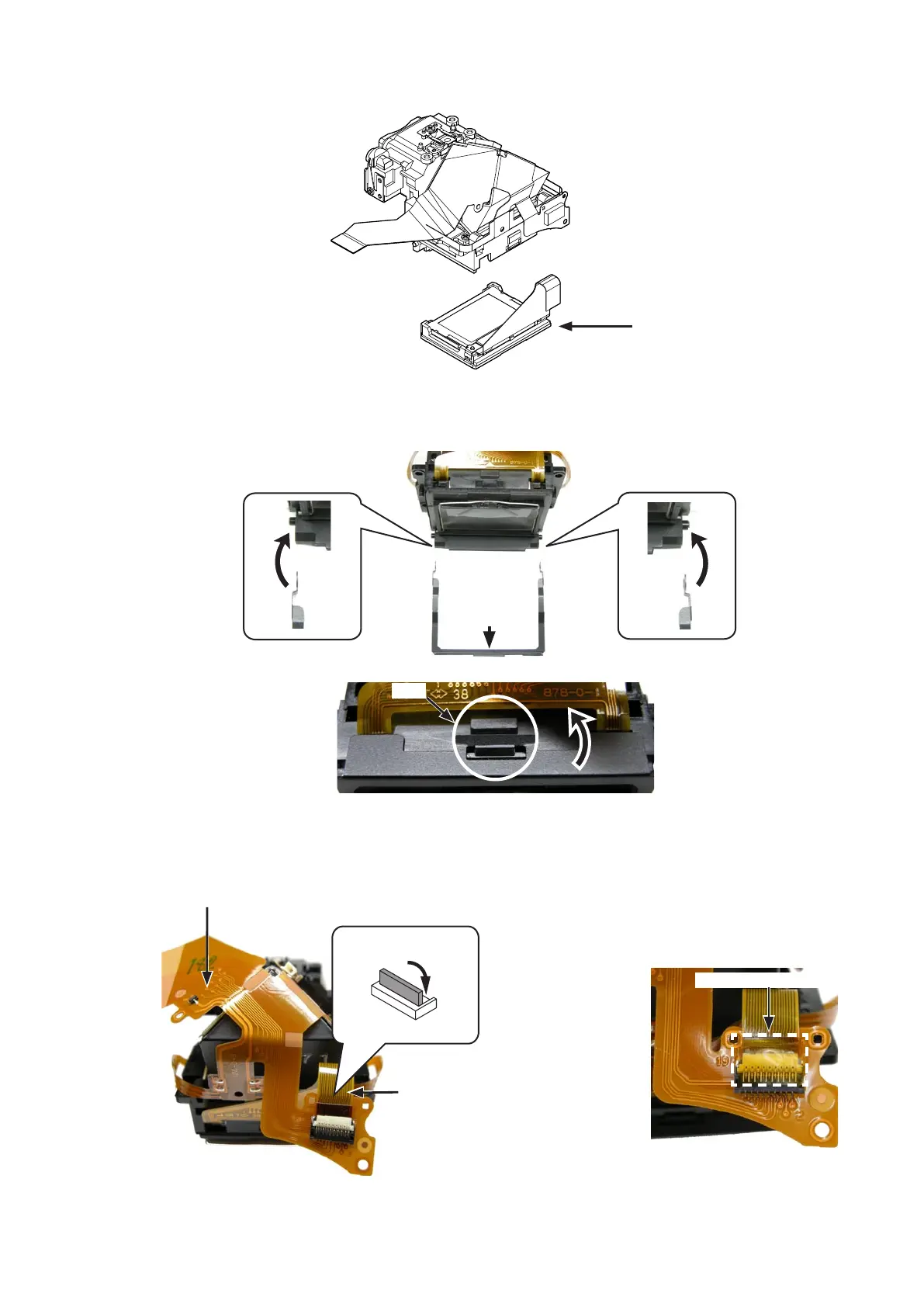
・Mount the screen box assembly.Mount the screen box assembly.
・Attach the screen box plate (#511) by fitting with bosses, and engage the hook of the penta prism box.Attach the screen box plate (#511) by fitting with bosses, and engage the hook of the penta prism box.
Screen box assembly
(#511)
Hook
・Connect the FPC of the SI unit (#B1046) to the connector on the penta prism FPC unit (#B1021).Connect the FPC of the SI unit (#B1046) to the connector on the penta prism FPC unit (#B1021).
・Attach the tape [TA0009 (7tape [TA0009 (7
×5)].
SI unit (#B1046)
Penta prism FPC unit (#B1021)
Tape (TA0009 7
×5
)



 To Next Page
 Loading...








