VBA23001-R.3762.A
- A28 ・ D90 -
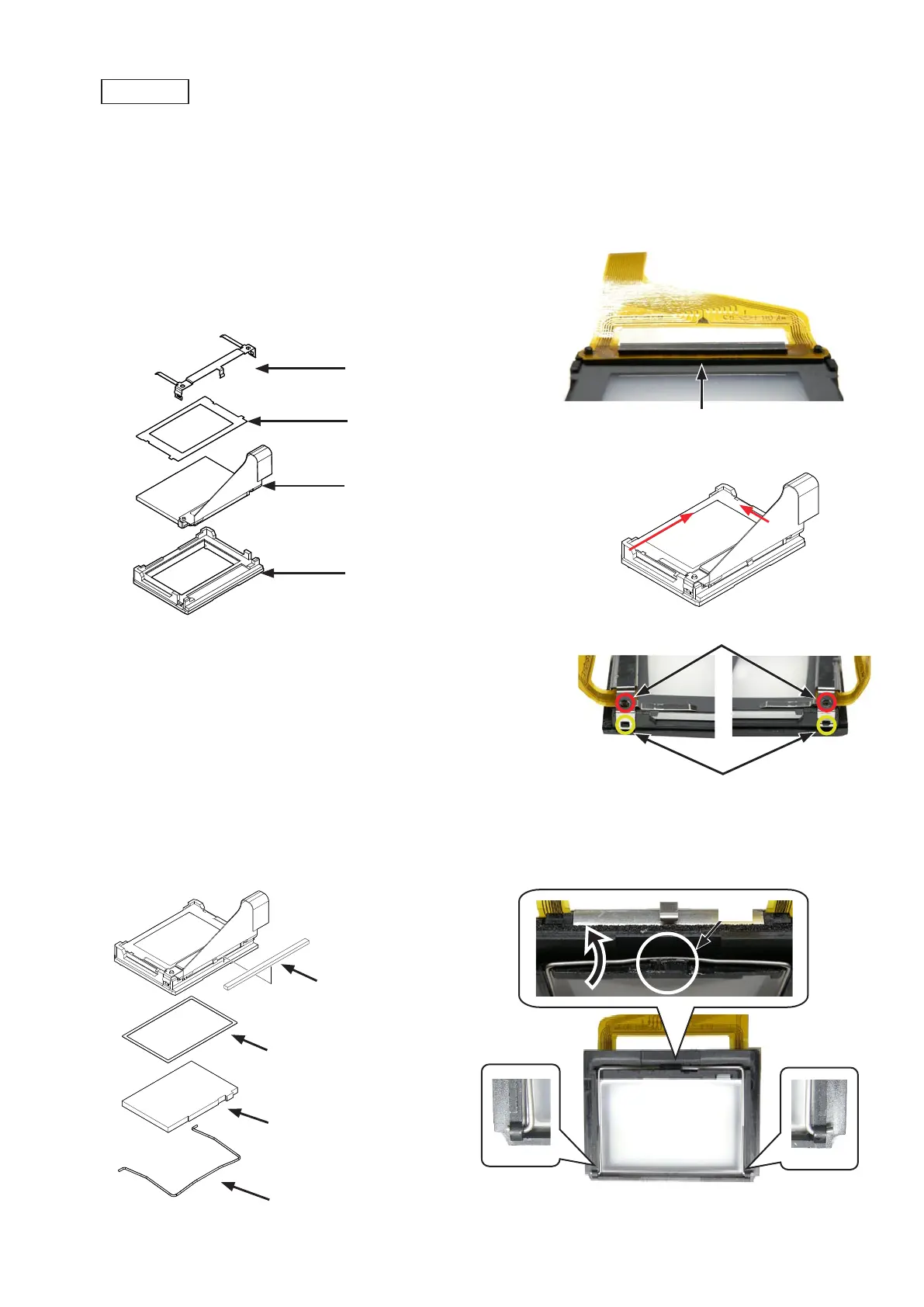
・Mount the superimpose unit (#B1046) on the screen box (#510).Mount the superimpose unit (#B1046) on the screen box (#510).
・Mount the view field frame 1 (#263) by fitting its edge under the FPC of the SI unit (#B1046).Mount the view field frame 1 (#263) by fitting its edge under the FPC of the SI unit (#B1046).
・Position the SI unit (#B1046) and the view field frame 1 (#263) in the direction of the arrows, and mount them.Position the SI unit (#B1046) and the view field frame 1 (#263) in the direction of the arrows, and mount them.
・Hook the retainer spring (#534) by fitting with the bosses.Hook the retainer spring (#534) by fitting with the bosses.
Screen box (#510)
Retainer spring (#534)
View field frame 1 (#263)
SI unit (#B1046)
Bosse
×
2
Hook
×
2
Screen box
・Attach the sponge (#527).Attach the sponge (#527).
・Attach the washer (#266) and fresnel lens (#3) to screen box (#510)Attach the washer (#266) and fresnel lens (#3) to screen box (#510)
・Hook the spring (#265) to the screen box (#510).Hook the spring (#265) to the screen box (#510).
Spring (#265)
Sponge (#527)
Hook
Fit under the FPC of SI unit.
Washer (#266)
Direction for positioning
Fresnel lens (#3)



 To Next Page
 Loading...








