VBA23001-R.3762 .A
- D50 ・ D90 -
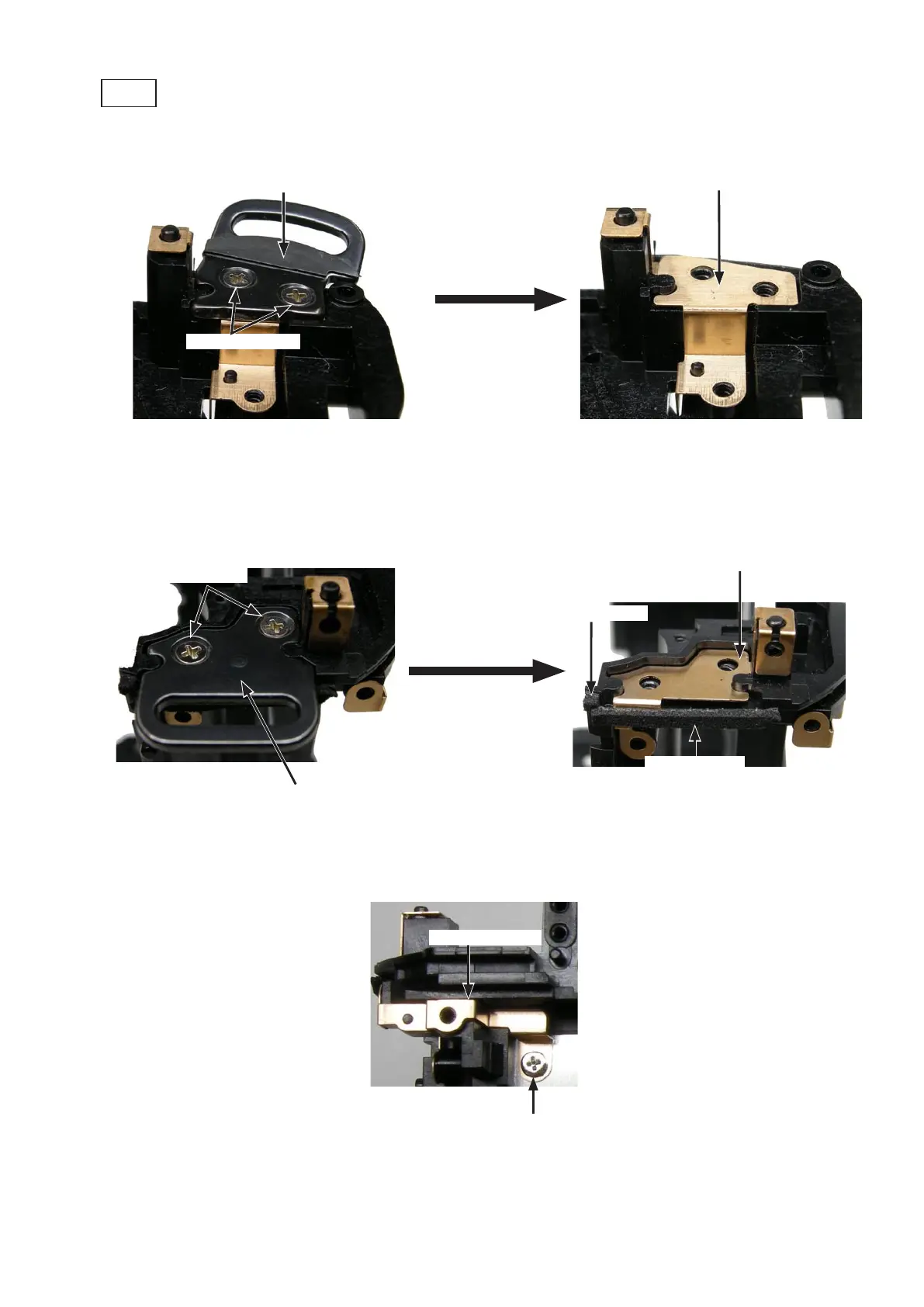
・Take out the two screws (#614).Take out the two screws (#614).
・Remove the eyelet (#145) and the GND plate (#149).Remove the eyelet (#145) and the GND plate (#149). (#149).(#149).
Screw (#614)
×
2
Eyelet (#145) (#145)(#145)
GND plate (#149)
Eyele (#146) (#146)(#146)
GND plate (#150) (#150)(#150)
Screw (#614)
×
2
Eyelet
・Take out the two screws (#614).Take out the two screws (#614).
・Remove the eyelet (#146).Remove the eyelet (#146).
・Peel off the sponges (#760 and #763).Peel off the sponges (#760 and #763).
・Remove the GND plate (#150).Remove the GND plate (#150). (#150).(#150).
Sponge (#760)
Sponge (#763)
・Take out the screw (#683).Take out the screw (#683).
・Remove the GND plate (#106).Remove the GND plate (#106).
Screw (#683)
GND plate (#106)



 To Next Page
 Loading...








