VBA23001-R.3762 .A
- D42 ・ D90 -
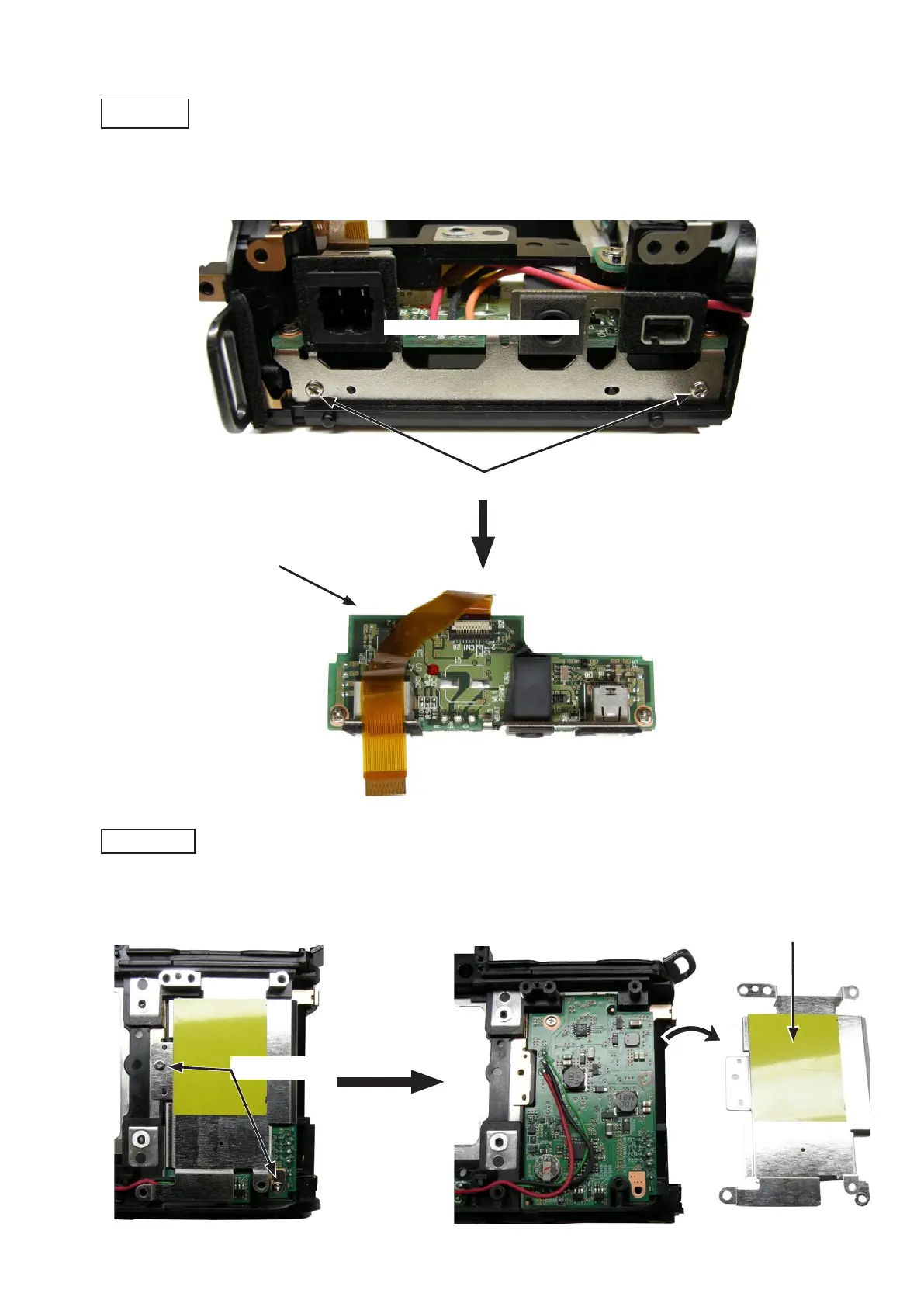
・Unsolder the wires (Red/Black/Orange).Unsolder the wires (Red/Black/Orange).
・Take out the two screws (#612).Take out the two screws (#612).
・Remove the SB/IF PCB unit (#B1041).Remove the SB/IF PCB unit (#B1041).
・Take out the two screws (#683).Take out the two screws (#683).
・Remove the GND plate unit (#B109).Remove the GND plate unit (#B109).
Screw (#612) × 2
Wire × 3 (Red/Black/Orange)
Screw (#683) × 2
GND plate unit (#B109)
SB/IF PCB unit (#B1041)
5. Rear body
DC/DC PCB
SB/IF PCB


 To Next Page
 Loading...









