VBA23001-R.3762 .A
- D20 ・ D90 -
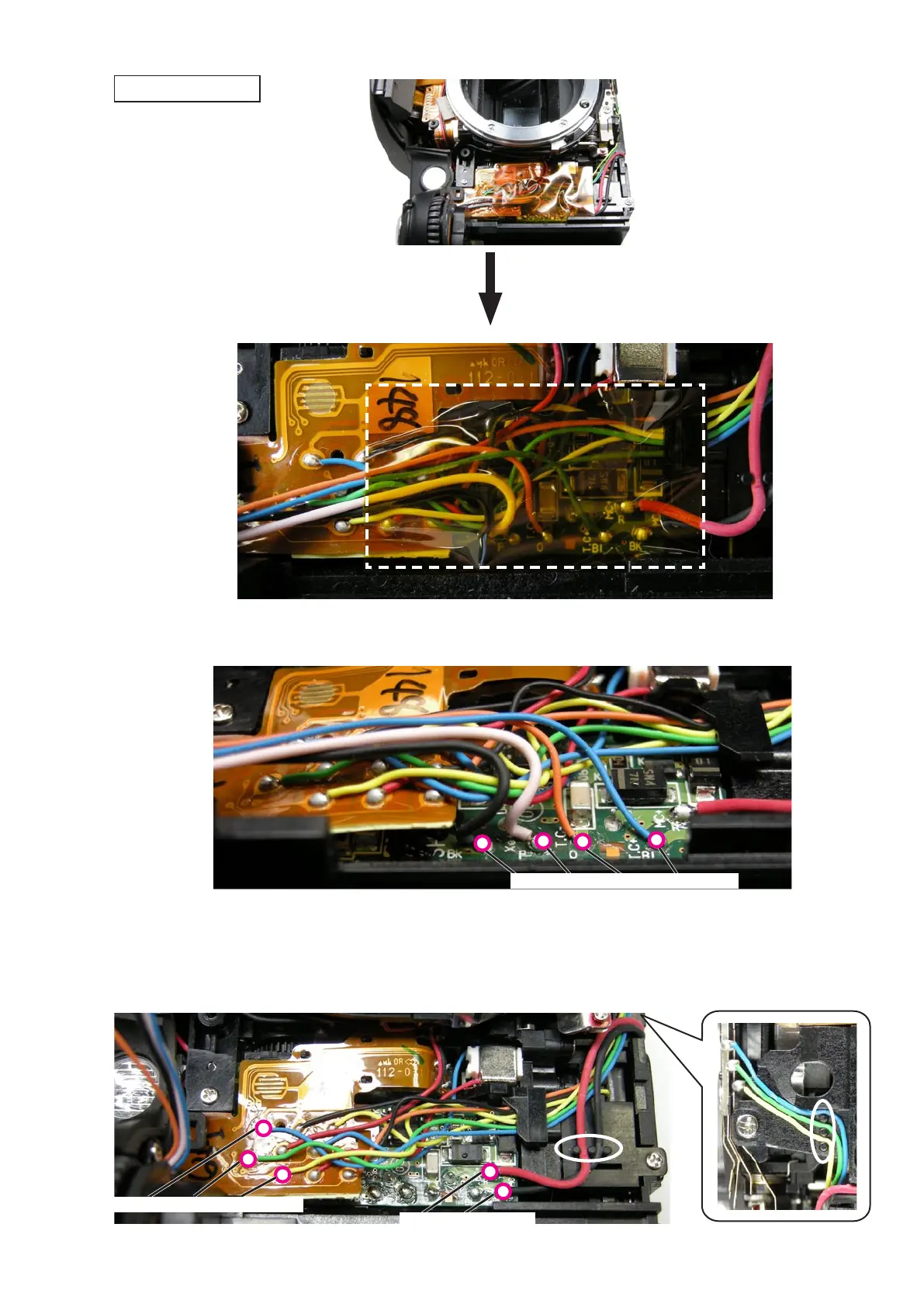
・Remove the wires from the grooves.Remove the wires from the grooves.
・Unsolder the wires (Blue/Green/Yellow) of the preview unit.Unsolder the wires (Blue/Green/Yellow) of the preview unit.
・Unsolder the wires (Red/Black) of the main condenser.Unsolder the wires (Red/Black) of the main condenser.
・
Peel off the tape (#831).
・Unsolder the wires (Black/Pink/Orange/Blue) of the top cover.Unsolder the wires (Black/Pink/Orange/Blue) of the top cover.
Wire
×4
(Black/Pink/Orange/Blue)
Wire
×3
(Blue/Green/Yellow)
Wire
×2
(Red/Black)
Removal of top cover



 To Next Page
 Loading...








