VBA23001-R.3762 .A
- D46 ・ D90 -
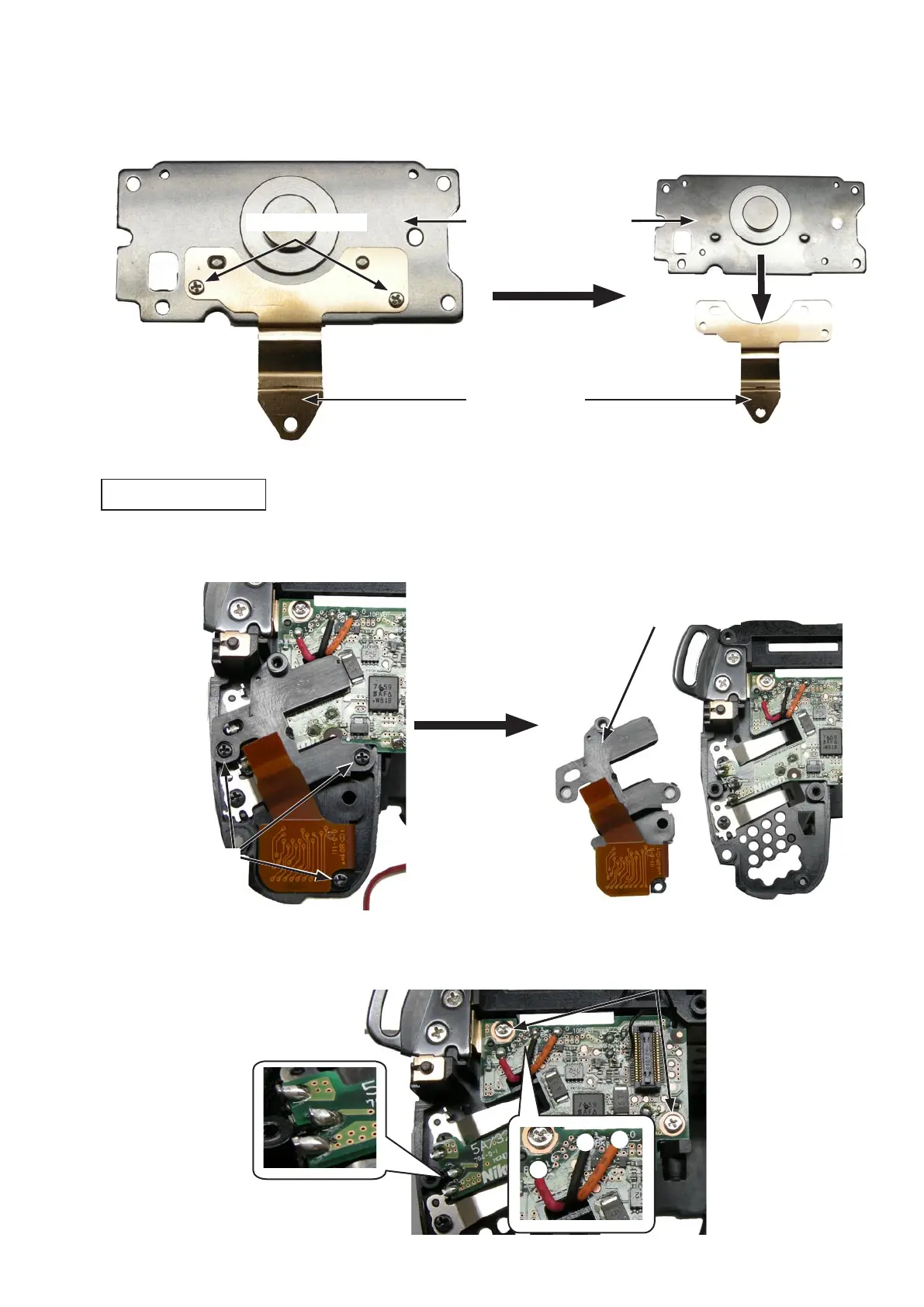
・Take out the two screws (#617).Take out the two screws (#617).
・Remove the bottom plate unit (#B67).Remove the bottom plate unit (#B67).
・Remove the GND plate (#140).Remove the GND plate (#140).
Screw (#617)
×2
・Take out the three screws (ROHS) (#609).Take out the three screws (ROHS) (#609).
・Remove the OP-FPC unit (#B1016).Remove the OP-FPC unit (#B1016).
OP-FPC unit (#B1016)
・Unsolder the wires (red/black/orange).Unsolder the wires (red/black/orange).
・Remove the three solder bridges..
・Take out the two screws (#683).Take out the two screws (#683).
Screw (#683)
×
2
Bottom plate unit (#B67)
Power drive PCB unit
GND plate (#140)
Screw (ROHS) (#609)



 To Next Page
 Loading...








