VBA23001-R.3762.A
- A52 ・ D90 -
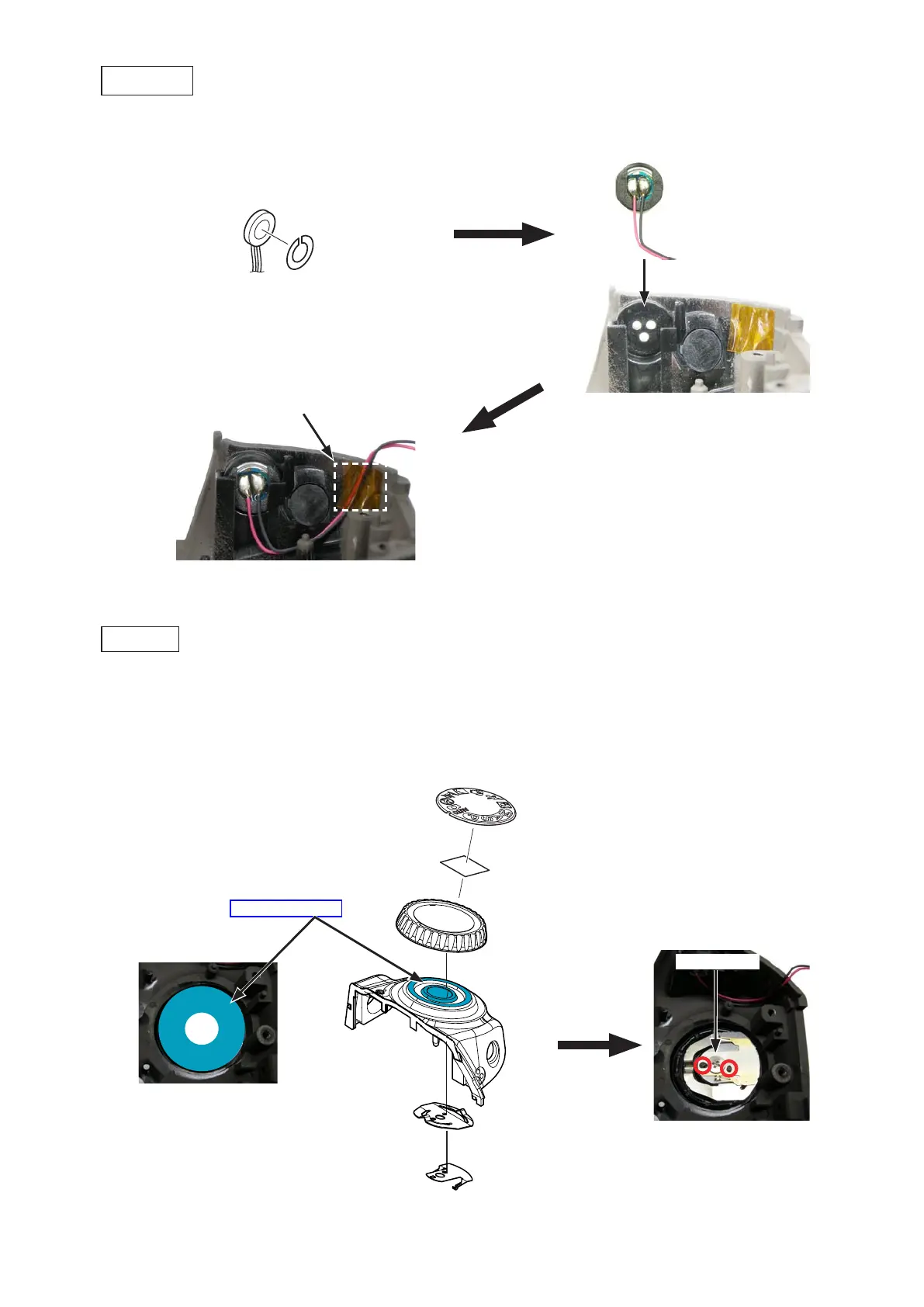
・Mount the mode dial (#451).Mount the mode dial (#451).
・Mount the click spring (#453) and the contact brush (#452) by fitting with the bosses.Mount the click spring (#453) and the contact brush (#452) by fitting with the bosses.
・Tighten the screw (#640).Tighten the screw (#640).
・Attach the mode dial cap (#460) with the double-stick tape [TA0026 (8Attach the mode dial cap (#460) with the double-stick tape [TA0026 (8
×
8)].
Mode dial (#451)
Click spring (#453)
Contact brush (#452)
Screw (#640)
Mode dial
・Attach the double-stick tape (#464) to the microphone (#1051).Attach the double-stick tape (#464) to the microphone (#1051).
・Mount the microphone (#1051), and attach the tape [TA0009 (6Mount the microphone (#1051), and attach the tape [TA0009 (6
×
6)].
Microphone (#1051)
Tape [TA0009 (6
×
6)]
Microphone
[TA0026 (8
×
8)])]
Mode dial cap (#460)
Double-stick tape (#464)
Grease: LEN317A


 To Next Page
 Loading...









