VBA23001-R.3762.A
- A51 ・ D90 -
5. Top cover Top cover
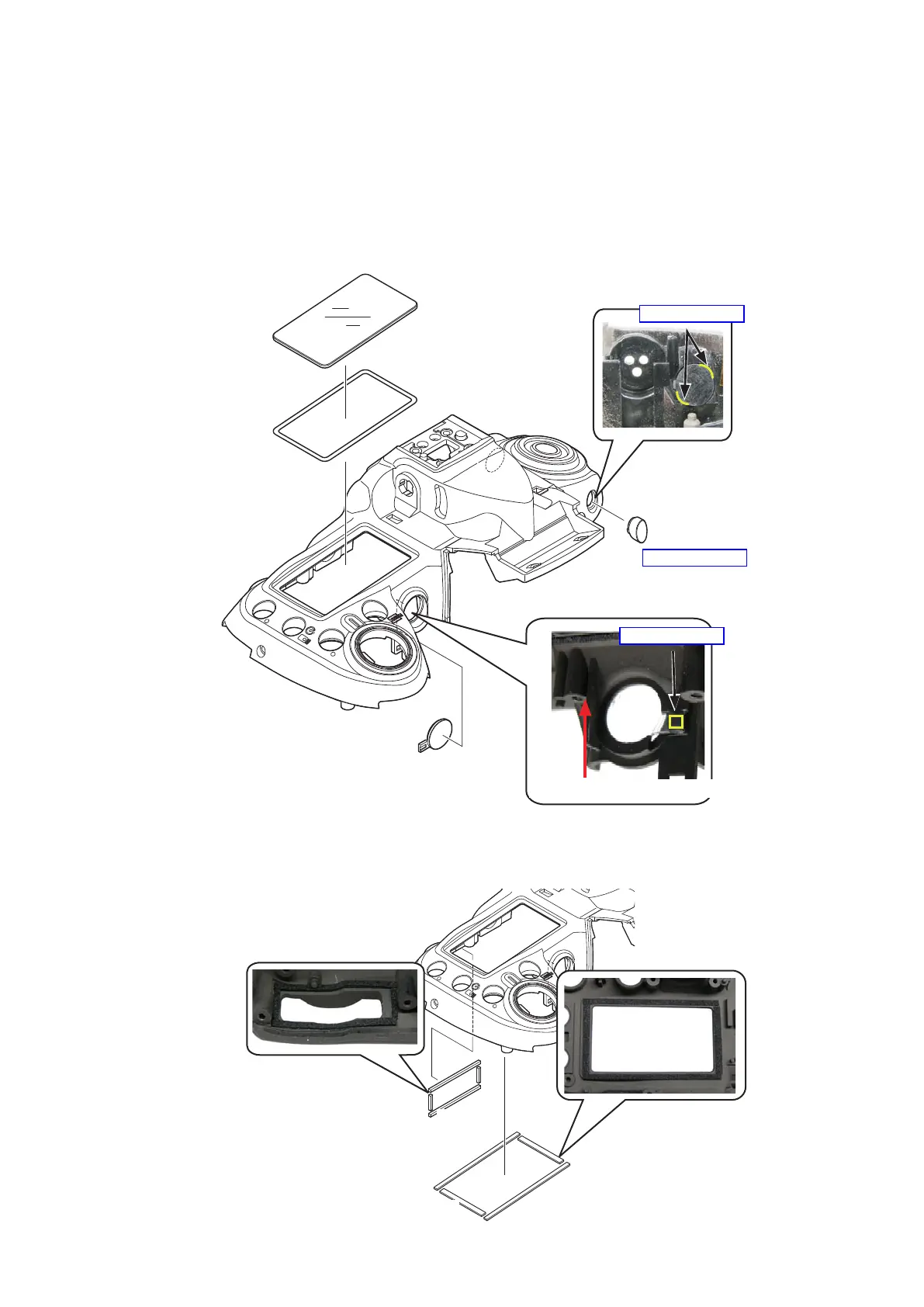
・Attach the double-stick tape (#338) and the LCD window (#335).Attach the double-stick tape (#338) and the LCD window (#335).
・Apply the adhesive (super X ) to the remote control window (#463), and mount the remote control window (#463).Apply the adhesive (super X ) to the remote control window (#463), and mount the remote control window (#463).X ) to the remote control window (#463), and mount the remote control window (#463).) to the remote control window (#463), and mount the remote control window (#463).
・Apply the adhesive (super X ) to AF assist lamp protector (#326), and mount the AF assist lamp protector (#326).Apply the adhesive (super X ) to AF assist lamp protector (#326), and mount the AF assist lamp protector (#326).X ) to AF assist lamp protector (#326), and mount the AF assist lamp protector (#326).) to AF assist lamp protector (#326), and mount the AF assist lamp protector (#326).
・Attach the two sponges each (#336 and #337).Attach the two sponges each (#336 and #337).
・Attach the two sponges each (#756 and #758).Attach the two sponges each (#756 and #758).
Double-stick tape (#338)
LCD window (#335)
Remote control window (#463)
AF assist lamp protector (#326)
Direction for positioning
(#336)
×
2
(#337)
×
2
(#756)
×
2
(#758)
×
2
Adhesive: Super X
Adhesive: Super X
Adhesive: Super X


 To Next Page
 Loading...









