7-18 Service Manual
XZAC4219-05
Disassembling/reassembling the print bar (printers with torsion bar)
1. Disassembling the casing. See the section “Casing disassembly/reassembly” on page 7 - 4.
2. From the front, lift the entire mechanical assy from the base plate and rotate it partially so as to access the
connectors of the motherboard. See the section “Lever for lifting the upper part of the mechanism” on page 3 -
4.
3. Disconnect all the cables except for those of the printhead.
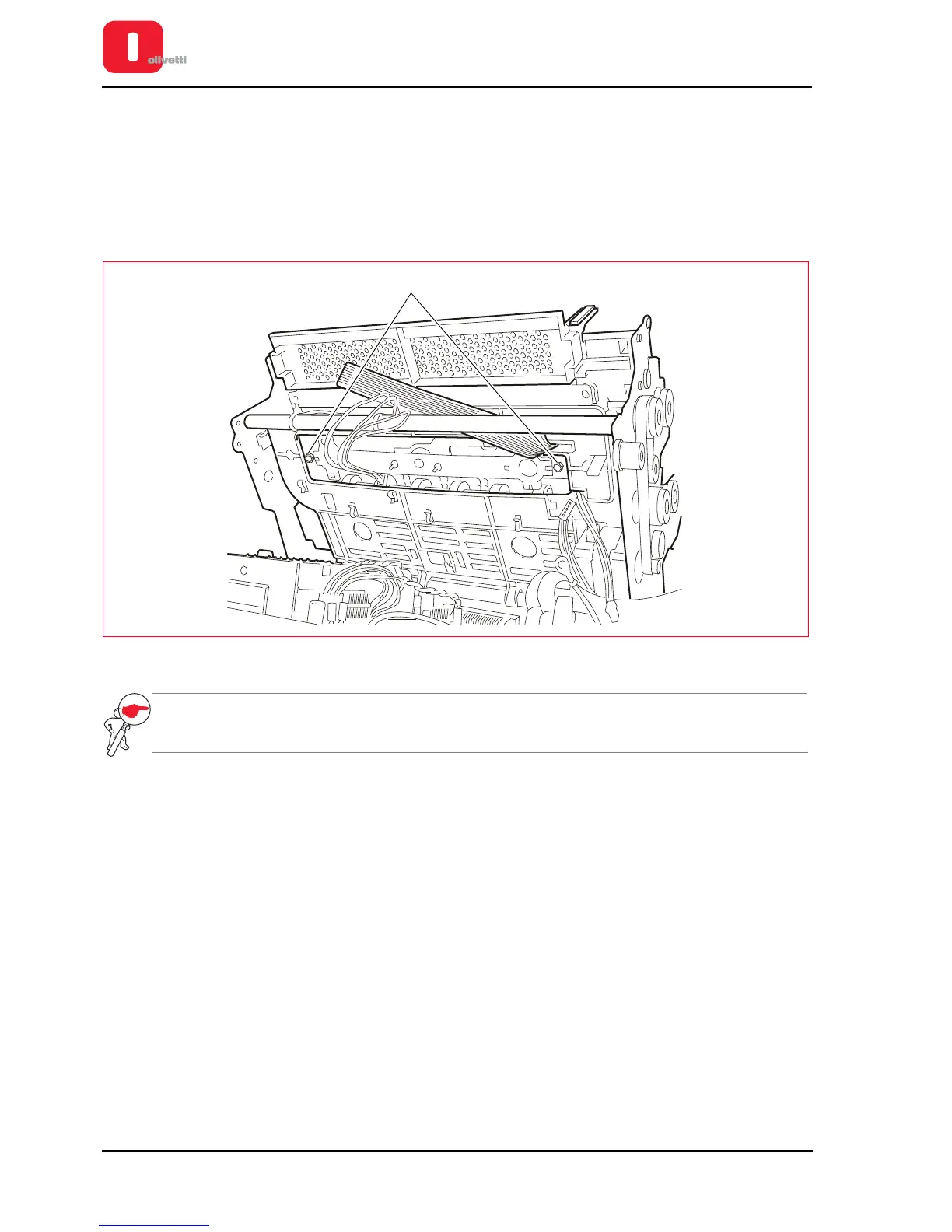
4. Back off the two lock-nuts (1) of the platen and slide it out from above.
Figure 7 - 22 Disassembling the print bar
NOTE: after the reassembly phase, carry out adjustment of the print bar.
See the section “Adjusting the print bar (where torsion bar present)” on page 6 - 4.















 To Next Page