XZAC4219-05 Service Manual
7-35
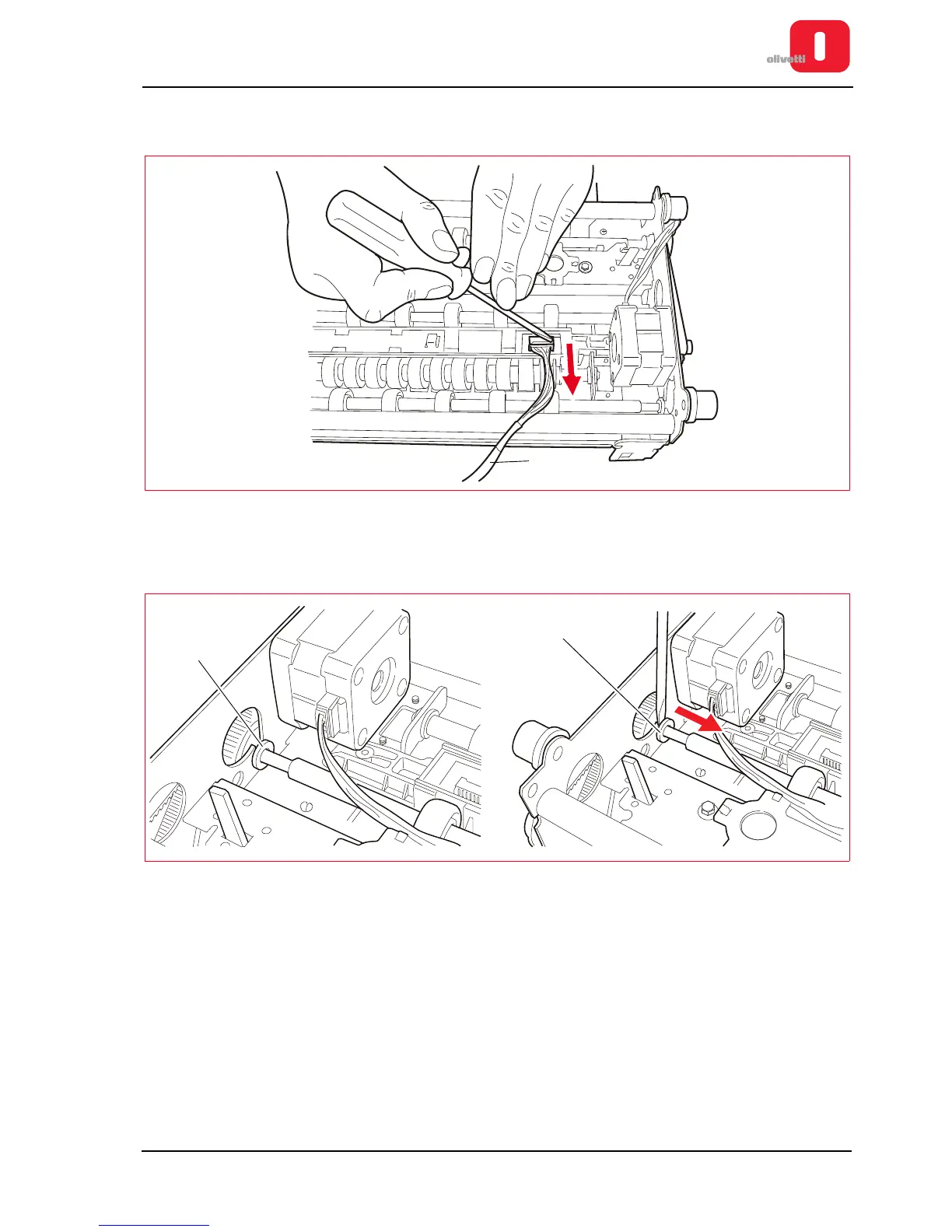
4. Disconnect the cable (5) from the connector on the CIS proceeding very carefully in order to avoid damaging
the connectors (use a slotted screwdriver).
Figure 7 - 50 Disconnecting the CIS cable
5. Remove the snap ring (6).
6. Slide the bush (7) in order to free the shaft from the rotation housing, proceeding as shown in the figure.
Figure 7 - 51 Removing the shaft from its rotation position















 To Next Page