Installing the Particle Counter
Lasair II Particle Counter Operations Manual Page 2-5
NOTE:
If the sample tubing is longer than 10 feet (3.05 meters),
Particle Measuring Systems cannot guarantee valid particle
measurement.
Also, if you intend to sample for particles greater than 5 μm, you
should not use any tubing at all.
For precise positioning and proper cleanroom isolation, you may choose to mount
the sample probe on a tripod or on a wall. The following optional accessories will
help you to precisely position the particle counter:
• A floor tripod (Part No. MI008)
• A table tripod (Part No. 1000000979)
• A wall mount adaptor for the Standard Sampling Probe (Part No. 1000000971)
• A Sampling Probe, Isokinetic, with wall/hand/tripod adapter (Part No.
1000008907) from Particle Measuring Systems.
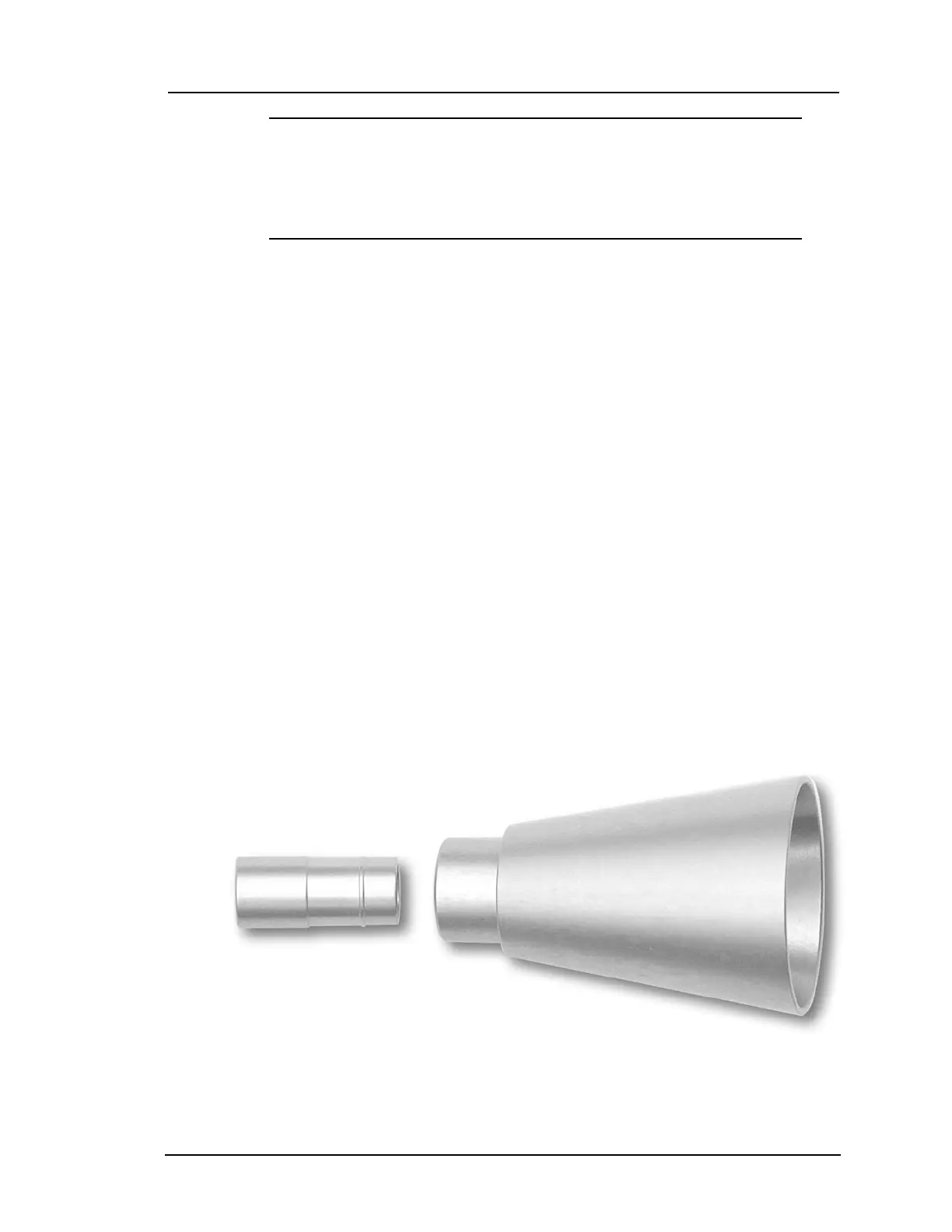
To connect the sample probe directly to the sample inlet:
1 Remove the protective cap from the sample inlet.
2 Place the probe adaptor over the sample inlet. The adaptor’s internal O-ring will
hold it to the sample inlet.
3 Place the sample probe over the adaptor tube. The sample probe’s internal O-
ring will hold it to the adaptor tube.
4 Gently, but firmly, press downward on the sample probe until it will not move
down any further.
Figure 2-3: 350L and 550L Probe Adaptor and Sample Probe
Probe Adapter
1000008909
Probe
1000008908



 To Next Page