Prma 460 18 User Manual
Description
2 The maxmum loadng on any one of the auxlary sockets
s 480 W
Each socket s protected wth a 2 A fuse n both the lve
and neutral crcuts
3.9.3 Connecting other devices
The mans lead (or adaptor) for other devces (eg addtonal
montors) requrng an electrcal supply can be plugged nto
one of the auxlary sockets on the rear of the machne
WARNIN
Portable RF communcatons equpment (ncludng
perpherals such as antenna cables and external antennas)
should be used no closer than 30 cm (12 nches) to any part
of the anaesthetc machne, ncludng cables specfed by the
manufacturer Otherwse, degradaton of the performance of
ths equpment could result
3.9.4 System Back-up Battery
In the event of mans electrcal falure, the back-up battery
cuts n automatcally
If the back-up battery has been mantaned n a fully charged
condton the battery wll power the machne for approxmately
75 mnutes (dependng on ventlator settngs)
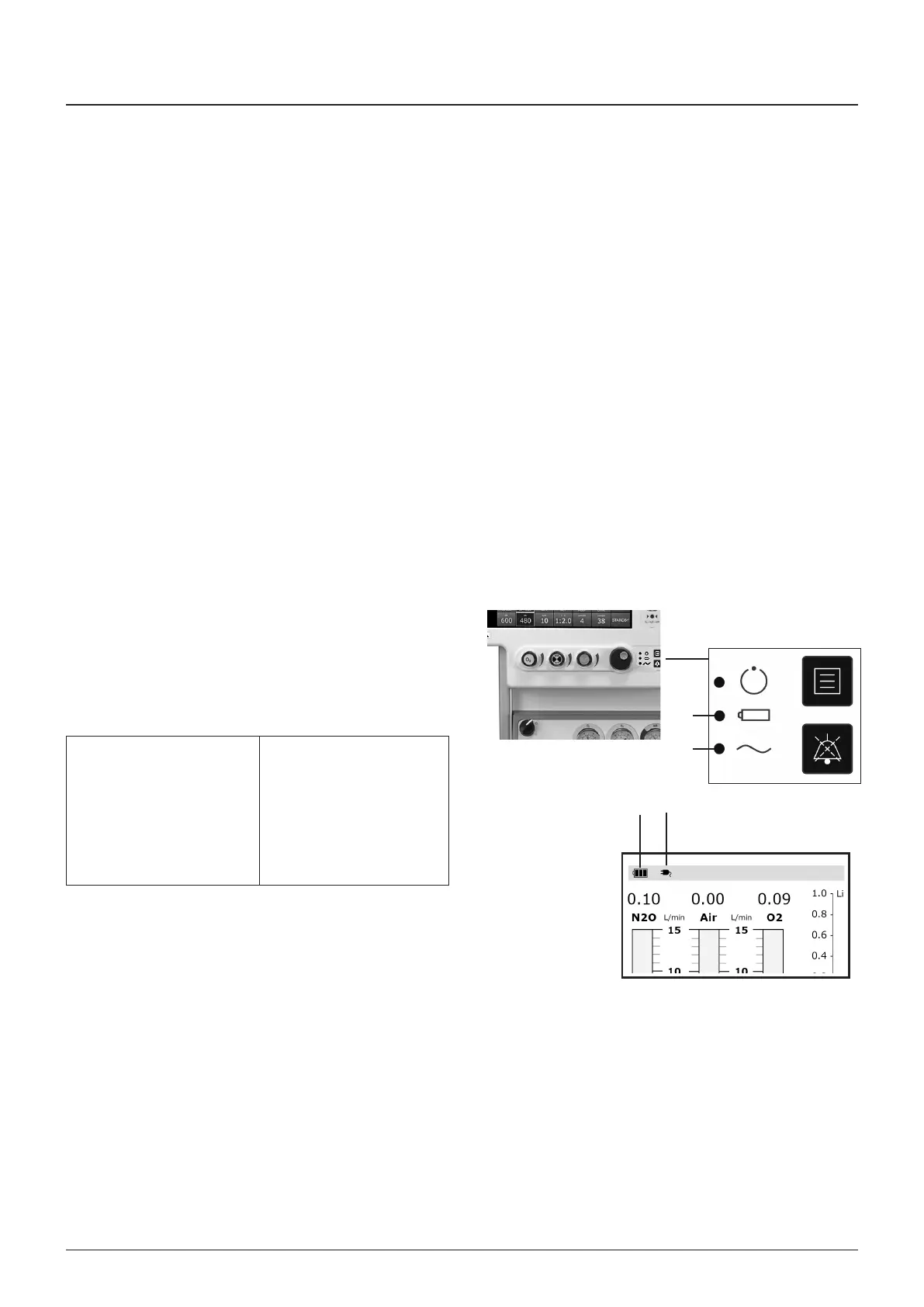
The amber lght (1) wll flash when the battery s powerng the
machne
hargng the back-up battery
Back-up battery chargng takes place automatcally when the
mans lead s connected to a ‘lve’ mans supply
Mans power s avalable and
machne s swtched on
The blue ndcator lght (2) s
on
The on-screen ‘mans
connected’ con (3) s
dsplayed
The ‘battery charge level’
con (4) s dsplayed
NOTE
1 The stated back-up battery perod wll only be avalable f
the back-up battery s kept fully charged
2 If the back-up battery has been allowed to dscharge below
the LOW BATTERY condton, the machne wll not functon
correctly untl the back-up battery voltage rases above the
LOW BATTERY level
3 A fourteen-hours recharge wll be necessary to brng a
completely dscharged back-up battery to full charge
3
4
2
1



 To Next Page