Prma 460 24 User Manual
Description
3.11.3.2 Main Menu Operation:
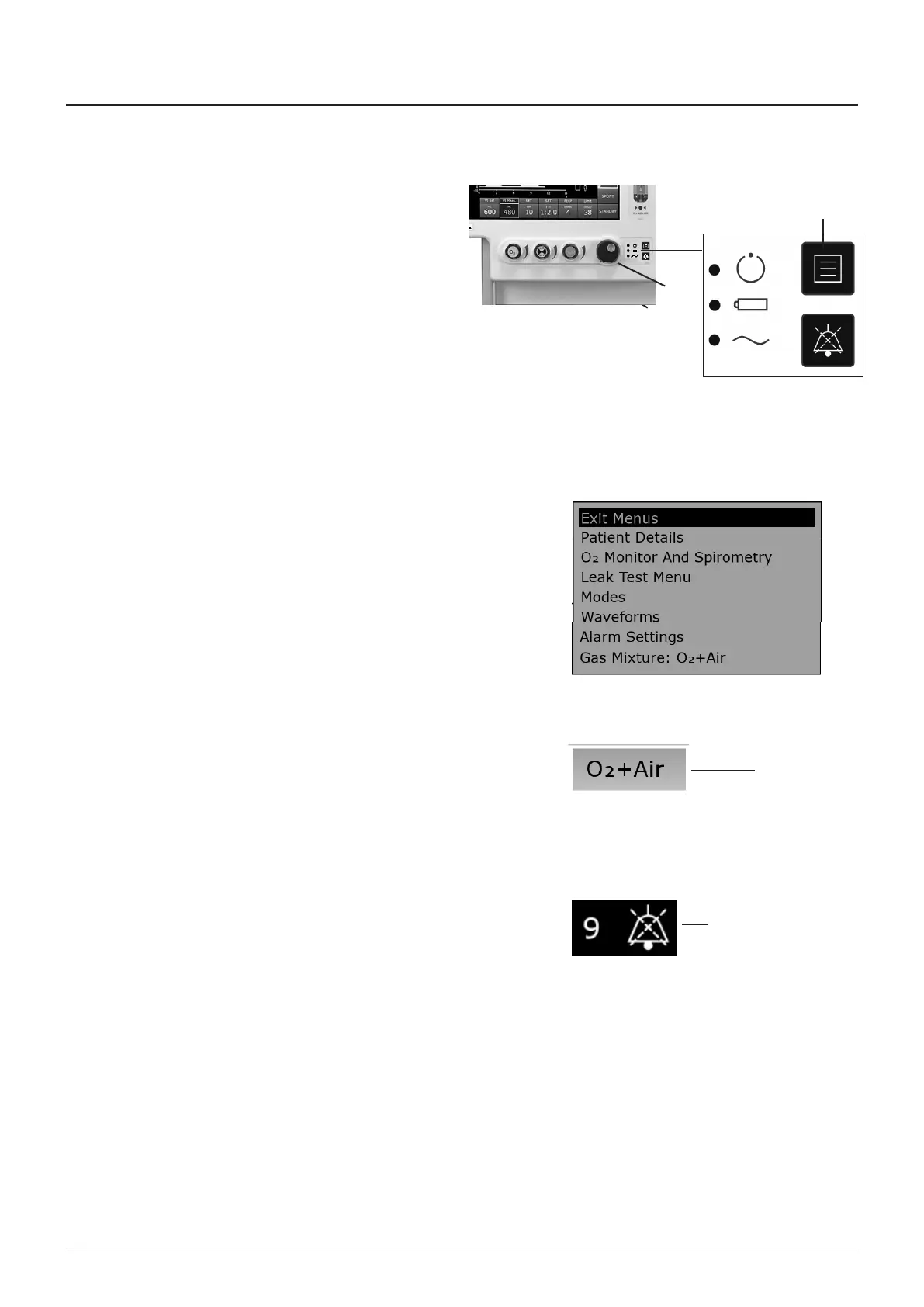
1 Use the Navgator Wheel (1) to select a menu opton
2 Press the Navgator Wheel to actvate the selected
submenu
3 Use the Navgator Wheel to change any dsplayed values,
and press to confrm
NOTE
Whle any menu s selected
a) The alarms are actve
b) The ventlator can be swtched off
3.11.3.3 Main Menu Options
1 Use the menu button (2) to gan access to the man menu
2 Menu optons are context senstve
All avalable menus can be accessed through the MAIN
MENU system when the ventlator s n Standby mode
Lmted access to the MAIN MENU system s provded n
other modes
3 Use the touchscreen to access sub-menus - see 3114
4 To Ext the Man Menu
Press the menu swtch on the front panel, or, use the
Navgator Wheel to select EXIT MENUS
3.11.4 Sub-menu operation
1 Alarm settngs Touch the alarm dsplay area
2 Modes menu Touch the mode con area
3 as mxture (3) Touch the gas mxture dsplay
4 Waveform menu Touch the waveform dsplay area
5 Selecton and modfcaton of menu optons s through the
navgator wheel
6 Selecton or modfcaton s followed by a ‘ONFIRM’
message prompt on the screen
The alarm mute symbol (4) s dsplayed adacent to the Icons
The symbol s shown wth a numerc value that represents
seconds of mute tme that remans
3.11.5 Waveform Menu
The WAVEFORM MENU allows the Operator to select a second
and thrd waveform for dsplay
Waveform Submenus
Select the Thrd Waveform opton to dsplay a thrd waveform
Use the sub-menu to alter the thrd waveform to one of the
followng confguratons
1 None, No thrd waveform dsplayed
2 P-T, Pressure aganst Tme
3 V-T, Volume aganst Tme
3
4
9
11
1
2



 To Next Page