Prma 460 91 User Manual
7.4.3 Sensor Low Indication
The unt automatcally detects when sensor lfe s low The
message
OXYEN SENSOR LOW OUTPUT
wll appear on screen to ndcate that the sensor must be
replaced
The sensor output wll fall very quckly to zero over a perod
of two to three weeks from the frst tme that the alarm s
actvated
Sensor replacement - see secton 831
7.4.4 Setting the O Alarms
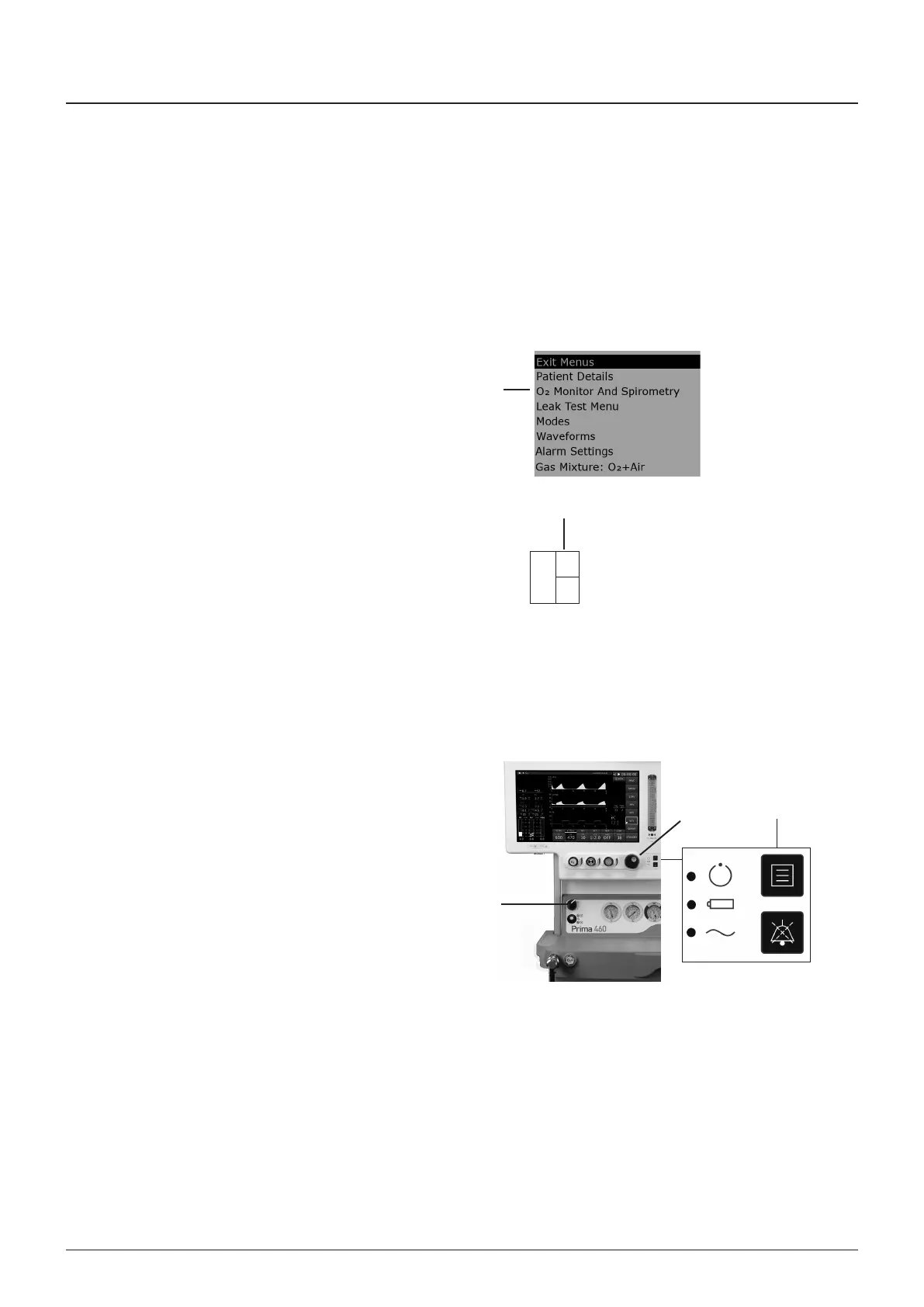
To access the Alarm Set functons, the montor must frst be
set to ‘on’ n the sub menu (1)
7.4.4.1 Set High Alarm
The hgh alarm value (2) cannot be set below 19% or above
105% (note that n certan condtons of excess pressure, the
readout may show a value above 100%)
1 Touch the O concentraton dsplay, or press the menu
swtch (2) to select the O montor sub-menu
2 Scroll to HIH ALARM SET and press the navgator wheel
(3)
3 Rotate the navgator wheel to change the dsplayed alarm
fgure to the desred value, then press the wheel (3) to
confrm
4 Scroll to ESAPE FROM MENUS and press the wheel (3)
to ext
7.4.4.2 Set Low Alarm
The alarm value cannot be set below 18%, or above 99%
1 Touch the O concentraton dsplay, or press the menu
swtch (2) to select the O montor sub-menu
2 Scroll to LOW ALARM SET and press the navgator wheel
(3)
3 Rotate the wheel to change the dsplayed alarm fgure to
the desred value, then press the wheel to confrm
4 Scroll to ESAPE FROM MENUS, press the wheel (3) to
ext
5 Turn off the gas flow, and swtch the machne off (4)
%O
21
2
100
20
Operating the Anaesthesia System
1
2
4
3



 To Next Page