Prma 460 48 User Manual
Description
1
3.13.7 Spirometry
albraton
1 Use the Navgator Wheel to ntate the calbraton
procedure
2 To ext the menu, scroll to EXIT MENUS and press the
wheel
NOTE
If the sprometry system s malfunctonng
1 Fresh gas / fresh gas mxture compensaton s dsabled
2 Support Modes are dsabled
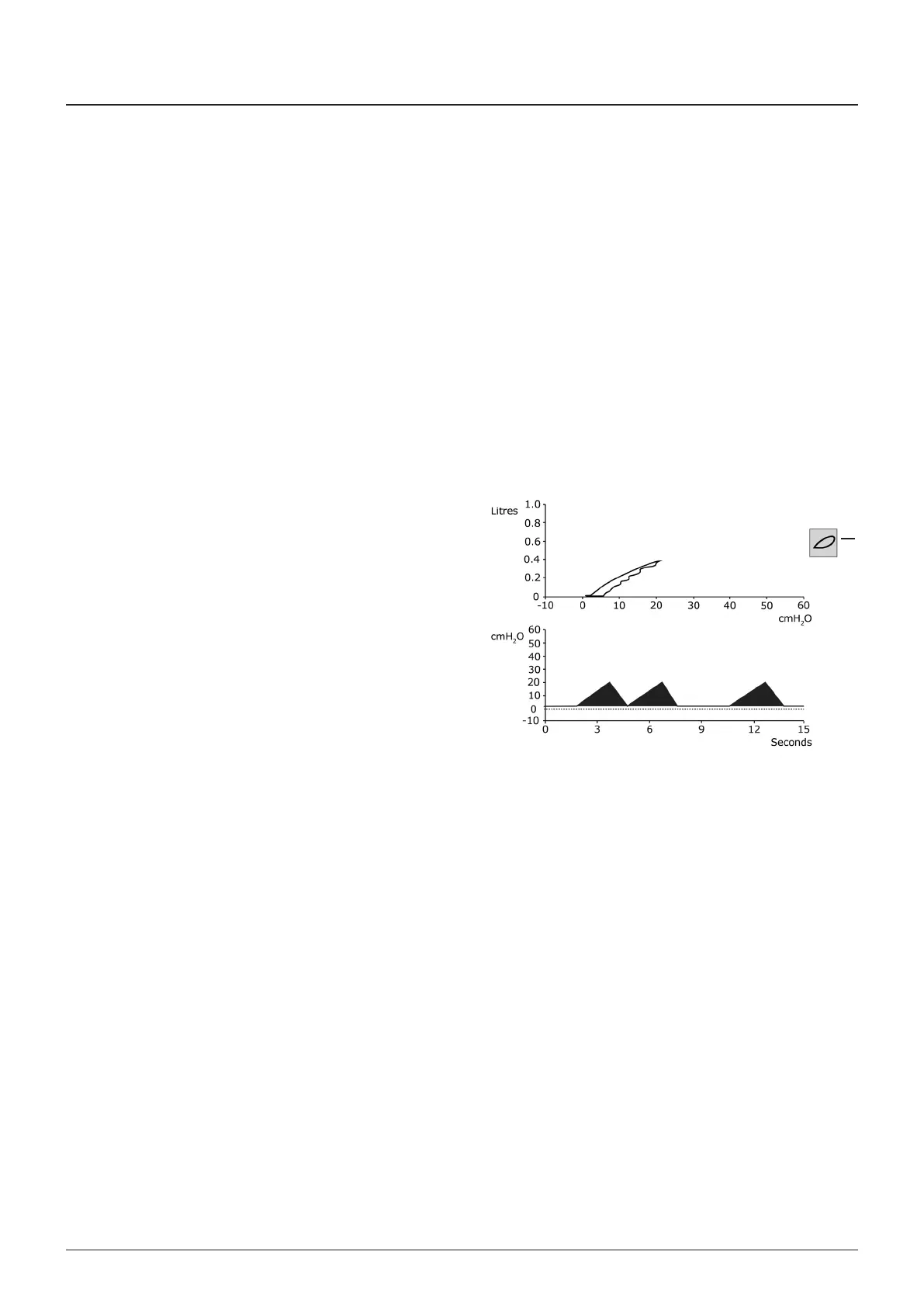
3.13.8 Display Waveforms
The default waveform s always Pressure vs Tme (cmHO vs
seconds)
1 Waveform Freeze Loop
The FREEZE LOOP con (1) s located at the rght-hand sde of
the top waveform
2 Second waveform
The second waveform can be dsplayed by usng the menu
control or by touchng the waveform on screen
Select from
• Volume vs Tme (ltres vs seconds)
• Volume vs Pressure (ltres vs cmHO)
• omplance loop waveform
• Frst loop can be frozen
• Subsequent loops overlad
NOTE
If a Masmo Nomolne ISA AX+ or OR+ Module s nstalled the
second waveform defaults to O
3 Thrd waveform
The thrd waveform can be dsplayed by usng the menu
control or by touchng the waveform on screen
NOTE
If a Masmo Nomolne ISA AX+ or OR+ Module s nstalled the
thrd waveform defaults to O
4Dsplay Functons
Automatc scale adustment
Y axs
1 In Pressure vs Tme mode the scale adusts as Plmt s
changed (-20 to 40, 60, 80 cmHO)
2 In Volume vs Tme and Volume vs Pressure modes the
scale adusts as VT s changed (0 to 05 L, 10 L, 20 L)
X axs
1 In Pressure vs Tme and Volume vs Tme modes the scale
adusts as Rate s changed (0 to 15 sec, 5 sec, 3 sec)
2 In Volume vs Pressure mode the scale adusts as ‘P lmt’
s changed (-20 to 40, 60, 80 cmHO)



 To Next Page