Prma 460 31 User Manual
Description
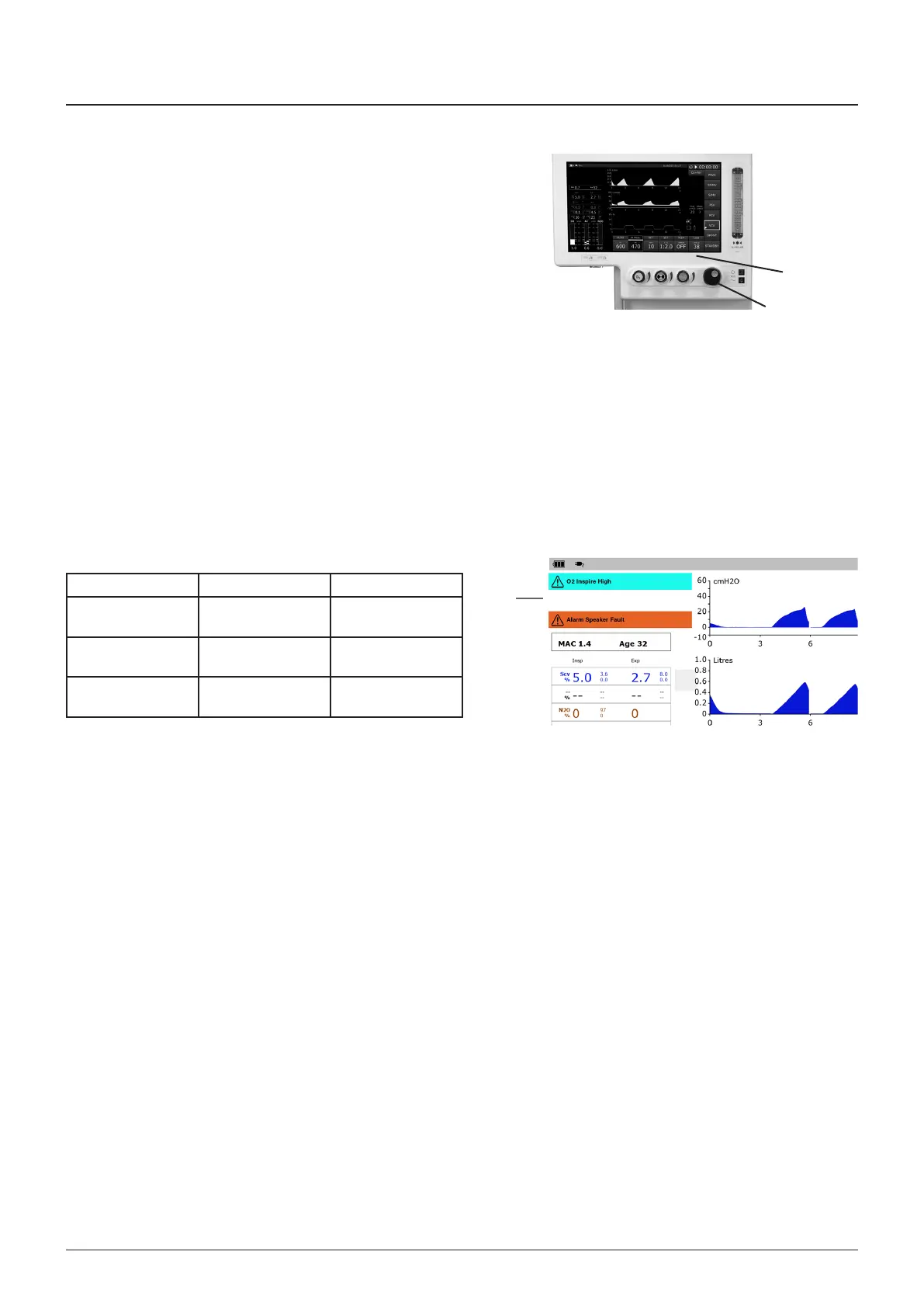
Parameter value change procedure
Press the touchscreen over the area (1) where the parameter
s dsplayed
Rotate the navgaton wheel (2) to change the parameter value
Settng some parameters to an extraordnarly hgh value wll
requre the user to confrm the change a second tme
When a second confrmaton s requred, “RE-ONFIRM HIH
SETTIN” wll be dsplayed n the Message Informaton Area
3.12.6 Alarm Message area
The Alarm Message area (1) dsplays the three hghest prorty
alarm events Alarm messages are dsplayed as follows
Urgency olour Audo Tone
Low Blue Sngle low tone for
3 s
Medum Brght yellow Infrequent
repeatng tone
Hgh Brght Red Frequent repeatng
tone
User adustable alarms
Use the menu systems to set the requred lmts
Press the menu swtch on the front panel and select ALARM
SETTIN, or use the touchscreen
Hgh Prorty Alarms
Hgh prorty alarms are accompaned by fve ascendng tones
that are repeated
1
2
1



 To Next Page