Prma 460 42 User Manual
3.13.5 Spontaneous Mode
3.13.5.1 Parameters
In spontaneous mode the ventlator montors the followng
patent parameters
• Rate
• IE rato
• Pressure
• Tdal volume
The waveform dsplays are actve, and nspratory oxygen levels
are measured
3.13.5.2 Spontaneous Mode Operating Functions
1 Selecton at ventlator start-up
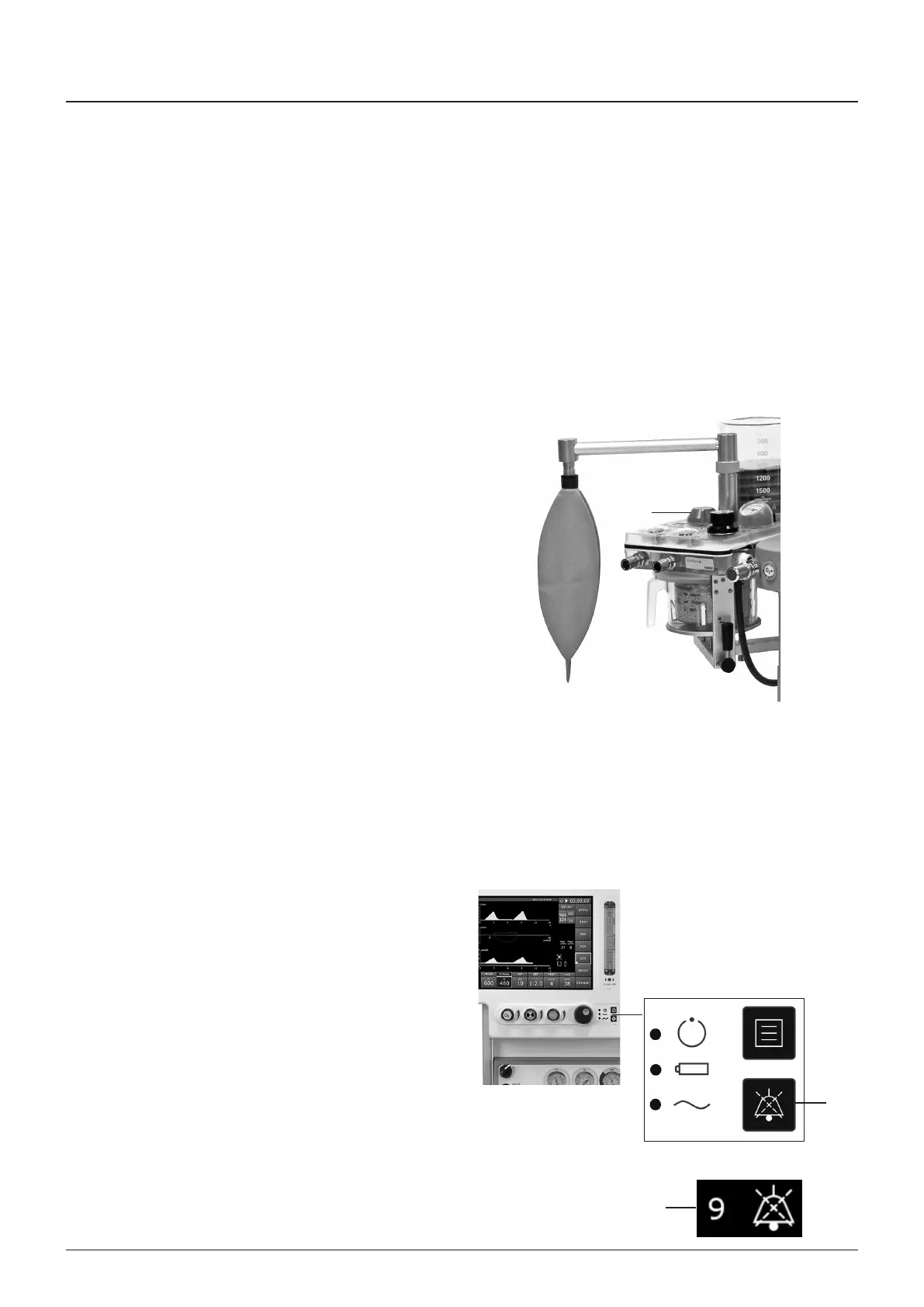
a) The absorber Bag/vent swtch (1) must be n ‘Bag’
poston
b) Spontaneous mode at ventlator start-up
Default values wll be dsplayed f the ventlator has
ust been powered ON
c) Selecton durng Ventlaton
Move the absorber Bag/vent swtch (1) to ‘Bag’
The ventlator wll swtch from Pressure or Volume
Mode to Spontaneous Mode
2 Functons
• No mechancal ventlaton
• No Inspratory Pause functon
• Patent montorng (Bag and Ventlator modes)
Arway pressure
FO
Tdal volume
Rate
IE rato
Supply pressure
NOTE
The default trgger level for ventlator support s 10 L/mn
flow In some patents ths may be too senstve and provde
naccurate trggerng and also result n a dsplayed BPM
readng that s hgher than the actual rate
3.13.5.3 Apnoea Alarm Mute (Spontaneous mode only)
In spontaneous mode the mute button (1) slences an exstng
apnoea alarm, and nhbts new apnoea alarms, for a gven
perod
NOTE
1 The occurrence of another alarm event wll overrde ths
feature
2 The alarm mute tme perod s selectable through the
alarm settngs menu, or accessed by touchng the alarm
area of the screen
3 When the alarm mute s selected, the mute perod s
dsplayed on the screen (2), and count-down starts
1
2
1
Description



 To Next Page