Prma 460 26 User Manual
Description
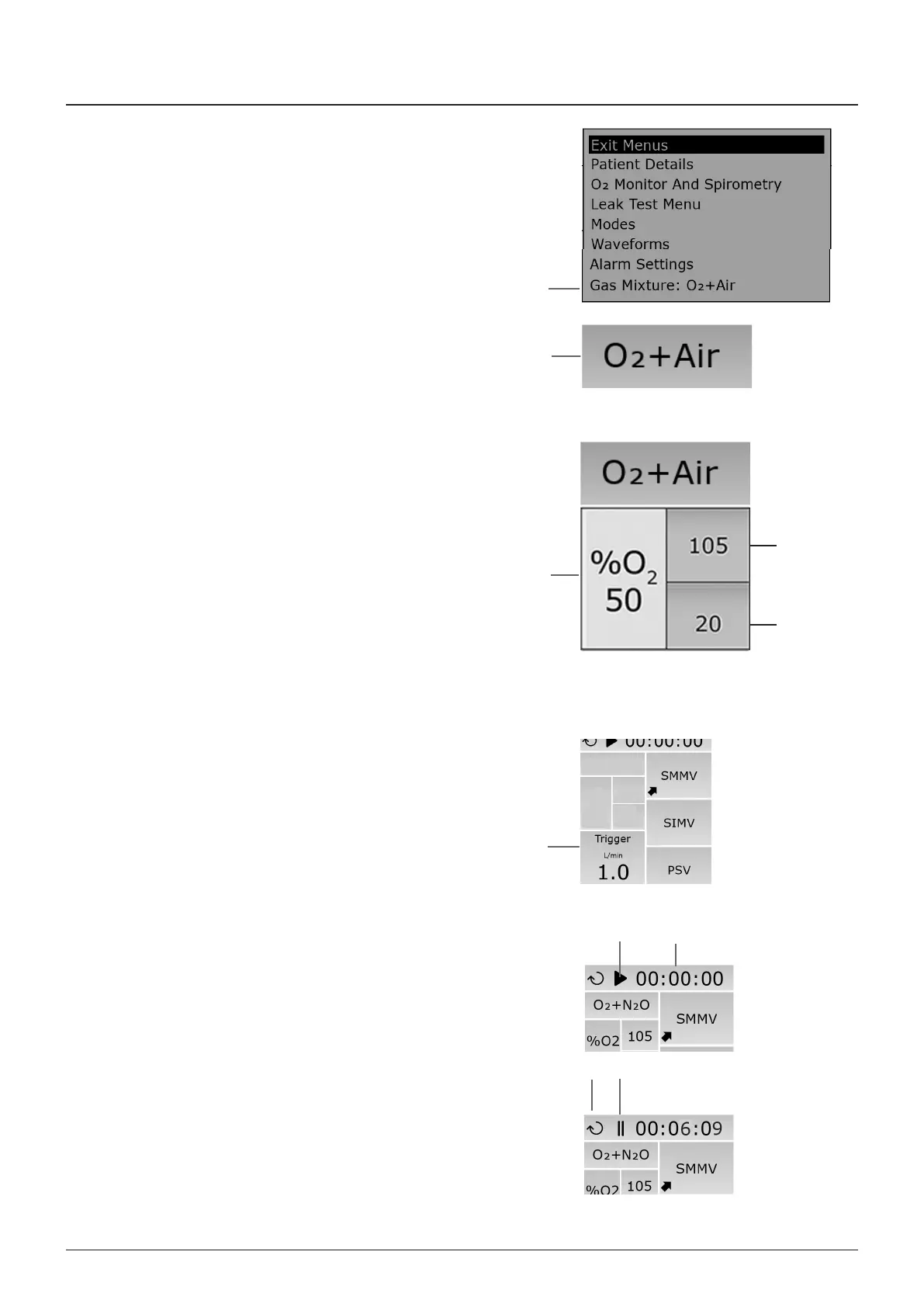
3.11.7 Gas Mixture Selection
as mxture selecton (1) the wndow (2) s located on the
rght-hand sde of the touchscreen
O + Ar (2) or O + NO can be selected
O oncentraton dsplay
The O oncentraton dsplay shows the measured Oxygen
oncentraton
Note that there s no dsplay f a Masmo Nomolne OR+ gas
module wth paramagnetc O montorng s ftted
Ths wll result n the dsplay n red, wth an OFF message
promnently dsplayed n the wndow
3.11.8 Oxygen monitor (fuel cell type)
1 O Hgh alarm lmt The O Hgh lmt (1) shows an Oxygen
concentraton value between 19 and 105 as measured by
the Oxygen montor
2 O Low alarm lmt The O Low lmt (2) shows an Oxygen
concentraton value between 18 and 99 as measured by
the Oxygen montor
3 O oncentraton (3)
NOTE
If a Masmo Nomolne OR+ gas module wth paramagnetc O
montorng s ftted, the ntegral oxygen montor system (fuel
cell sensor type) s dsabled Refer to Appendx 7
The O Hgh and Low alarm lmts (1 and 2) and O
oncentraton value (3) wll not be dsplayed
3.11.9 Trigger Field
The trgger feld (1) s dsplayed when the ventlator operates
n support modes
The trgger value s set usng the navgaton wheel
3.11.10 Stopwatch
The stopwatch dsplays elapsed tme n hours / mnutes /
seconds (1)
Press the control button (2) to start the stopwatch
When n use, the con (3) s dsplayed
To pause the stopwatch, press the button (3) Press agan to
recommence tmng
To reset to zero, press the reset button (4)
1
2
1
2
3
4
2
1
3
1



 To Next Page