Prma 460 28 User Manual
Description
3.12.3 Waveform area
In addton to waveforms, the dsplay shows the status
messages and an nformaton messages above the top
waveform
The followng nformaton messages can be dsplayed
PRESS TO ONFIRM
RE-ONFIRM HIH SETTIN
SET ABSORBER TO VENT
SET ABSORBER TO BA
The alarm message VENTILATOR INOPERATIVE s dsplayed
promnently n the upper waveform area when applcable
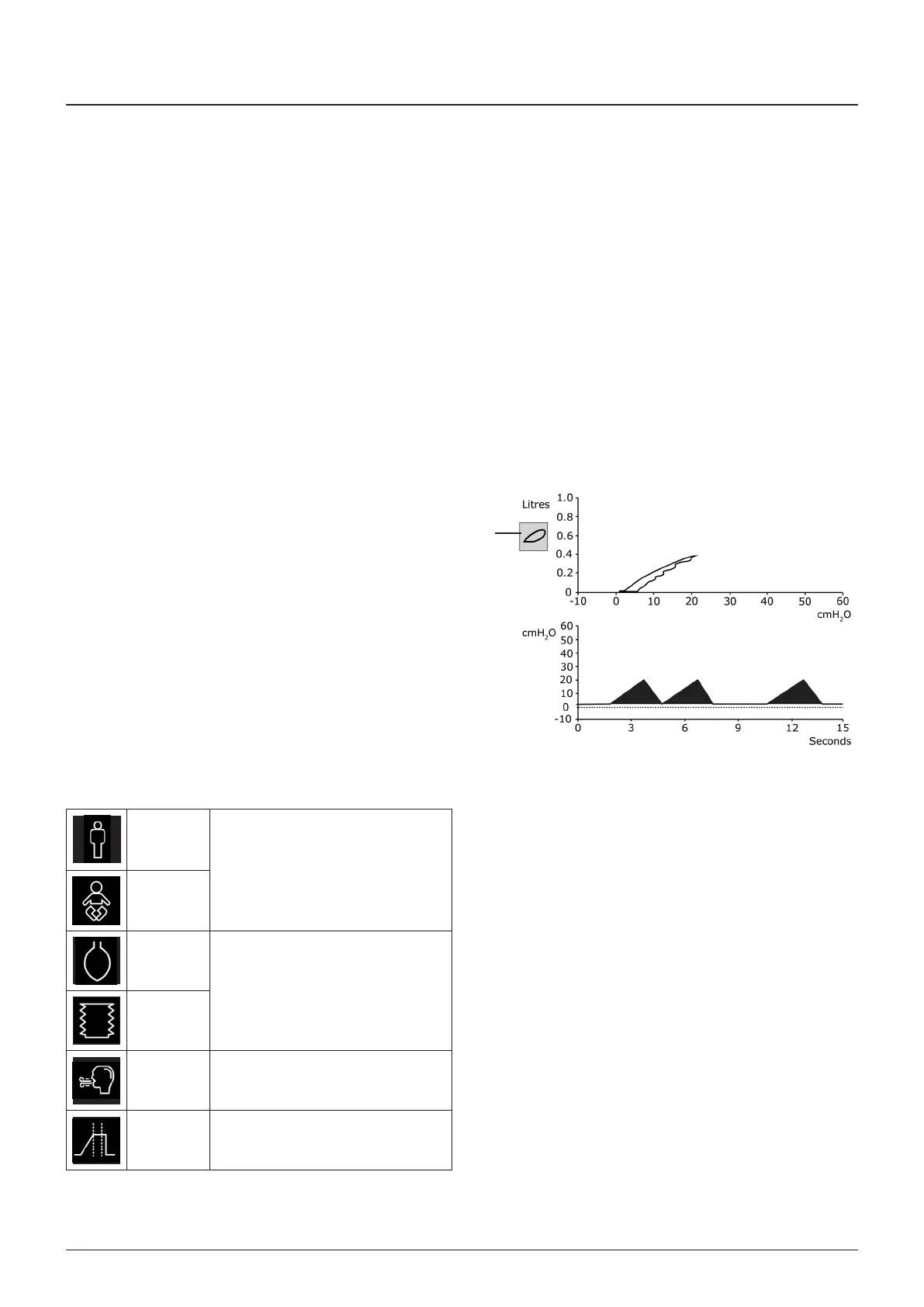
The waveform area dsplays the selected waveforms as follows
Freeze Loop
The freeze loop symbol (1) s shown only when the complance
loop waveform (Pressure vs Volume), s enabled
When selected, the current respratory cycle data s not
updated but s overlad wth newer respratory cycle data
A further selecton wll clear all loops from the dsplay
X and Y axes (prmary and secondary)
The user can select a prmary and secondary waveform
dsplay
The numbers on the X and Y axs scales alter when the set
parameter data changes
3.12.4 Symbol area
The symbol area (see secton 3111) dsplays the symbols that
follow, when trggered by mode or opton selectons
Adult
Ether the Adult or Paedatrc mode
symbol s dsplayed, dependent upon
the selected mode
Paedatrc
BA
The ventlator mode symbol ndcates
whether the absorber s n BA or
VENT mode
VENT
SIH
The SIH symbol s vsble when the
MAIN system SIH opton s actve
Inspratory
pause
The symbol s vsble when the
INSPIRATORY PAUSE opton s actve
1



 To Next Page