Prma 460 23 User Manual
Description
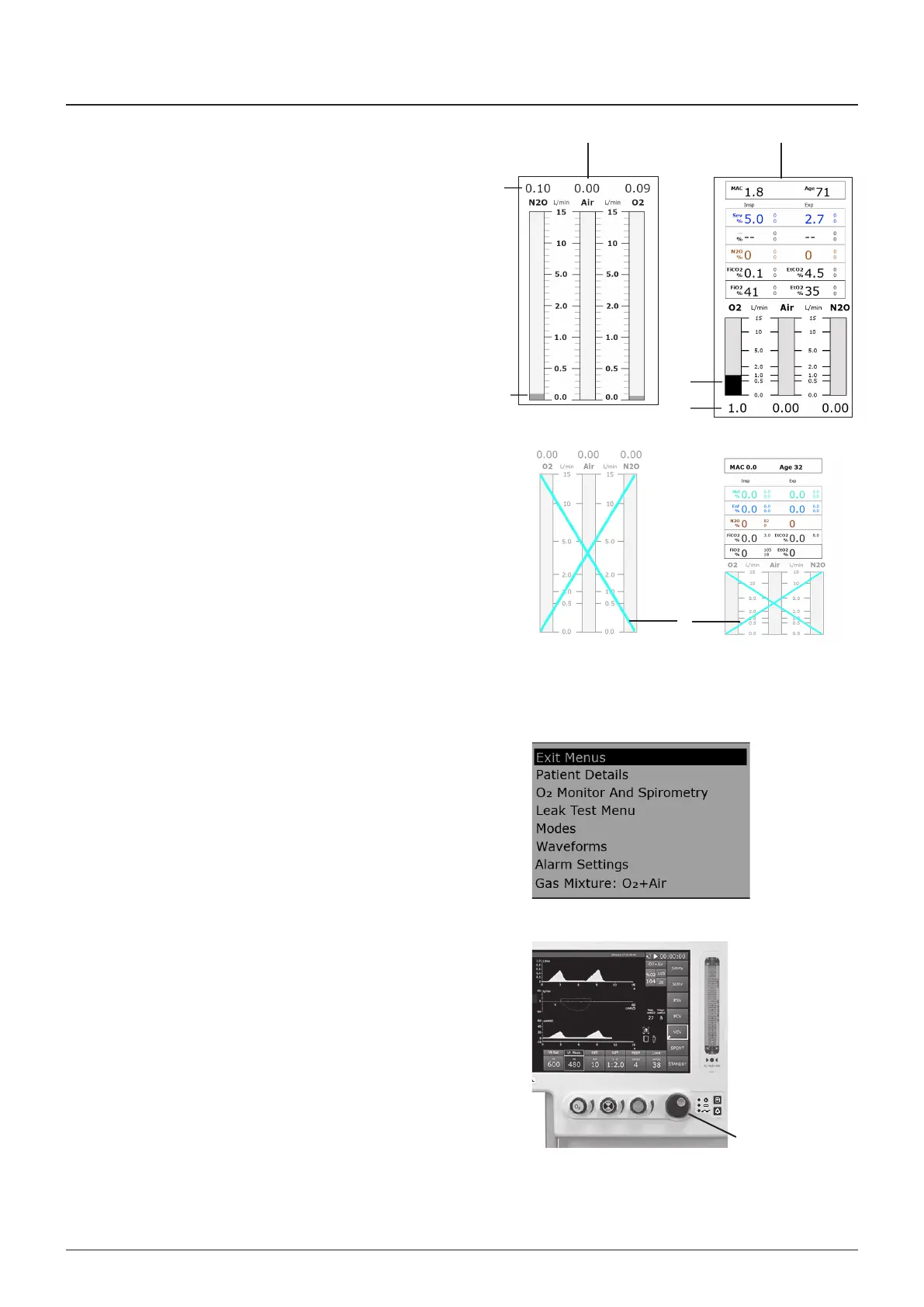
3.11.2 Fresh Gas Display
The fresh gas dsplay s shown on the left sde of the
touchscreen and dsplays fresh gas flow n L/mn
A Standard dsplay
B Optonal Masmo ISA AX+ or ISA OR+ module nstalled
NOTE
1 The poston of the O, Ar, and NO vrtual gas tubes vares,
dependng on terrtoral requrements
2 Values dsplayed n the vrtual gas tubes (1) are a gude to
the fresh gas flow
3 The dgtal dsplay (2 or 3) shows the correct flow values
Flowmeter sensor fault
If a flow sensor fals, the fresh gas flow values are not dsplayed
A red ‘X’ s shown over the vrtual flow tubes (4)
A medum prorty alarm wll sound
3.11.3 Main Menu
3.11.3.1 Main Menu Description
1 The MAIN MENU s dsplayed when the Menu button s
pressed
2 The man menu occupes a wndow that s shown n the
centre of the dsplay The actve opton s shown hghlghted
The actve opton can be modfed when the navgaton wheel
s pressed and rotated
a) Optons can dsplay further menus or be modfed by
rotatng the navgaton wheel
b) Each sub-menu opened wll overlay the parent menu
Where there s not enough room on the dsplay for all
the optons of a partcular menu, the menu optons can
be scrolled vertcally
3 The Man Menu has addtonal optons n Standby mode
4 Pressng another area of the screen, pressng the menu
swtch or dong nothng for 8 seconds wll abort a menu
opton change
5 Rotaton of the navgaton wheel (1) wll allow the user to
scroll up and down the selected menu
6 When parameters are selected, rotaton of the navgaton
wheel wll ncrease or decrease parameter values
The degree of ncrease/decrease for each clck of the wheel
s dependent upon the resoluton of the selected parameter
NOTE
Settng some parameters to an extraordnarly hgh value
wll requre the user to confrm the change a second tme
When a second confrmaton s requred, “RE-ONFIRM
HIH SETTIN” wll be dsplayed n the Message
Informaton Area
1
1
2
A
B
3
1
4



 To Next Page