Prma 460 40 User Manual
3.13.3 Pressure Mode
3.13.3.1 Parameters
In pressure mode the ventlator delvers a varable flow of gas
to acheve a set pressure at fxed breath ntervals The patent
s makng no respratory effort
Pressure range 5 - 70 cmHO
The pressure lmt s 5 cmHO, or 10%, above the set target
pressure, whchever s greater
Rate 4 - 100 bpm
IE rato 102 - 18
PEEP ‘Off’ or adustable 4 - 20 cmHO (opton, 4 -30 cmHO)
Inspratory deceleratng flow s controlled by the ventlator
accordng to the pressure settng
3.13.3.2 Selecting Pressure Mode
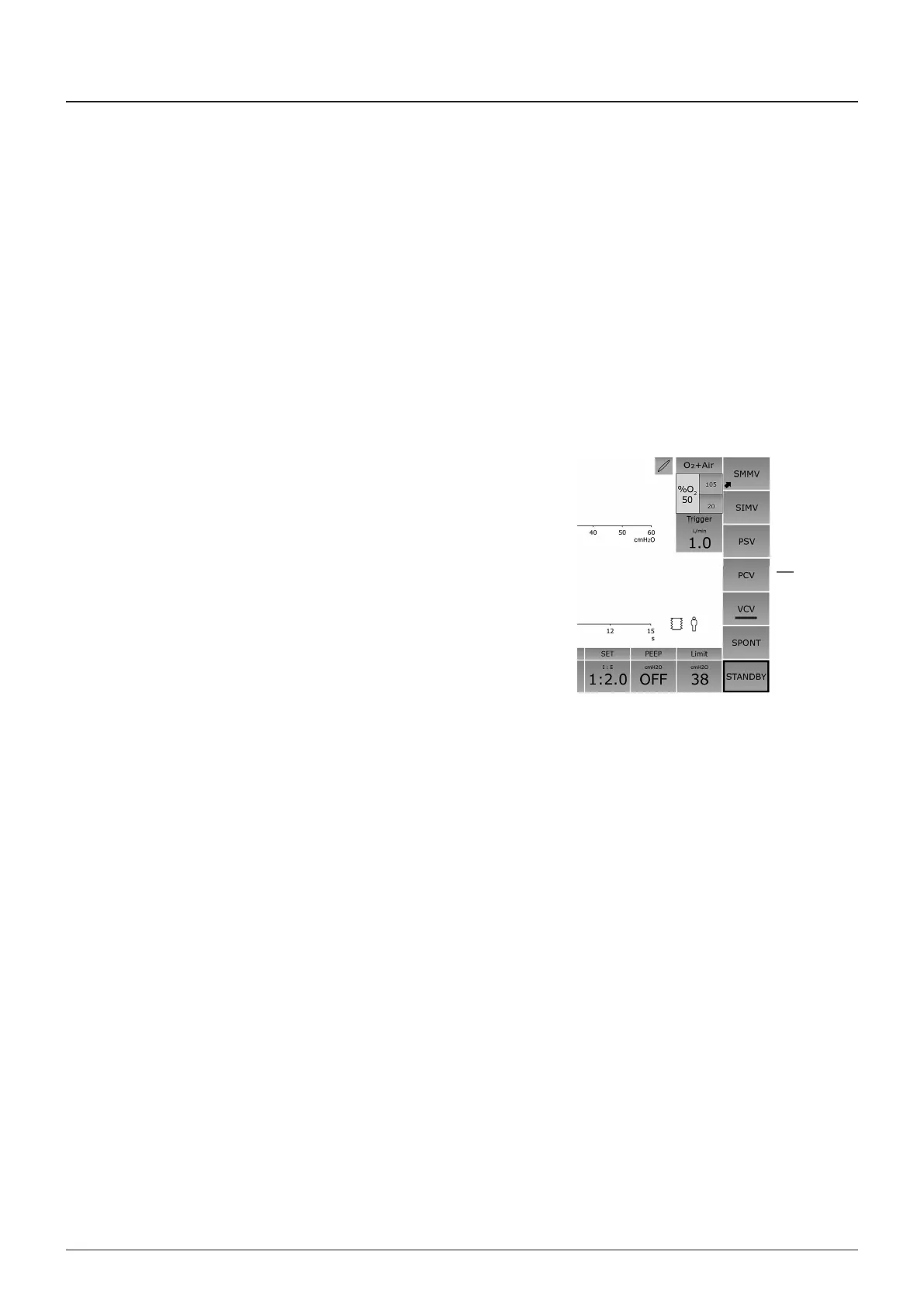
PV (pressure controlled) Mode selected from Standby Mode
1 Select by touchng the screen tab ‘PV’ (1)
PV Mode selected from Volume Mode
1 Select by touchng the screen tab ‘PV’ The ventlator
contnues to ventlate n Volume Mode
2 The target pressure button flashes (the dsplay shows the
prevous settng of target pressure, or default settng)
WARNIN
Set approprate values for the clncal procedure n
progress Take note of all on-screen symbols and dsplay
messages
3 Press to confrm change of mode and new target pressure
4 At confrmaton of the new mode, the ventlator wll swtch
to PV Mode
NOTE
PV Mode wll commence at the begnnng of an exhalaton
phase
3.13.3.3 PCV Mode Functions
PV mode defaults to a target pressure of 10 cmHO at swtch
on, unless Ste Defaults have been selected wth preset values
• A hgh nspratory flow s used to acheve and mantan the
target pressure
• The exhaust valve operates to prevent excess pressure
• There s no Inspratory Pause functon n pressure mode
Description
1



 To Next Page