Prma 460 44 User Manual
Description
3.13.6 Patient Support Modes
Support modes can be accessed through the dsplay
touchscreen functon
• SIMV Synchronsed Intermttent Mandatory Ventlaton
• SMMV Synchronsed Mandatory Mnute Ventlaton
• PSV Pressure Supported Ventlaton
3.13.6.1 SIMV
Synchronised Intermittent Mandatory Ventlaton
SIMV allows spontaneous breaths and a set mandatory breath,
synchronsed wth the start of a patent breath
Select SIMV on the man dsplay
SIMV wll be dsplayed on the man screen
NOTE
1 The trgger wndow s pre-set to 60% of the BPM cycle
tme
2 The trgger s flow actvated
3 If Sprometry s dsabled then SIMV s not avalable
4 If the pressure lmt and alarm are actvated the
nspratory phase s termnated
SIMV Settngs
NOTE
1 VT can be adusted before SIMV s confrmed
2 The trgger settng s adustable between 07 and 40 L/
mn
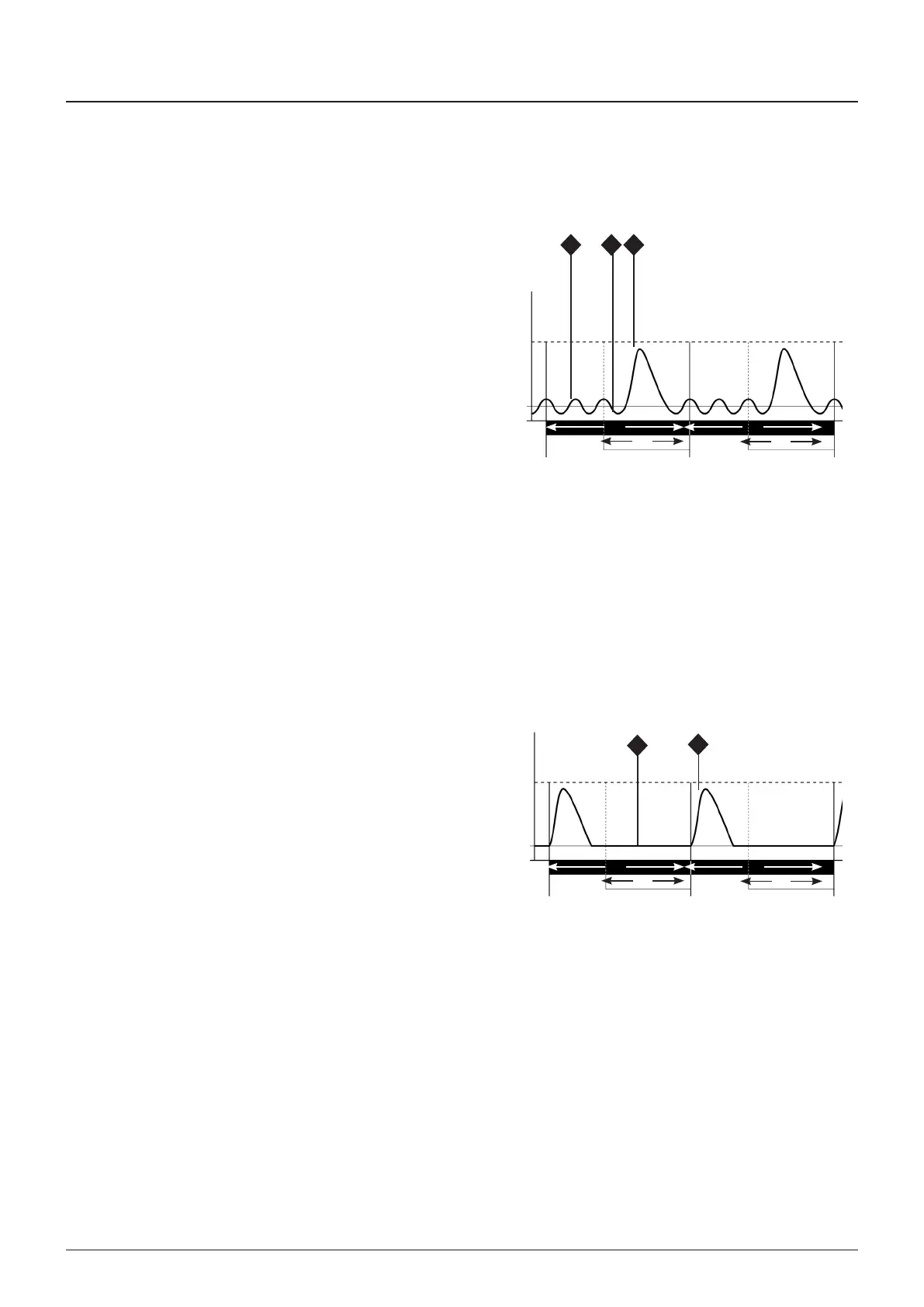
SIMV - No breathng effort by Patent
A = ycle tme (set from BPM)
B = Trgger wndow
= Flat pressure trace (no breathng effort)
D = Mandatory breath at the end of the trgger wndow at
the set VT
If the patent makes no effort to breathe durng a cycle, a
mandatory breath, at the end of the trgger wndow, wll stll
be delvered at the preset volume and rate
A A
B
B
Pmax
PEEP
0 cmHO
D
C
SIMV - Spontaneously Breathng Patent
A = ycle tme (set from BPM)
B = Trgger Wndow
= Spontaneous breath
D = Trgger pont
E = Mandatory breath at the set tdal volume (VT)
Inspratory flow n the Trgger Wndow (generated
by the patent’s spontaneous breath) results n a
synchronsed mandatory breath at a preset volume
and rate
A A
B
B
Pmax
PEEP
0 cmHO
EDC



 To Next Page