Prma 460 51 User Manual
Description
2 Fresh gas mxture compensaton s dsabled f the montor s
swtched OFF
3 The montor must be swtched ON to allow calbraton and
settng of the alarm levels
4 At ventlator power-up, the status ‘O montor off’ s ndcated
onscreen by a red O concentraton wndow (2)
If the wndow s not vsble, the montor must be swtched ON
n Engneers mode
ALIBRATION
Scroll to ALIBRATION, and press the navgator wheel to ntate
the calbraton procedure (see secton 74 for the full procedure)
Scroll to EXIT MENUS and press the wheel to ext
HIH ALARM SET
LOW ALARM SET
Oxygen lmts are accessed by the touchscreen, or through the
menu system
Fast access through touchscreen
1 Touch the screen to access the Hgh/Low Alarm set value tab
2 Turn the navgator wheel to select the requred value, and
press the wheel to confrm the value selected
NOTE
If you do not want the new value to be confrmed, touch another
tab area to cancel the resettng operaton
Access through Menu System
1 Scroll to the requred parameter and press the navgator
wheel to actvate
2 Rotate the navgator wheel agan to change the dsplayed
value (see secton 744 for full procedure)
Hgh Alarm range 19% - 105%
Low Alarm range 18% - 99%
3 The dsplayed fgure wll flash on and off
Press to confrm
4 Scroll to EXIT MENUS, press the wheel to ext
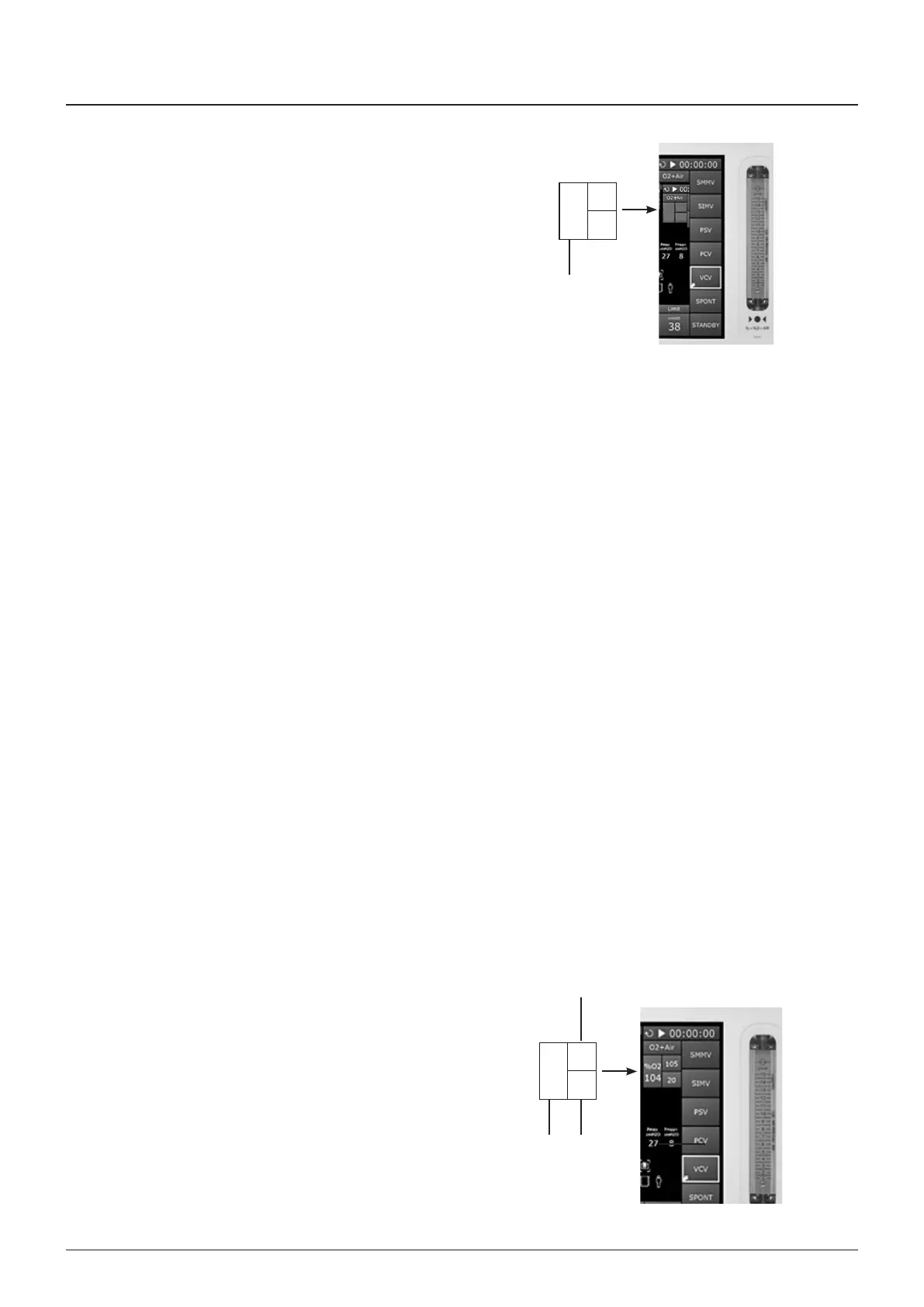
3.14.4 Display
Hgh-set, low-set, and oxygen concentraton percentage readngs
are dsplayed on screen
Touch the tab to actvate the O menu
Oxygen oncentraton (1)
The dsplay provdes a drect readout of measured oxygen
concentratons n the range 0 - 100%
Low Alarm Set (2) - lmted wthn 18 - 99%
The oxygen percentage, set by the user, at whch the low alarm
wll be actvated
To set the low oxygen alarm, see secton 744
Hgh Alarm Set (3) - lmted wthn 19 - 105%
The oxygen percentage, set by the user, whch the hgh alarm wll
be actvated
Note that n certan condtons of excess pressure, the readout
may show a value above 100%
To set the hgh alarm, see secton 744
%O
OFF
2
%O
33
100
20
3
1 2



 To Next Page