Prma 460 90 User Manual
Operating the Anaesthesia System
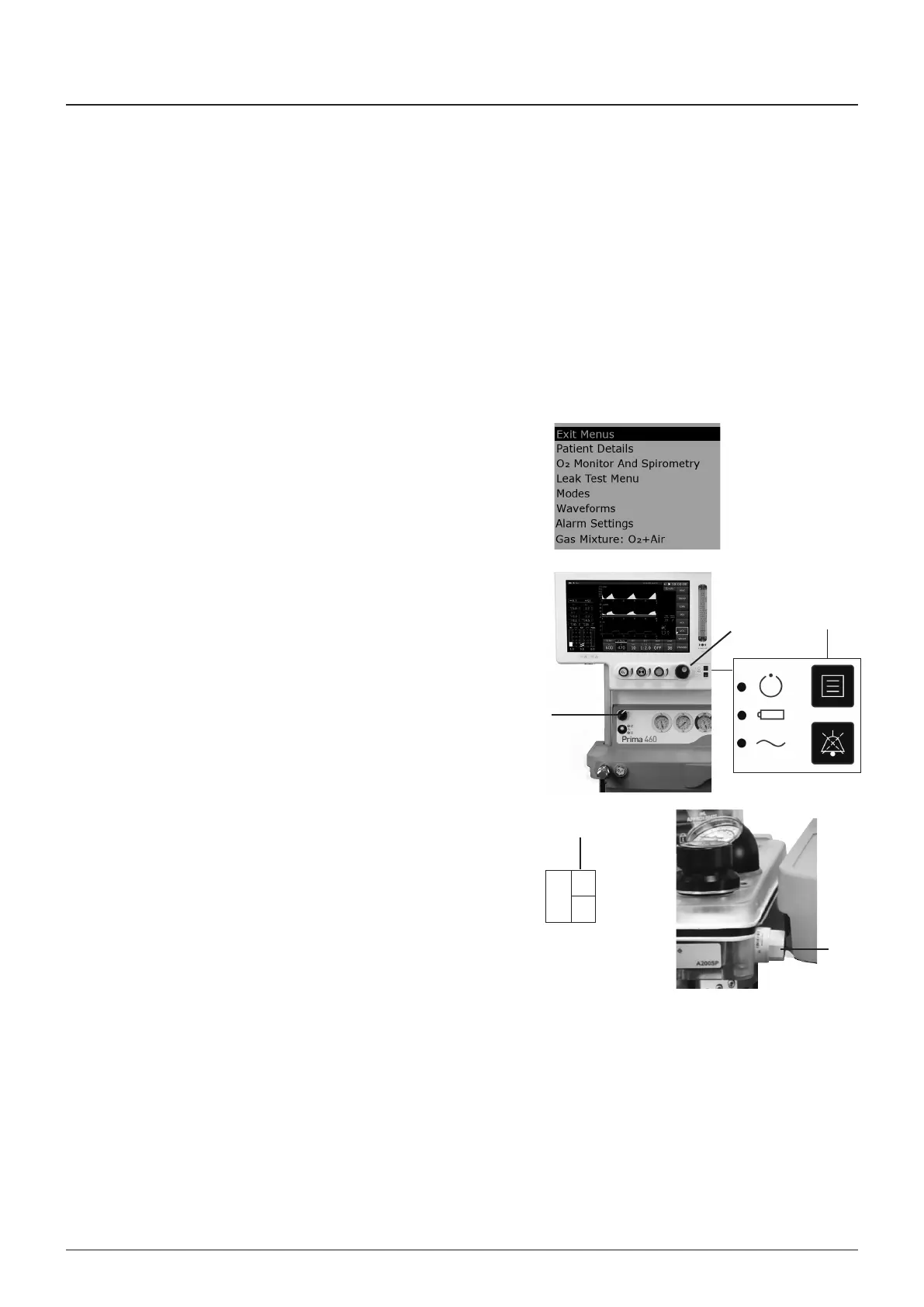
18 The % value (3) wll flash and a flashng message PRESS
TO ONFIRM wll appear
19 Ensure that the 21% opton s dsplayed and press the
wheel (5) to confrm
20 A message ‘albrated at 21% oxygen’ should be
dsplayed
Note the message ERROR AL OUT OF RANE
wll be dsplayed f the user attempts to calbrate at 21% n
100% oxygen
21 Ext the menu system by pushng the menu button (4)
22 Turn off the gas flow
23 Reft the absorber canster (1)
7.4.2.2 Oxygen Monitor Secondary Point Calibration - Using
Room Air
NOTE
A prmary calbraton n 100% oxygen must be performed
before ths procedure
1 Swtch on the machne (1)
If the oxygen montor s not dsplayed, select O MONITOR
‘on’ n the O MONITOR AND SPIROMETRY submenu
2 Ensure that all vaporzers, f ftted, are OFF
3 Detach the sensor (2) from the absorber, and gently move
t through the ar to allow room ar to crculate for 20
seconds
4 Allow the oxygen sensor to stablse for 15 mnutes (check
that the readng (3) remans constant for a 30 seconds
perod)
5 Press the menu button (4) and select the O montor sub-
menu
6 Scroll to ALIBRATION and press the navgator wheel (5)
to swtch to 21% (calbraton usng ar) f the menu shows
100% (calbraton usng oxygen)
7 A message wll flash on the screen O AT 21%
Press the button to confrm
Note that the message
ERROR AL OUT OF RANE
wll appear on screen f the user attempts to calbrate at
21% n 100% oxygen
8 Ext the menu system by pushng the menu button (5)
9 Reft the oxygen sensor and check the montor wth the
sensor n oxygen
Flush 100% oxygen through the O and mantan the flow
through the total breathng crcut for approxmately 20
seconds
Allow the oxygen sensor to stablse (30 seconds
mnmum)
heck that the measured O concentraton dsplay (3)
shows 100% (±1%)
10 Ext the menu system by pushng the menu button (4)
11 Turn off the gas flow, and swtch the machne off
2
%O
21
3
100
20
4
1
5



 To Next Page