Prma 460 46 User Manual
Description
3.13.6.3 PSV
Pressure Supported Ventilation
PSV asssts each spontaneous breath to acheve a preset
pressure, thus reducng the effort requred to breathe
Inspratory flow (generated by the patent’s spontaneous
breath) results n synchronsed pressure support
Select PSV on the man dsplay
PSV wll be dsplayed on the man screen
NOTE
1 The trgger wndow s pre-set to 60% of the BPM cycle
tme
2 The trgger pressure s PEEP referenced
3 If the Sprometry system s dsabled, then PSV s not
avalable
4 If the pressure lmt and alarm are actvated the
nspratory phase s termnated
PSV Settngs
NOTE
1 Support Pressure can be adusted before PSV s
confrmed
2 The trgger settng s adustable between 07 and 40 L/
mn
PSV BAKUP
To use the PSV Backup mode, use the Modes menu to select
the MODES and PSV BAKUP mode
PSV backup mode s used to select a Pressure or Volume
controlled ventlaton backup mode
When an Apnoea alarm s sounded n PSV mode, the ventlator
wll mmedately swtch to the backup mode
When swtchng, the Apnoea alarm wll sound for 1 second
and the button for the backup ventlaton mode wll flash untl
the user presses the flashng button to acknowledge that the
ventlator has swtched to the backup mode
Durng ths transton the set value of PEEP wll be unchanged
A A
Pmax
PEEP
0 cmHO
B
C
C
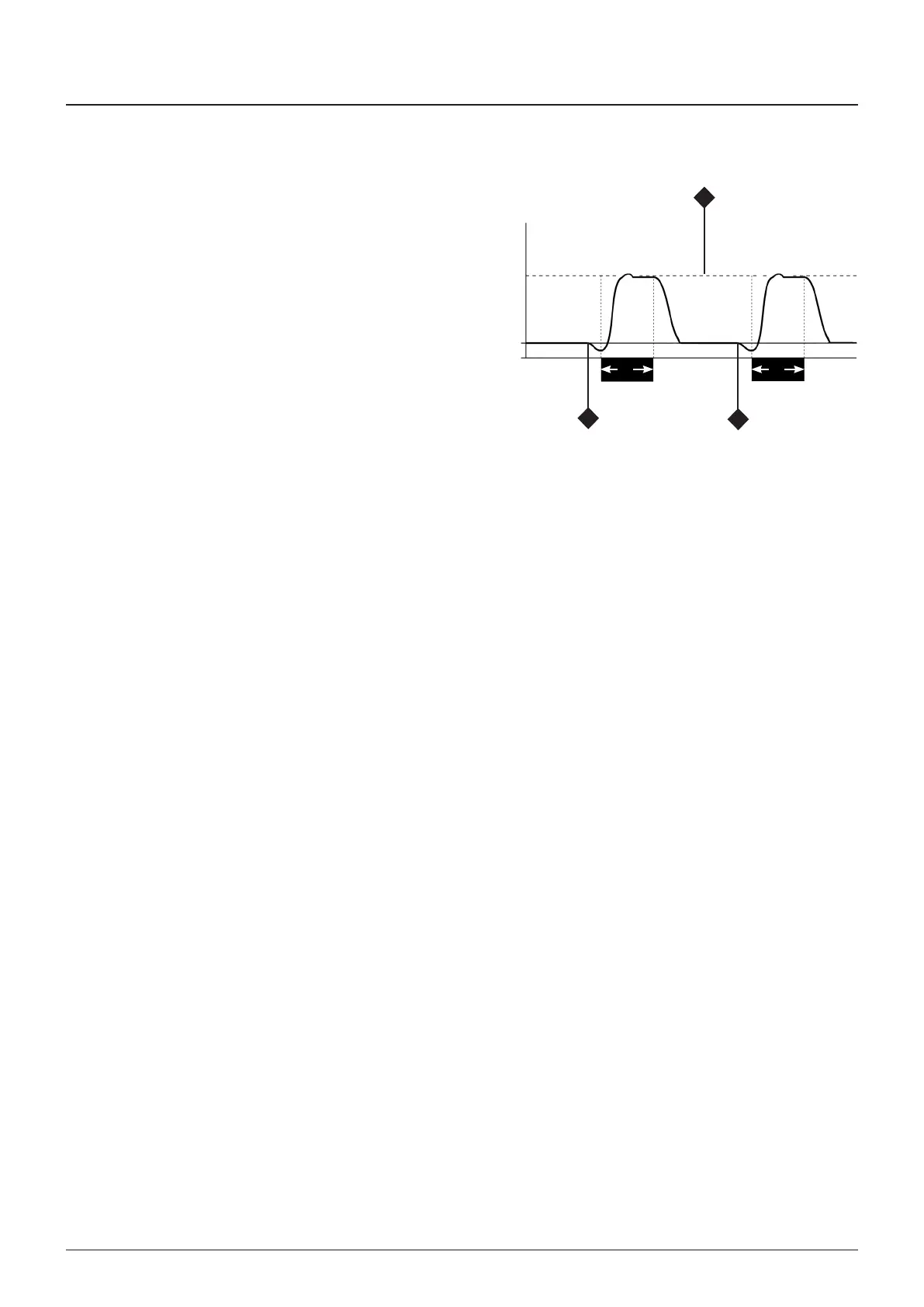
PSV Pressure Supported Ventlaton
A = Set nspratory tme
B = Pressure support level
= Spontaneous breath results n a synchronsed
pressure supported breath
AUTION
If the patent makes no attempt to breathe, the
ventlator wll not provde support
- The Apnoea alarm wll be actvated
- The preselected backup mode wll actvate



 To Next Page