All-New Event Presentation Switching Solutions
User Manual
Set Edge Blending
Set Screen Color
Set Output Information
Set PGM Edit
Set Display Status
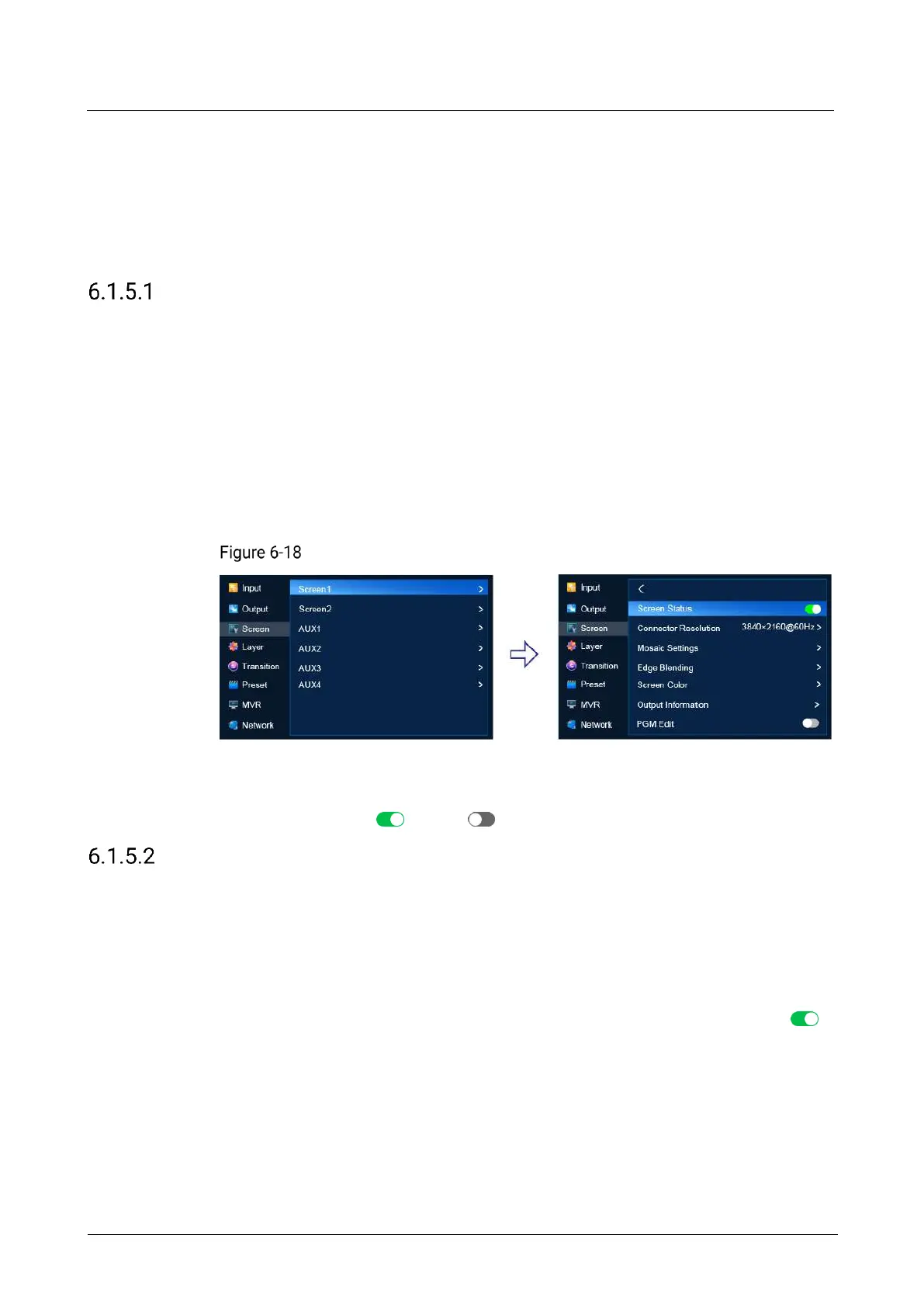
Set Screen Status
Enable or disable the screen.
Prerequisites
The screen is a common screen or AUX screen.
Menu Orientation
On the main menu screen, scroll to and select Screen > Screen1/AUX1 > Screen
Status.
Screen status (P20)
Description
Set Screen Status to (on) or (off).
Set Connector Resolution
Set the connector resolution and frame rate. Users can select a standard resolution
or customize a resolution and set advanced parameters.
Prerequisites
The EDID of the connected display device is obtained.
.The screen is a common screen or AUX screen and Screen Status is set to .
Notes
The advanced parameters must be set by the trained personnel.
After the output resolution is changed, the AOI parameters of the connector is
reset automatically.



 To Next Page